


Quick-Look FAQ: Fix Banking Errors in QuickBooks Online
Quick-Look FAQ: Fix Banking Errors in QuickBooks Online
Learn what to do if you see error messages or are unable to update your latest available transactions.
Help, my bank transactions are not updating
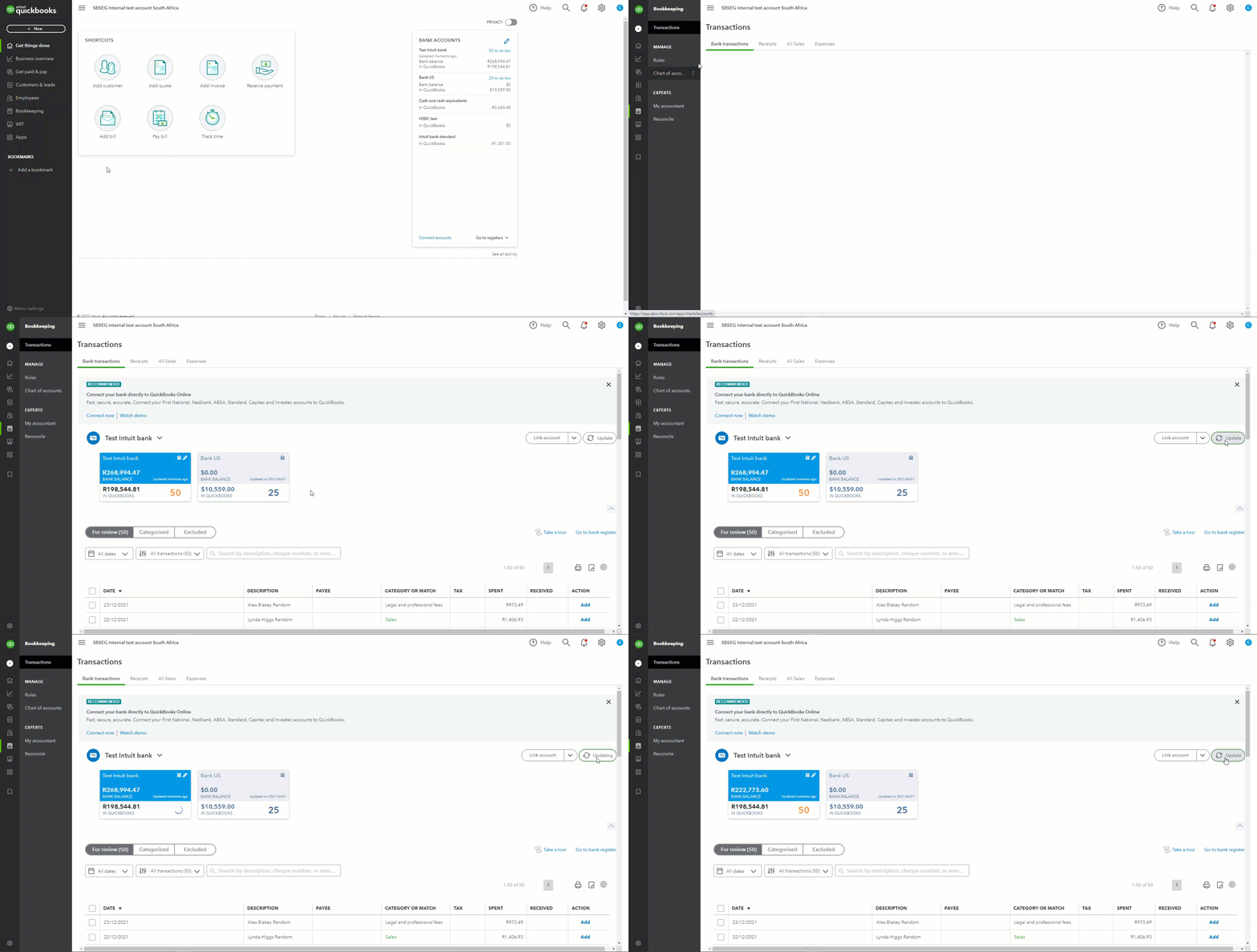
If downloads seem stuck, or you want the latest available transactions, do a manual download:
- Go to Bookkeeping, select Transactions, then select Banking.
- Select Update.
This updates all your connected bank and credit card accounts. The number of transactions in each account tile will increase if QuickBooks downloads new transactions.
If you’re still experiencing issues, you may need to update your bank information. You can do so by following these steps:
- Go to Bookkeeping, select Transactions and select Banking.
- Select the tile for the bank account. Then select the Edit ✎ icon.
- Select Edit sign-in info.
- Update your info as needed.
Quick-Tip: If you see a message about additional authentication, follow the on-screen steps to continue the update. Not all banks require this, but some do for added peace of mind.
I am getting a specific banking error code when trying to update my feed. How do I fix this?
Bank errors often block QuickBooks from downloading new transactions. Follow the links to fix specific download errors:
How do I fix formatting errors with my banking CSV file?
To fix issues when importing your banking CSV files, we will need to check to make sure the CSV file is formatted correctly. If you want to connect your account via Bank Feeds, check out our banking transactions article to learn more.
How do I manually upload my bank transactions into QuickBooks Online?
if your bank or credit card can't connect to QuickBooks, you can still manually import your transactions. Check out the video below for a step-by-step guide:
If you are still experiencing issues connecting to your bank account, please see our article on troubleshooting common issues with bank feeds in QuickBooks Online. You can also post a question to our online community page to be answered by our team of experts and fellow QuickBooks Online South Africa users.