Hello, AlamoRyde.
I appreciate the efforts trying to sort the missing transactions out. Look no further because I'm here to help you get them into QuickBooks Online.
You'll want to manually import those missing transactions from Barclays. Simply get a CSV file (for transactions between 28/03/20 and 04/05/20) from your bank account, then upload it into QuickBooks Online.
After getting the file, here's how you can import it to your QBO account:
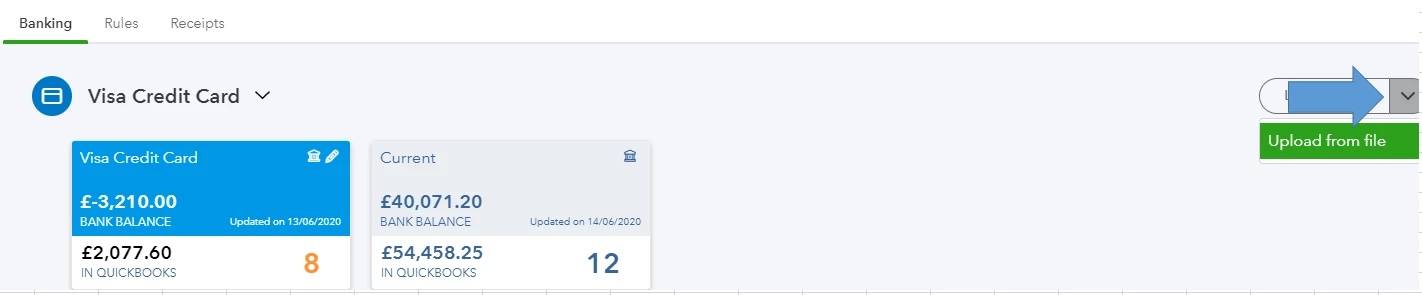
- Go to Transactions, then click the Banking tab.
- Click the arrow icon beside Update under your Barclays account.
- Choose Upload from file.
- Browse for the file you've downloaded, then hit Next.
- Follow the prompts to map and import your file successfully.
If you'd like to know more about the process, you can check these articles:
After importing the missing transactions, you can start categorising and matching them.
When you're ready, reconcile your bank to ensure your books are accurate and all accounted for. If you need help with the process, visit this article: Reconcile an account in QuickBooks Online.
Happy to help you out again if you have other concerns with your QuickBooks Online tasks. Just add your questions in this thread and I'll be there.

