

August 7, 2021
Solved

Barclaycard Business connection Lost

  • August 7, 2021
  • 2 replies
  • 0 views

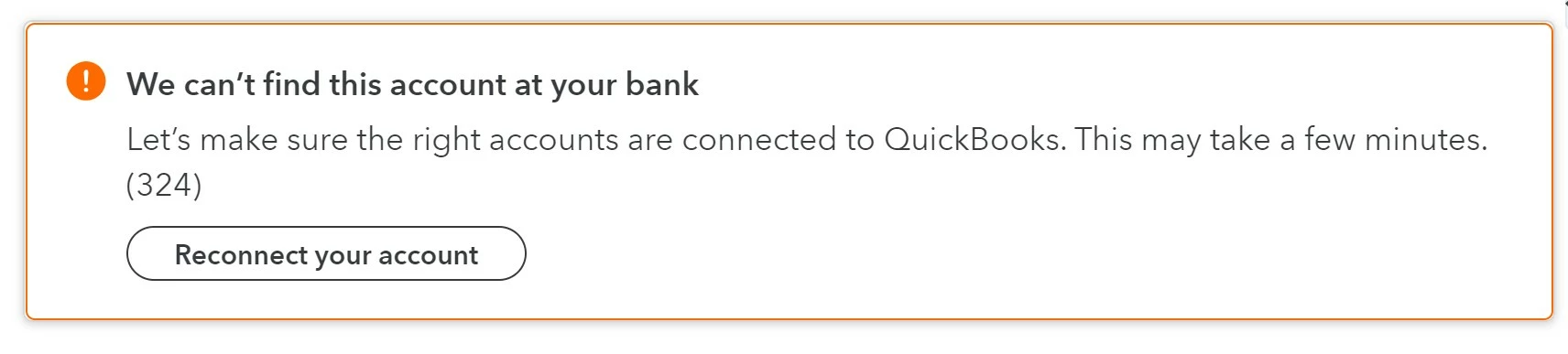
About 6 weeks ago Barclaycard connection was lost and despite several attempts to re-connect and twice disconnecting and reconnecting QB will not recognise the account anymore. Nothing has changed from Barclaycard (i.e. no new card, no change of name etc). Tried the help chat.. hopeless; just told to do again what I have already done. All as I get is the following message. 
Best answer by emmam6

Hello Community Users, we just wanted to add to this thread, the 324 error on the Barclaycard connection was resolved in October 2021. We do have a handy help guide for fixing open banking errors available here

If for any reason you have a similar issue and the linked article steps do not resolve it, please feel free to add to this thread and we'll look into it straight away for you.

2 replies

RenjolynC
August 7, 2021

Hello, 16a.


I have some information about your concern.


We currently have an ongoing investigation about connecting the Barclaycard Business with error 324. Our engineers are working on fixing this issue as soon as possible. 


I recommend contacting our Customer Care Team. They can add your company information to the notification list, so you'll be updated once the issue is resolved.


Here are the steps:


  1. Click the Help icon located in the upper right-hand corner.
  2. In the Help window, click the Contact Us button located at the bottom.
  3. Enter your question and click Let's talk.
  4. Choose either Start a chat or Call us.

If you have the new QuickBooks Assistant help update, you can follow these steps:


  1. In your QuickBooks Online account, go to the Help > Assistant.
  2. Type Talk to a human and proceed with I still need a human.
  3. Click the Contact us link.
  4. Select either Messaging or Callback.

In the meantime, you can manually import your bank transactions by following the steps in this article: Manually upload transactions into QuickBooks Online.


Once the issue is resolved and you're able to connect your Barclaycard Business account, you may see some duplicate transactions. What you can do is exclude them by following these steps:


  1. Go to Transactions Banking.
  2. In the For review tab, put a check mark on the duplicate transactions.
  3. Click the Exclude button.

Here's a sample screenshot for a visual reference:


After excluding these transactions, you can delete them in the Excluded section.


I'm also adding this article to help you match and categorize your downloaded transactions: Categorise and match online bank transactions in QuickBooks Online.


Thank you for your patience. If you have more questions related to Online Banking or other concerns, please let me know in your reply. Keep safe!

16aAuthor
August 14, 2021

so the solution offered is to contact customer care... the instruction given to do this are incorrect. This issue has been going on for around 6 weeks and still no resolution. pretty poor service from QB - I have emailed customer care a number of time and nothing seems to get done just get told it is a known issue. Not good enough QB. I am paying for this functionality and it cost me extra time to import the accounts manually. Please contact me with an update as to when this will be reolved.

DivinaMercy_N
August 14, 2021

I know every penny counts when running a business, @16a.


At this time, we don't have the exact time frame on when this will be resolved. To get notification about the ongoing investigation for the error 324, I highly recommend reaching out to our Customer Care team. They can pull up your account in a secure place and link it to the investigation. This way, you'll receive updates about the issue as well as if there's a resolution available. To do so, you can follow the steps outlined by my colleague, RenjolynC.


In the meantime, the workaround is uploading your transactions to QuickBooks Online (QBO) manually


In case you're ready to reconcile your transactions to guarantee that your bank balance and QBO are matched, check out this link for the detailed steps: Reconcile an account in QuickBooks Online. This article will also guide you in editing completed reconciliations and generating a reconciliation report to use as a reference. 


Keep in touch if you have further questions about connecting your Barclaycard Business account in QBO. I'm always available to answer it for you. Have a good one.

September 27, 2021

Hi Pfunk1980, thanks for joining this thread - we're still working with the bank to resolve the 324 error that customers are experiencing, and we're hoping to have this fixed very soon. 


We've linked you to our investigation so that you'll receive an update once the fix is released, in the meantime if you're needing to update your accounts urgently, please import these using a CSV. 👩‍💻

emmam6Answer
August 15, 2023

Hello Community Users, we just wanted to add to this thread, the 324 error on the Barclaycard connection was resolved in October 2021. We do have a handy help guide for fixing open banking errors available here

If for any reason you have a similar issue and the linked article steps do not resolve it, please feel free to add to this thread and we'll look into it straight away for you.