December 3, 2019
Solved

Barclays Bank feeds failing again

  • December 3, 2019
  • 4 replies
  • 0 views
Original commenter did not share additional details

Best answer by pab1605

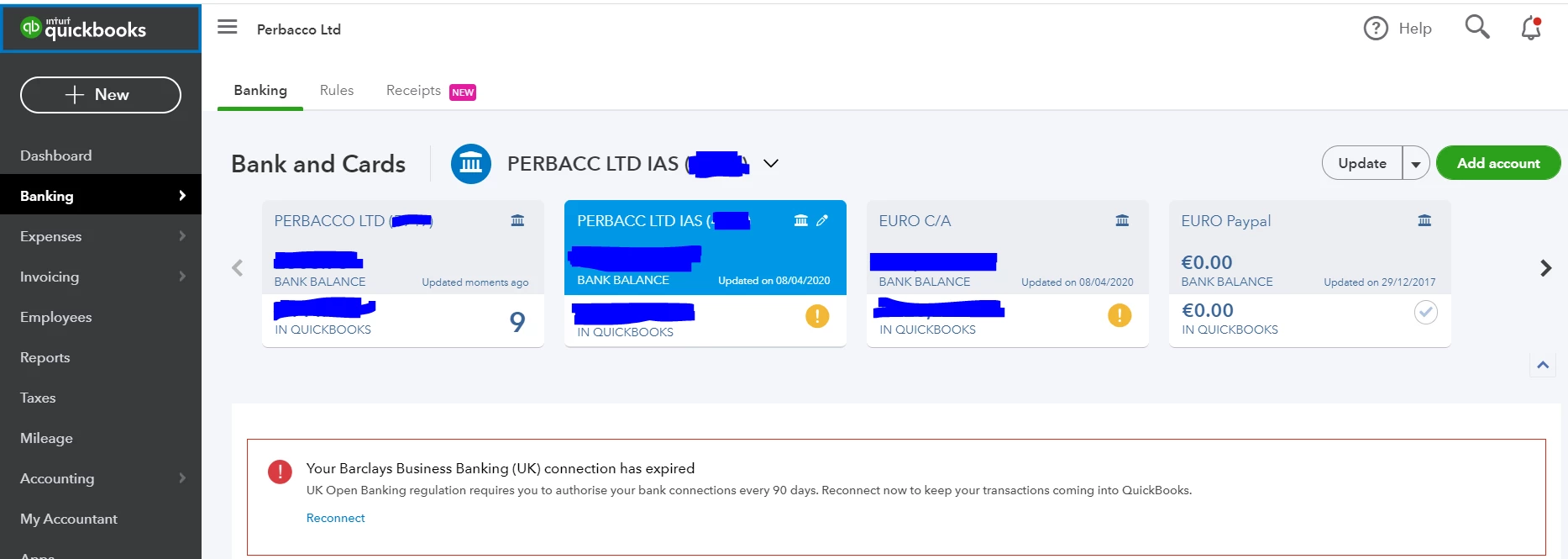
Barclays Business Bank has disconnected. I tried reconnecting all 3 accounts-> Only 1 is reconnected (the GBP current account)  the other 2 Bank accounts remain with "connection expired" message.

Both Savings account and EUR currency account are not reconnecting. I have tried multiple times with no success. 

When will this be fixed?

I managed to get this fixed having spoken to QuickBooks.

If you go into the Accounting tab and select the account(s) that have a problem. Click Edit and then deselect this account. Then go back to your Banking tab and add the savings account again. This worked for me. One point to note is that when you re-add the account, be careful about the date range you add as you might end up with some duplicates. If this happens you can easily delete them.

Hope this helps !

4 replies

Jen_D
December 3, 2019

It's great to see you here, @ron7,


If you're experiencing banking issues like transactions not downloading automatically, updating your account manually can help retrieve stuck items.


Here's how:


  1. From the left toolbar, select the Banking menu and tap the Banking tab.
  2. Click to highlight the account you're updating, then hit the Update button.


However, if you see an error message in the Banking page, check out this link for the troubleshooting steps: Bank error codes for downloaded transactions.


If all else fail, I highly recommend contacting our Support Team. They can check for reported issues with Barclays bank and provide temporary workarounds to keep your account up-to-date.


Here's how to get support:


  1. Click the (?) Help menu at the top right section of your QBO Dashboard.
  2. Tap the Contact us button.


Kindly post an update on how things go on your end. I want to make sure everything is all sorted out and I'll be right here when you need anything. Have a wonderful day. All the best!

December 6, 2019

I was told by quickbooks to update my barclays business account feeds because of the open banking changes.  Now it doesn't work. 

Error is :"We’re having trouble getting your bank data. Please try again later. (355)" 


I've tried disconnecting and reconnecting but that doesn't work either - it goes through to Barclays, where I log on and choose the account, but then when it goes back to QB it gives an error : 

"Something isn't working

An error occurred connecting to your accounts. Please try again. More info
 
When will this be fixed?
December 6, 2019

Hello StevC


Can we ask you to try going to add account and searching for Barclays Business Banking(UK)-Other Accounts does that allow you to connect. If you can select the date range you need.Let us know if this works for you.The open banking connection issue is on an investigation and our engineers are currently working on resolving it


Thanks

December 6, 2019

Tried to do that.  Get the following error and the account does not connect:

Looks like the connection to Barclays Business Banking (UK) - Other Accounts isn’t available right now.

Try again in a few hours. (7500)

December 12, 2019

Hello StevC,


Thank you for getting back to us here, I appreciate your frustrations with the disruption to the bank connection. 


Currently the investigation for the 7500 error is only impacting 'Barclays Business Banking (UK) - Other Accounts', if you are using a Business Current account you should be able to connect this through the open bank feed by selecting the option for 'Barclays Business Banking (UK)' when searching for add account.


I'd be grateful if you could attempt this connection in an incognito/private browsing window and reply here if you receive a different error. 


Thanks  

December 12, 2019

Tried to reconnect an account from scratch in an incognito window.  I get the following QB error after entering the date that I'd like it to pull transactions from:

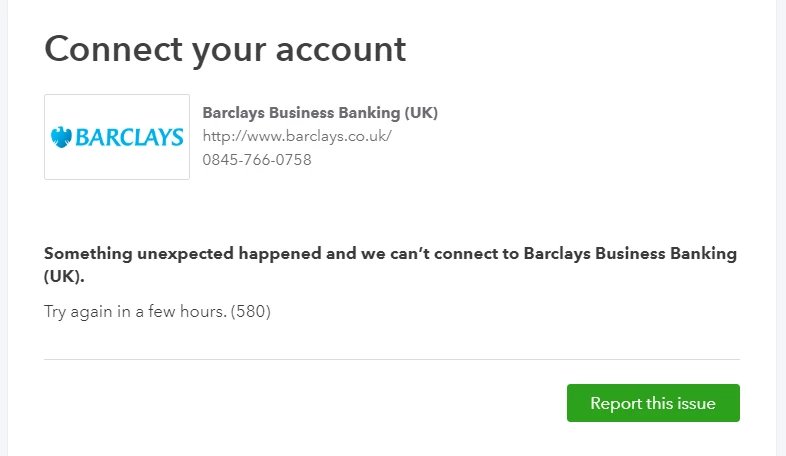
"Something unexpected happened and we can’t connect to Barclays Business Banking (UK).

Try again in a few hours. (101)"

December 12, 2019

Tried again...  Get this different error number when setting up the account:

"Something unexpected happened and we can’t connect to Barclays Business Banking (UK).

Try again in a few hours. (590)"


Interestingly, it has added the bank account to the Banks page now, but it has an exclamation mark next to it and the message

"We can't get your transactions for you right now, but we're working on it
We're fixing our connection to this bank as quickly as possible. Try updating again tomorrow.(101)"

April 14, 2020

Hi QB

Please advise when the issue with Barclays feeds will finally be fixed. I have been able to reconnect my current account but my savings account fails every time, even though I get a connection complete message. This is so frustrating.

April 14, 2020

Same thing happened again to me last week, when I had to reauthorise my Barclays bank and Barclaycard business accounts.  It would go through and reconnect and say it was successful, but when back at the Banking screen say it wasn't and needed to be reauthorised.  Tried the usual trick of other browsers, incognito windows etc but no luck.  In the end, I had to delete the connection (after first matching all outstanding items) and then make the bank connections again, asking it to only pull transactions from whenever the last date it connected.  That worked.


No doubt the same thing will happen when it needs re authorisation in 60 days.  It's clearly broken, but QB haven't bothered to fix it.

April 14, 2020

I can see the value in getting your Barclays savings account connected to the program, @pab1605. I assure you that I'm here to direct you to the right support on how to take care of this banking issue.


You're on the right track in reconnecting your savings account. However, we're unable to determine when this issue with Barclays feed will be fixed. But I'd like to let you know that our product developers are actively working with your bank to get this resolved timely. 


In line with this, I'd suggest contacting our Customer Care Team so you'll be added to the notification list. Doing so will help you receive email updates about the investigation's status and its resolution in real-time. 


Once fixed, go to the For Review tab to edit and categorise your Barclays transactions. This way, your financial records will be correct. For more details, visit this article: Categorising Bank Transactions


I'm just a post away if you need anything else. Take care always, @pab1605.
