Hello, sam-ovalrenewabl.
I appreciate you for sharing information about the Yorkshire bank and for making your bank aware of this connectivity issue.
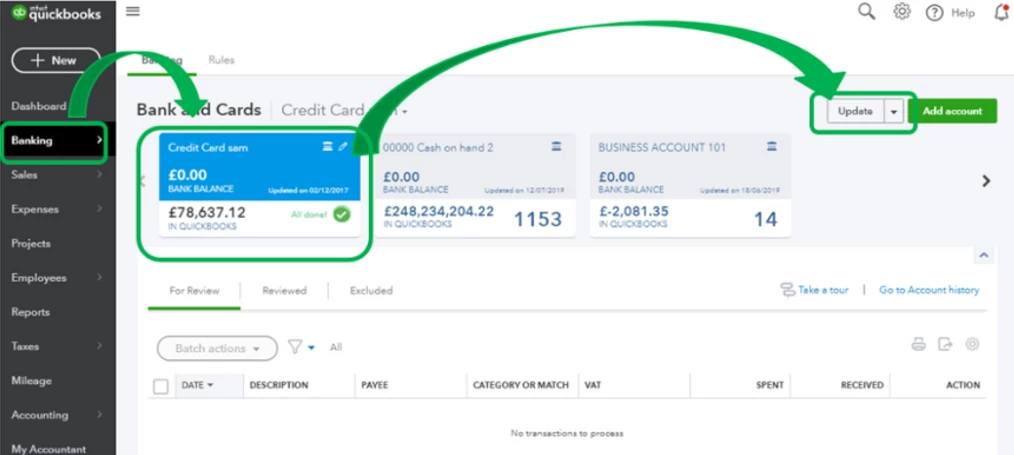
To rectify this, let's try refreshing your bank connection in QuickBooks. Below are the steps that you can follow:
- Go to the Banking tab.
- Select the bank account and click Update.
- If prompted, enter your Multi-Factor Authentication (MFA) credentials and select Continue update.
Also, did you happen to get any error code while working with Yorkshire bank? If so, please let me know so I can verify if there is an ongoing investigation for this and update you with its status.
Keep in touch if there's anything I can help you with QuickBooks. I'm always around whenever you need help.

