Solved
Does Metro Bank connect to quickbooks?
Original commenter did not share additional details


I'm here to ensure you're able to sync your bank account in QuickBooks Online, @simonjrees.
Are you getting any sort of error message when trying to connect your bank? Currently, we have an ongoing investigation (INV- 54835) about error 103 when connecting to the Metro Bank account. Rest assured that our engineers are working diligently to get it resolved.
I recommend contacting our Customer Care Support team so that you can be added to the list of affected users. This way, you'll receive email updates of the investigation's status and be notified once it's been resolved. I've included the steps to contact support below.
Here's how:
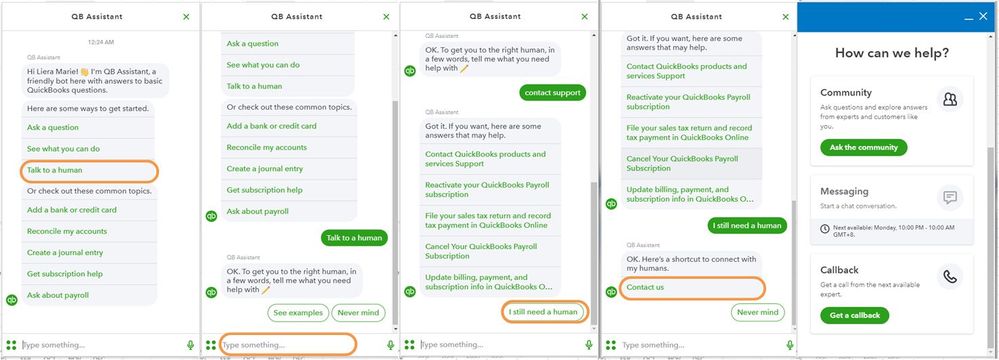
These instructions are also available from our guide for your convenience: Contact QuickBooks Online support.
In the meantime, you can manually upload your transactions into QuickBooks Online using a CSV file to make sure your transactions are up-to-date.
Keep us posted should you need any more help in managing your bank transactions. We're always here to help. Have a great day!
Hello Community Users! We just thought we'd pop on this thread to add some details. Any questions on the information in this post feel free to jump on and add comments to it. The Metro bank connection is available through Open banking in Quickbooks. It does have strong security so you will need to enter your user ID and password when you update new transactions.
Enter your E-mail address. We'll send you an e-mail with instructions to reset your password.