Solved
How do I reconnect my Tide account to quick books ?
Original commenter did not share additional details


I can help you with reconnecting your bank connection through the web, @Loulou66.
To reconnect or re-authorise this bank connection, you'll just have to disconnect and reconnect the account to online banking by following all the steps that I'll be providing below.
Before disconnecting the bank account, make sure to categorise and match all your transactions from the For Review tab. Here's how:
Check this article for more information: Categorise and match online bank transactions in QuickBooks Online.
Once you're done, you can now disconnect the bank account from the web. Follow the steps below:
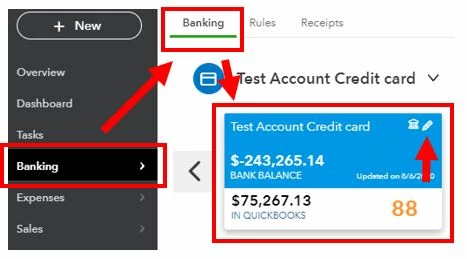
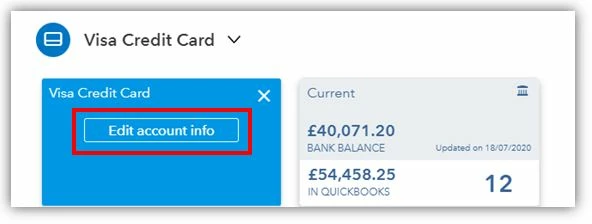
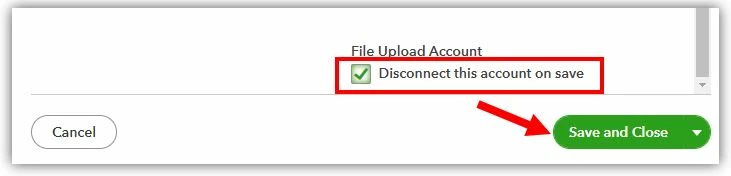
Then, reconnect the bank account:
Check these articles for detailed steps in reconnecting your bank connection: Connect your bank feeds using Open Banking.
In case you'd encounter any errors, you can check on the following article to fix it: Open Banking connection errors.
Let me know if you need further help with your bank connection. I'm always glad to help in any way I can. Have a great rest of the day!
Enter your E-mail address. We'll send you an e-mail with instructions to reset your password.