Solved
I have my own mileage log on a spreadsheet. How can I import the CSV file just for this as there does not seem to be a facility for it?
Original commenter did not share additional details


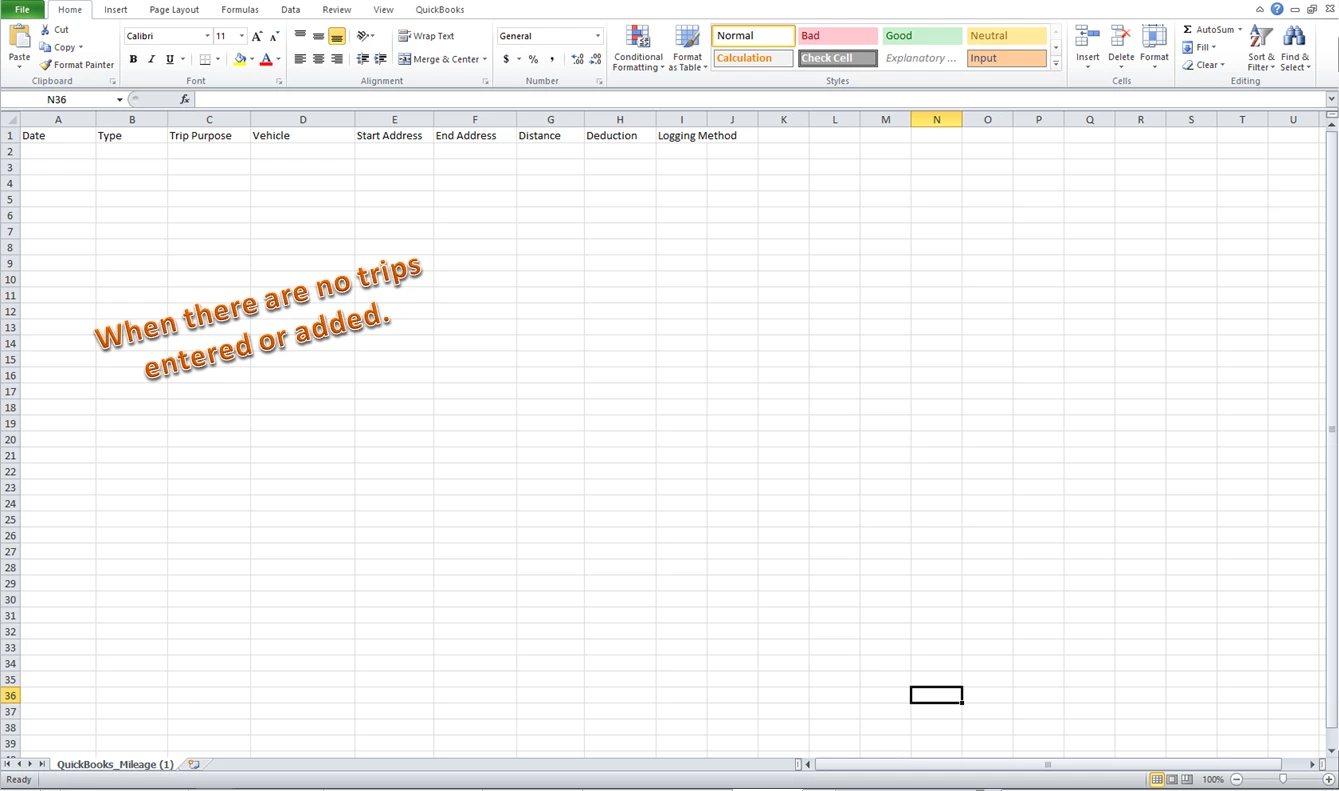
The download trips option just downloads a blank spreadsheet file with the mileage headings. Your screen shot looks like I could select a file but I don’t get the dialogue box or a choice of file on my system
Thank you for getting back to us here on the Community page, @chrislisle11.
My colleague RaymondJayO is using Firefox does he was asked where he wants to open the file with. The options after downloading the Download Trips button depend on the browser you're using.
I've added these screenshots for your visual reference.
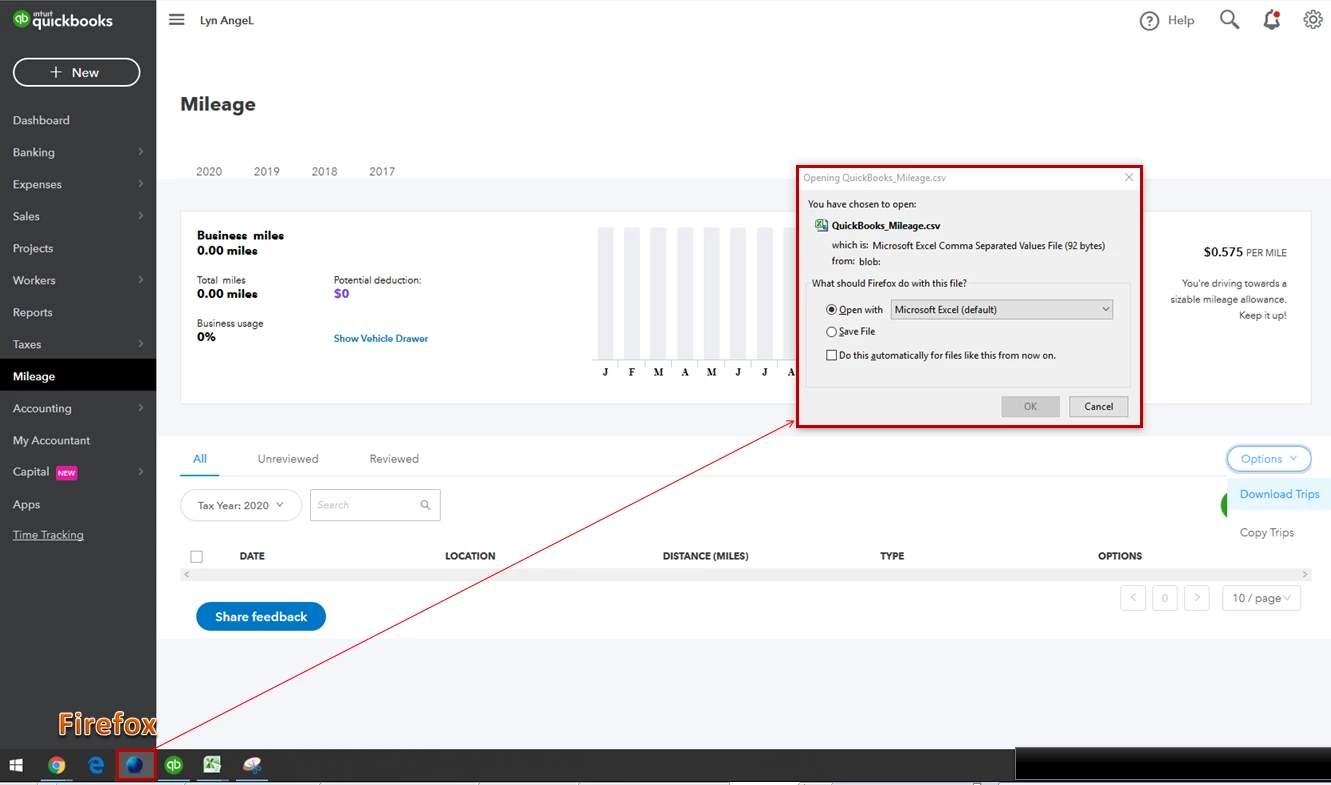
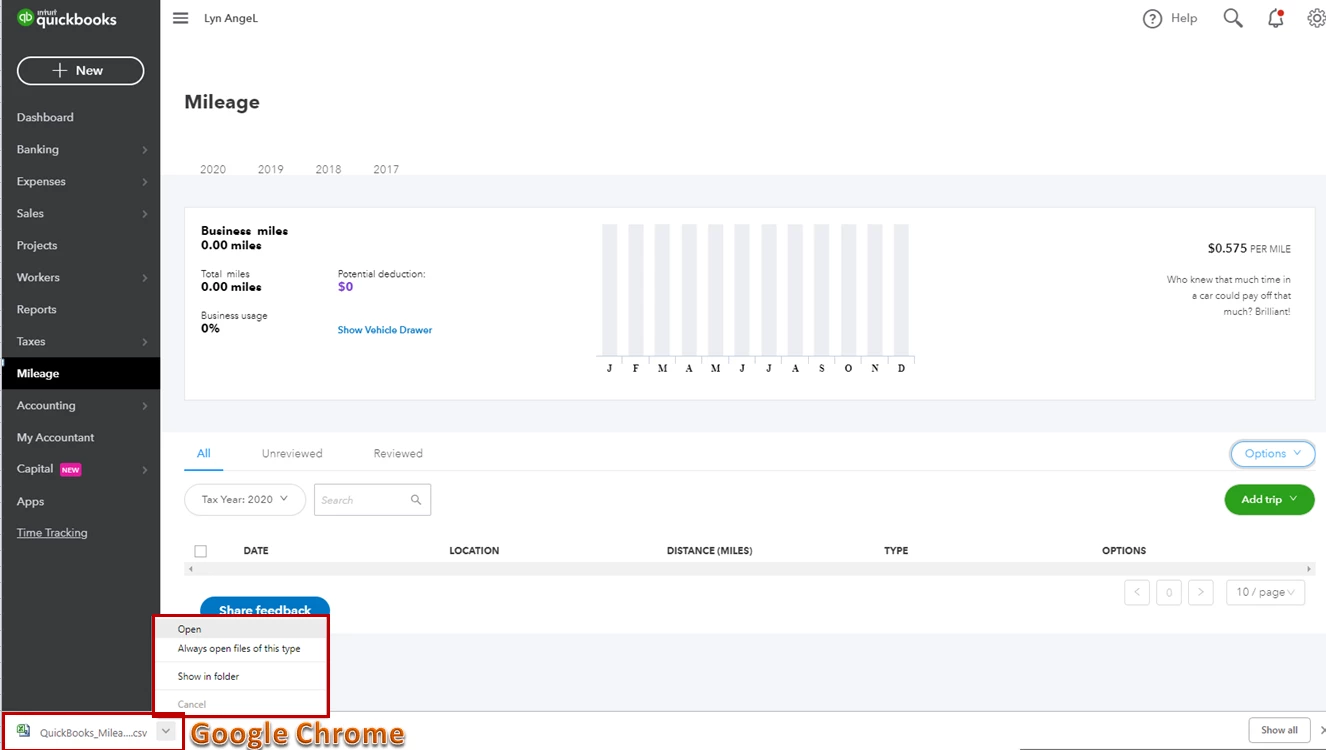
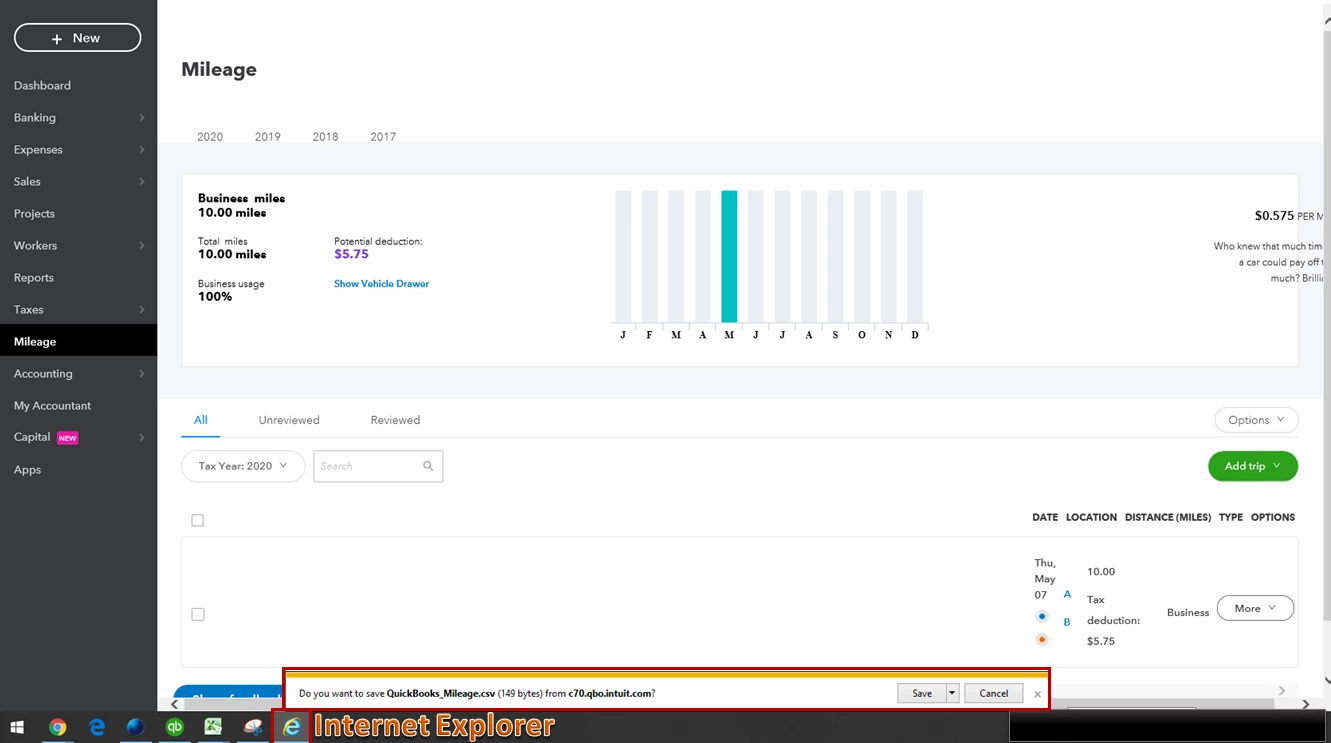
Also, the download just shows a blank spreadsheet file with the mileage heading if there are no trips or transactions added on the date you've selected during the download.
Let me know if you have any other questions. I'm always here to help. Have a good day!
Enter your E-mail address. We'll send you an e-mail with instructions to reset your password.