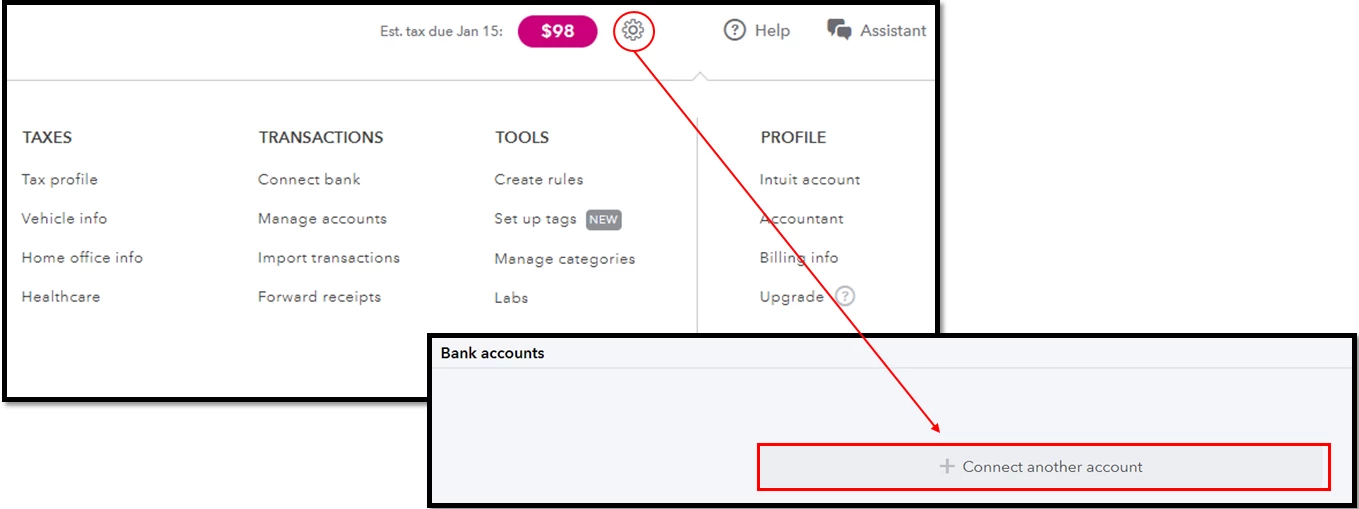
QBSE - Bank has disconnected and doesn't show the option to reconnect.
I have a Starling Bank account. Never had any problems with re-authenticating with QB every 90 days. I haven't been able to reconnect for a while and have been putting off addressing the issue.
When I try to add the QB 'app' from Starling's banking app 'Marketplace' (bascially banking plugins), it sends me to a log in page for QB. I'm then able to log in, and shows the correct account credentials (name, email, address etc.), but doesn't show any transactions AT ALL and doesn't actually connect to the starling account - upon leaving the portal, nothing has changed and it only offers me the option to add the QB plugin again.
On the desktop web portal side - I CAN see and sort all of my transactions up until the date when it disconnected to my bank (a few months ago). So I think I'll be ok to do my self-assessment.
It doesn't display the option to reconnect my bank though, but rather to connect a bank (i.e. from scratch). I'm concerned to do this, as I'm unsure of the consequences in case I lose my entire accounting history.
My main question is - if I connect my bank again via the web portal, can I rest easy knowing I still have all my old transactions? Secondly - how can I reconnect my banking app to the QB plugin successfully?
Cheers,
Tex