Solved
Set up bank account without feed
Original commenter did not share additional details


Hi, c34oqob.
Allow me to step in and help you create a new bank account in QuickBooks Online.
You can select the Cash at bank and in hand option. This will serve as a bank account in your chart of accounts.
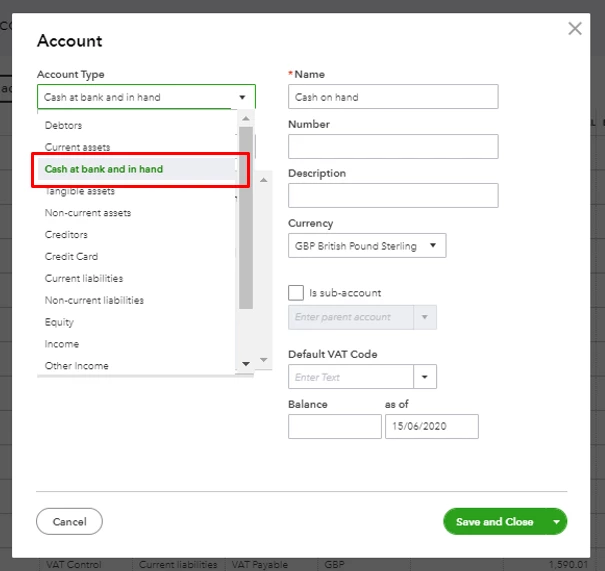
Once added, you have the option to connect it to online banking. See the steps below to complete the process.
You can go through this article more information: Connect bank and credit card accounts to QuickBooks Online.
After that, you can take a look at this write-up to help you manage your bank transactions in QuickBooks: Categorise and match online bank transactions in QuickBooks Online.
I'll stick right back to you if there's anything else I can help you with. You have a wonderful day.
Thanks, all good now.
Enter your E-mail address. We'll send you an e-mail with instructions to reset your password.