Hello, tlbfs.
Thanks for the screenshot! I have just the thing to help you split your amount for the banking transaction.
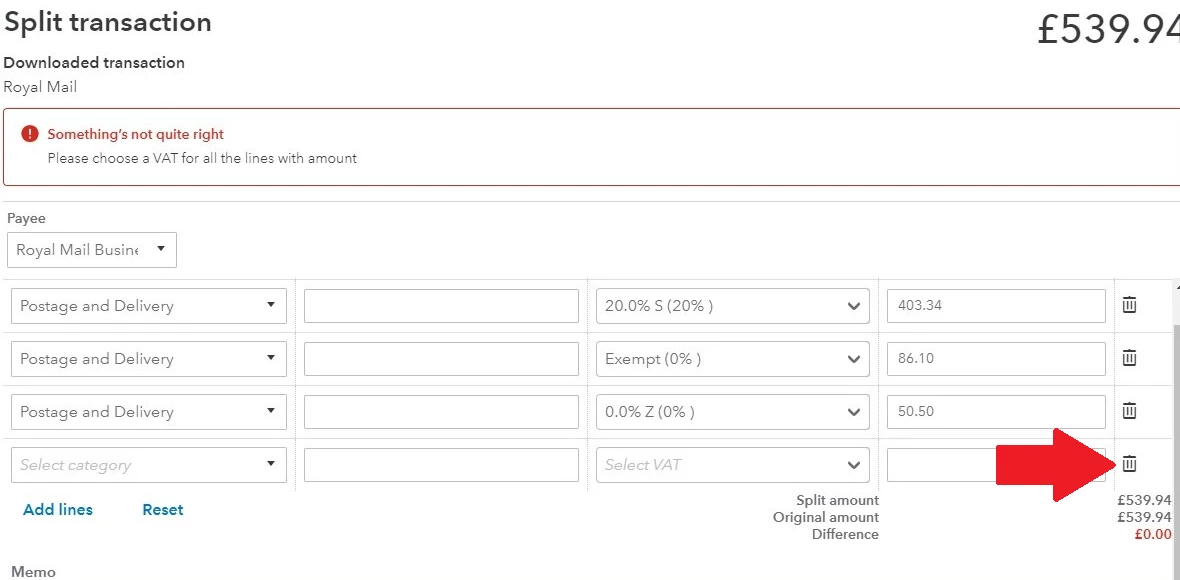
Looking at your screenshot, QuickBooks includes the empty line at the bottom of the last Postage and Delivery expense. You'll want to remove it to let the system calculate the taxes and the lines properly.
Simply click the Trash can icon to remove the empty line. Then, click Apply and accept.
Need a reference on categorising your transactions? This article might prove useful to you: Categorise and match online bank transactions in QuickBooks Online.
If you need to start your regular reconciliation process, this article can help you out: Reconcile an account in QuickBooks Online.
I'd be more than happy to help you with your bank transactions again. Just say the word here and I'll get back to you. Looking for assistance doing other tasks in QuickBooks? Don't hesitate to add the details to your reply. I'm with you on this one.

