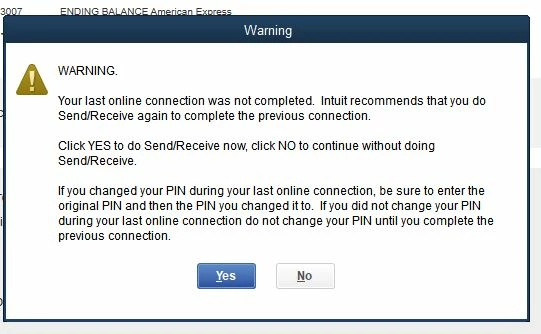
I'll share some steps to help you resolve the PIN error message.
There might be some stuck online transactions or your account didn't get any updates from your bank account (happens when you change your account information).
In this case, we can force QuickBooks to clear them. On the error message, click the Yes button.
If the PIN error message still pops out, you'll want to do the following steps to resolve it. This can also help force QuickBooks to close the message:
On the error message, press and hold the CTRL key.
Release the Ctrl key, enter the PIN,
Press the Ctrl key again while clicking OK.
A new pop-up window will open: "Your last online connection was not completed. QuickBooks Desktop is having a problem recovering from this condition."
Continue pressing the Ctrl key, then click OK.
Another pop-up window will appear: "Do you wish to resend this request again to your financial institution, do it only after speaking to the Online Banking Technical Support."
Continue pressing the Ctrl key while clicking OK to close the message.