

March 3, 2023
Question

Bank Feeds

  • March 3, 2023
  • 1 reply
  • 0 views

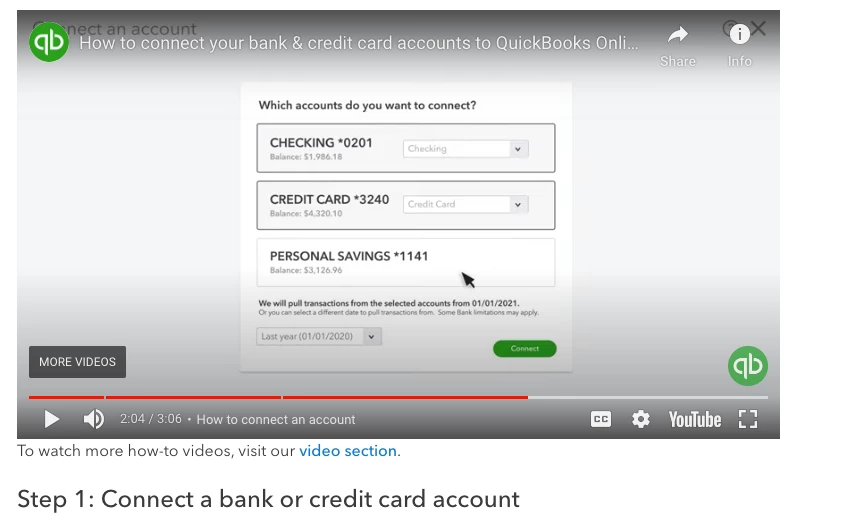
Is there a way to delete a bank account then reconnect or start from the beginning to change the dates of all transactions from last year. we accidentally did not select the date range when we connected the bank accounts. Below is what i am asking with the date range. 
1 reply

March 7, 2023

You can disconnect and then reconnect the account, TatyanaD. 


When your bank is linked to Online Banking, it will automatically download the previous 90 days of transactions.


I'll guide you through the steps:


  1. Sign in to QuickBooks Online company.
  2. On the left navigational bar, go to Bookkeeping
  3. Choose Transactions, then select Bank transactions.
  4. Click the tile for the bank account.
  5. Press the pencil icon, then select Edit account info.

  6. Select Disconnect this account on save checkbox. 
  7. Select Save and Close.

Check out this article for more information on disconnecting a bank from QBO: Disconnect accounts connected to online banking in QuickBooks Online.


I'm also adding these links to help you with categorizing and reconciling bank transactions:


Stay in touch with me if you need more help unlinking bank accounts. I've got your back.