

Bank Feeds Transaction List Resets When a Transaction Changes
Hello
I'm using QB Desktop Premier Contractor Edition 2020 and I'm running into a lot of annoyance when I try to use the Bank Feeds feature.
For example, in the image below, I have the list sorted by Date (Descending) and no transactions are checked. If I go create a new QB transaction to match that $1,539.46 bank feed transaction, then QB will reset this list: it will go back to the default sort (Date Ascending), and a bunch of transactions will be checked off again according to the rules I have.
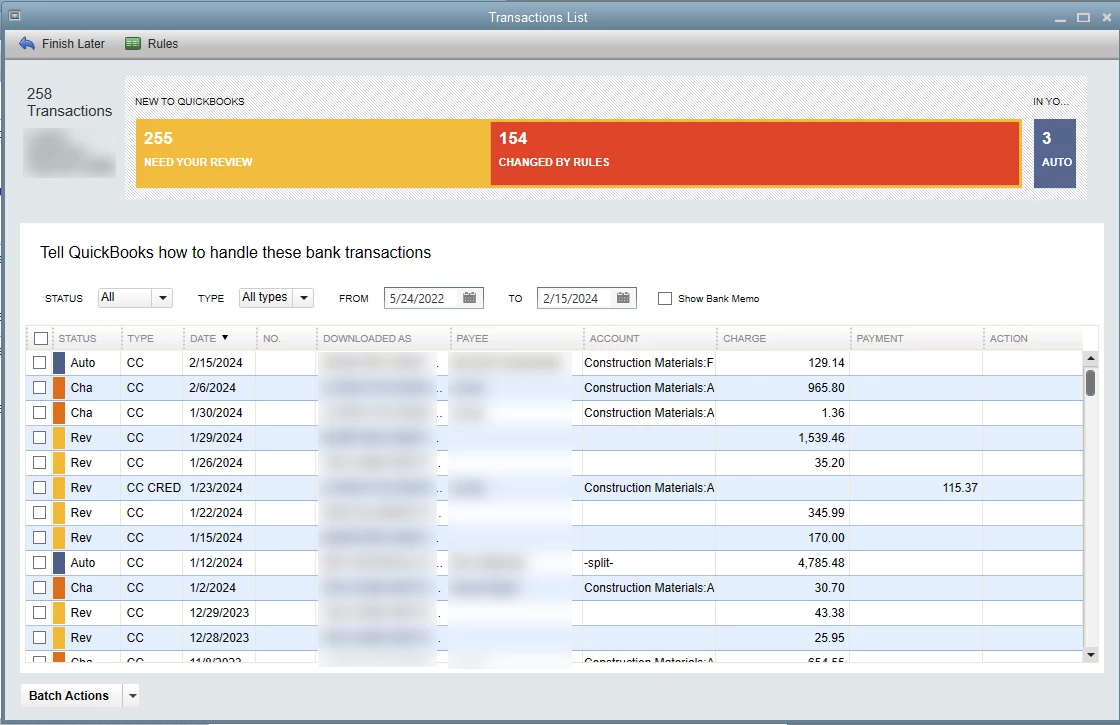
How do I make it stop doing this? It's so frustrating. The window should preserve the sort I selected and it should never re-check the boxes I unchecked until I import more transactions or close the window. To be clear, this is not a new problem. It's been happening for as long as I've used QBDT 2020 and it's persisted through the various times I've already verified the files and run the QB File Doctor toolhub thing for the other unrelated problems I've had with QB over the years, so they aren't going to fix it now either.