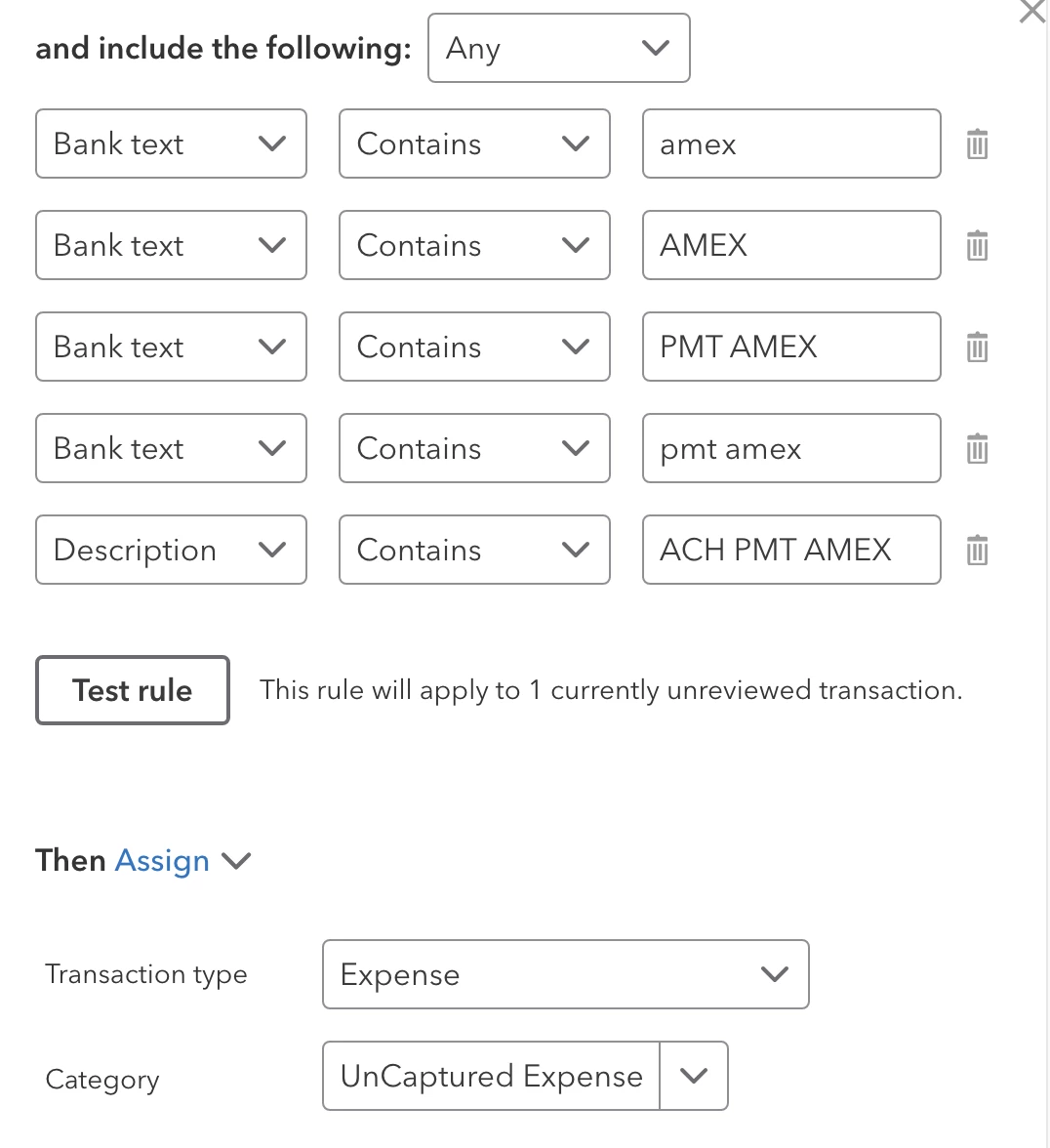
I heard your sentiment, MRusty. Thanks for confirming this issue on your end. I can see you're having challenges matching your bank transactions. I'll provide the steps for contacting our support team in QuickBooks Online.
I urge you to call our support team so they can investigate your account in a private environment. They can also provide with other resolution available to fix this issue in your QBO account.
Please see the steps below:
- Log in to your account.
- Click the Help button at the top right corner.
- Go to the Search tab, then select Contact Us.
- Enter a brief discussion with your concern, then click Continue.
- Choose to Have us call you to connect with us.
For your convenience, here are the support hours for different QuickBooks Online plans:
Plus, Essentials, Simple Start:
- Monday to Friday: 6 AM to 6 PM PT
- Saturday: 6 AM to 3 PM PT
Advanced:
- Support is available anytime, any day.
I'm adding this page if you need other resources that help you manage your profit and loss: Financial reports.
The Community is here for you 24/7 on the clock. If you need to drop your additional comments, notify us below. Keep safe.
I bit the bullet today and called QBO support.
In a nutshell, I was told that the program has decided that it is smarter than me and therefore is ignoring my rule and there is no way around that.
Because the incoming transaction has the text "amex" in it, the system automatically labels it as a credit card payment and ignores ALL rules entered. There is no way for a user to circumvent this oppressive behavior by the program.
This type of blatant disrespect for its users is why I have always had issues with QBO and Intuit products. Intuit makes their programs to be Nanny over their users to the point were it becomes cumbersome and problematic to use.