August 15, 2019
Solved

Banking Expenses not matching

  • August 15, 2019
  • 1 reply
  • 0 views

Hi there,


Need some help on identifying what seems to be the problem. I did some research of what could be the reasons why bank transactions not matching. However, seems like most of the bullet points doesn't resolve my issue.


We had set up a Sweep Account to match our expenses vs what has been taken out from our bank account. But upon matching both entries, the expense transaction doesn't show on the lists of expenses. 


Attached are the screenshot of what I'm trying to match. Amount may be different but it should somehow show on the selection of all the lists of what i can match (even if its for multiple transactions)


Hope I'm making sense lol. 


Thank you


Best answer by Ryan_M

Hi there @Ryan_M  and @David-212915  thank you for your prompt response.


I guess what I'm trying to figure out is why the manual entry isn't showing up on the lists of matching transactions. As far as i know it should show up. 


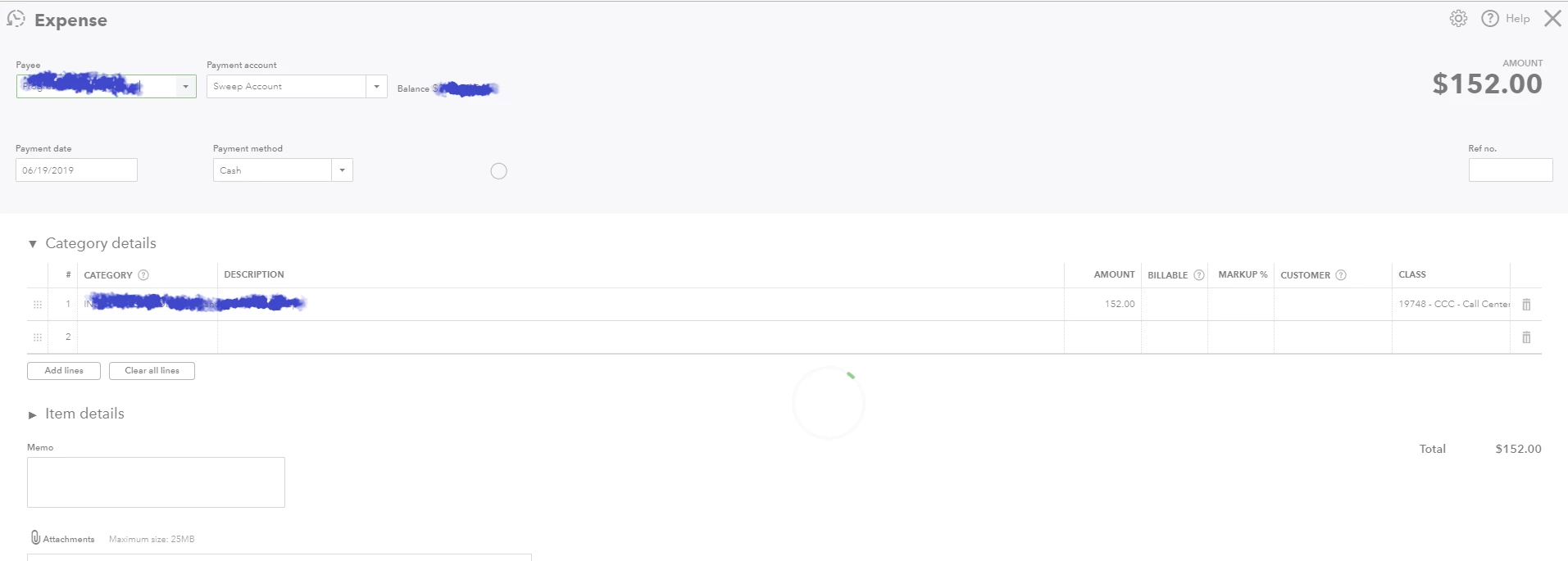
If we'll look at the first example below, this is what I manually entered on QB. This has not been previously reconciled or excluded.
 

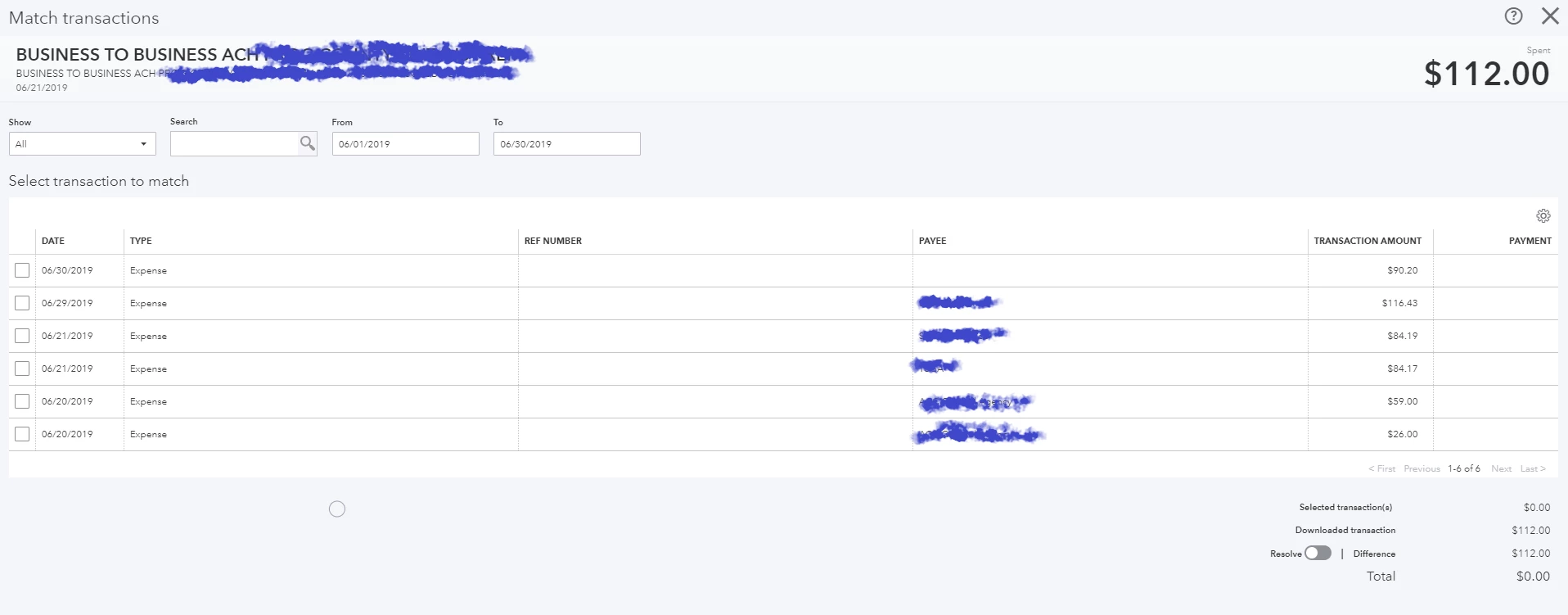
And on the second image, the entry isn't showing on the lists. 
 

Am not sure why this is happening and it has been an ongoing issue. The amount of what I'm trying to match doesn't matter (at least for me) since i can override whatever is in excess of the amount to be reconciled.


Hope to hear from you soon.


Thank you.


Hi @girlie16,


Thank you for your reply, as well as the screenshots you provided.


Let's consider the images you provided as an example of what I mentioned earlier. Your recorded transaction amount is $152, while the downloaded transaction you're trying to match is $112.


As stated above, the screen where you can match recorded transactions will only show those with amounts that are equal to or lower than your downloaded transaction. This isn't an ongoing issue with the product, it's the normal operation of QuickBooks Online.


To put it to practice, you can edit the $152 transaction and split it into 2 parts. Say, one part is $112 and the other is $40. Retain the same transaction date to ensure they will appear. If you try to find a match for the $112, I'm sure you'll see the edited transaction on the list.


Don't hesitate to leave a comment below if you have other questions. I'll get back to you as soon as I can.


1 reply

August 15, 2019

Welcome to the Community, @girlie16. I'm here to help with matching expenses. 


Just to clarify, are the transactions that you're trying to match to contained in the register of the account that is connected to the bank feed? The reason for asking is that you're only able to match to expenses contained in the connected account's register. 


Additionally, if the transactions have already been matched or reconciled, they will be unable to match to downloaded transactions. For an overview of matching transactions, please see the following article: Match and categorize your downloaded bank transactions.


I'll be keeping an eye out for your response and look forward to getting to the bottom of this. Take care.

girlie16Author
August 15, 2019

Hi David,


Yes it is. The expense entry i recorded manually is connected to the same bank account register where I'm trying to reconcile the transaction. 


I noticed that it has been an ongoing issue that I couldn't match the "expense" over what was deducted from the bank account.  The expense/bill if you may want to call it  hasn't been reconciled previously or matched to other bank transaction. 


And I noticed that this only happens when I'm trying to match Expenses/Bill vs Spent (Bank Register). 


The attached image i sent from my first inquiry shows that the entry has never been reconcile before not even excluded. I hope you can help me on this. 


Thank you.

August 15, 2019

Hello again, @girlie16. Thanks for providing that clarification since it helps to rule out some of the possible reasons.


Based on the screenshot that you included, it looks like the date range is for only June. I just wanted to mention it since that can cause transactions to not appear. 


To ensure that I'm on the same page, there is a discrepancy between the amounts, correct? If so, it would be helpful to know approximately how large the discrepancy is. 


I'll be waiting on standby for your response. Have a good one.