I appreciate the clarification, @Vicki B.
While adding split transaction lines and customizing the default number with a keyboard shortcut isn't possible, I can suggest a way that is closer to your specifications.
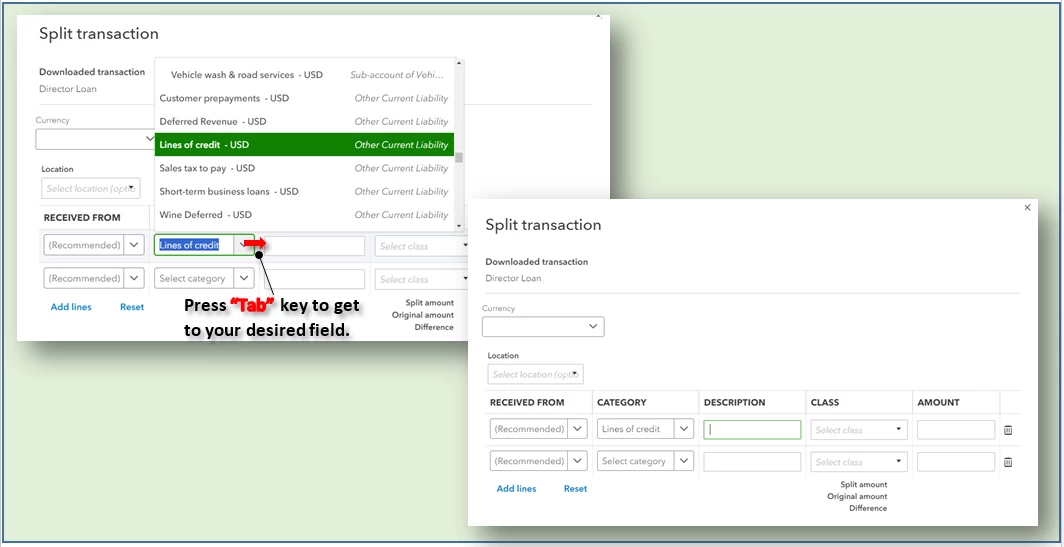
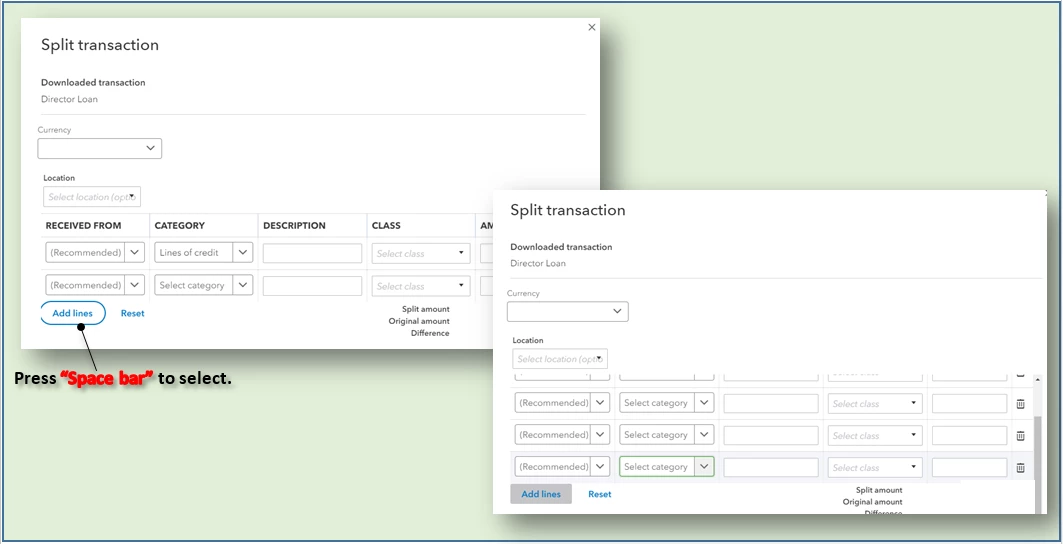
In the Split transaction window, you can navigate the fields using the Tab key and the Space bar to select the active button. Here's how:
1. When you open the Split transaction window, use the Tab key to move around fields until you get to the Add lines button.
2. Press Space bar to select the active Add lines button.
You can also check out all other keyboard shortcuts in QuickBooks Online (QBO) through this article: Keyboard shortcuts for QuickBooks Online.
After categorizing your transactions, let me also add this article about reconciling accounts in QBO as a reference: Reconcile an account in QuickBooks Online.
You're always welcome in the Community should you have further updates or other concerns about easing workflow in QBO. Take care.

