

July 8, 2022
Question

Can't connect AMEX credit card

  • July 8, 2022
  • 2 replies
  • 0 views

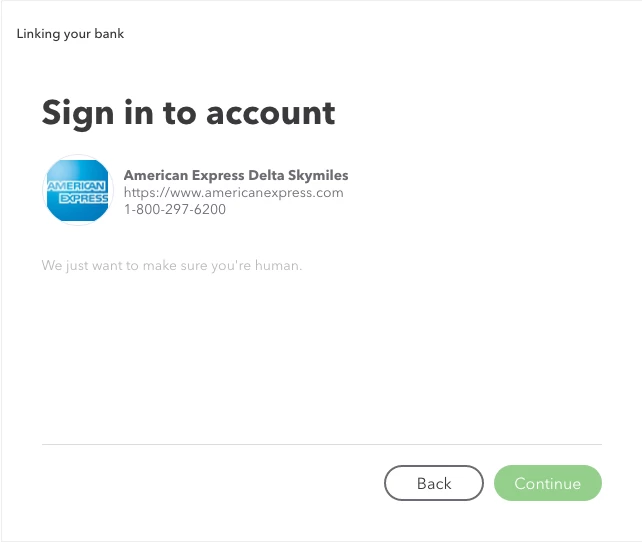
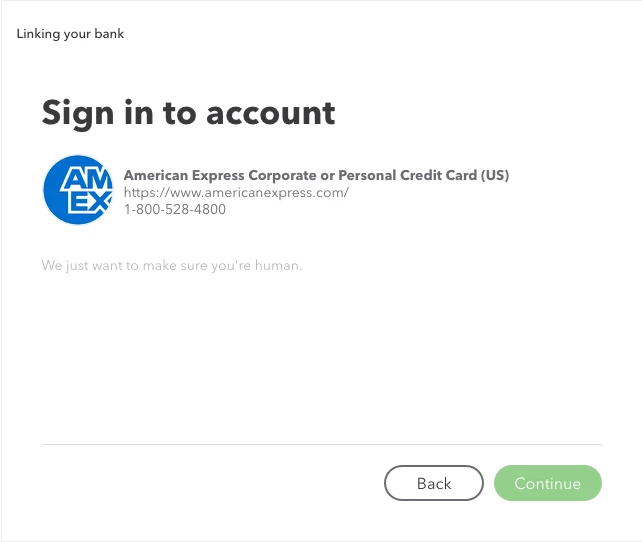
I have just signed up with Quickbooks for the first time ever on Wednesday because my previous bookkeeping service is closing.  I am trying to connect my American Express credit card, and I can't move past the screen to 'verify I am human'.  I've cleared cache and cookies, and tried setting it up on 3 different browsers. 


I have been in contact with customer service twice.  They are telling me that there is a known issue with credit cards right now and that the back-end team is working on it.  But there is no estimate of when it will be corrected so I should just import all of the transactions manually.


It was suggested I visit the community to seek updates about the problem, but when looking through the community, it seems there are frequent connection issues with cards - specifically American Express.  Before I get all of my information set up with Quickbooks, I wanted to ask if this is true, are there frequent connection issues?  If I have to manually import everything anyway, I'm pretty sure I can find a cheaper alternative.


2 replies

Fiat Lux - ASIA
July 9, 2022

Try opening your QBO account on any private/incognito browser.

July 13, 2022

Same issue, can't move past the 'verify that you're human' screen.

MariaSoledadG
July 9, 2022

Let's make sure you'll be able to connect your bank account, flutterbyeprints.


Are you getting a specific error when trying to connect your bank? As mentioned by @Fiat Lux-Asia, you can log into your QuickBooks Online (QBO) account using an incognito window to fix the issue. Once done, try connecting your bank again. Also, I've checked and it seems AMEX connection issues has already been resolved. You'll want to sign in to your bank's website and check if there are maintenance or notifications that needs your attention. Sometimes, these are some of the factors that simply affects when connecting your bank accounts. 


However, if the issue persists, I recommend reaching out again to our support team to double-check and investigate further. They have the tools to pull up your account in a secure environment. Here's how to reach them:


  1. Click the (?) Help icon and enter Talk to a human (then type it again when prompted).
  2. When asked by the bot, enter your concern.
  3. Select I still need a human, then proceed with Contact us or Get help from a human.
  4. Choose either Chat or Callback.


If ever you're able to connect or sync your bank, I'm sharing these resources below to give you more insights on how to fix bank errors and what to do if transactions are not updating in QBO:


Furthermore, once transactions are in, learn how to categorize and match bank transactions with those you've entered in QuickBooks using this article. Categorize and Match Online Bank Transactions In QuickBooks Online.


Please get back to us if you have any concerns when connecting your bank. Remember, we're always here to help.

July 13, 2022

There is no specific error -  it is shown exactly as the screen shots that I posted.  There is no way to move past the 'verify that you're human' screen. 


I have tried it in incognito window, after clearing cache/cookies, on three different browsers, and on several different days last week and then today. I've logged into my AMEX account and there are no maintenance or notifications that need attention.


I have spoken with two customer service representatives, they both told me last week that there was an issue with credit cards and it was being worked on by the 'backend' people.  I was not given any time frame for this supposed fix.