Hello, Filip2.
Yes, there is a way to turn off the autofill feature in QuickBooks Mac. I'm happy to show you the steps.
We can turn off the QuickFill option from the Preferences menu to prevent the data from auto-filling. Here are the full steps:
- Click the QuickBooks menu, then select Preferences.
- Select Data Entry.
- Turn the QuickFill transactions option to Off.
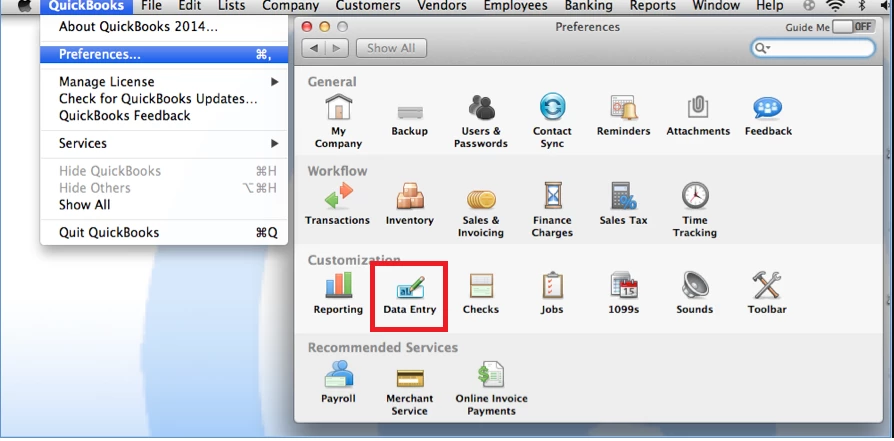
You can now start writing checks without QuickBooks having to auto-fill the data.
If you need more help with your settings or need a guide or two on what you can do with QuickBooks Mac, I'll share this user guide: QuickBooks Mac 2022 User guide.
Need help in checking how much you've spent versus your sales so far? I'll add this article in case you need help with this in the future: Create reports in QuickBooks Desktop for Mac.
Feel free to post here again if you have more questions about setting up your preferences in QuickBooks Mac. If you have concerns about your entries such as sales or expenses, you're more than welcome to add the details to your reply. I'm here to help.

