Appreciate your attention and expertise!
Unfortunately the steps you propose just aren't available to me. The bank account I need to disconnect does not appear under the accounting view.
Accounting View
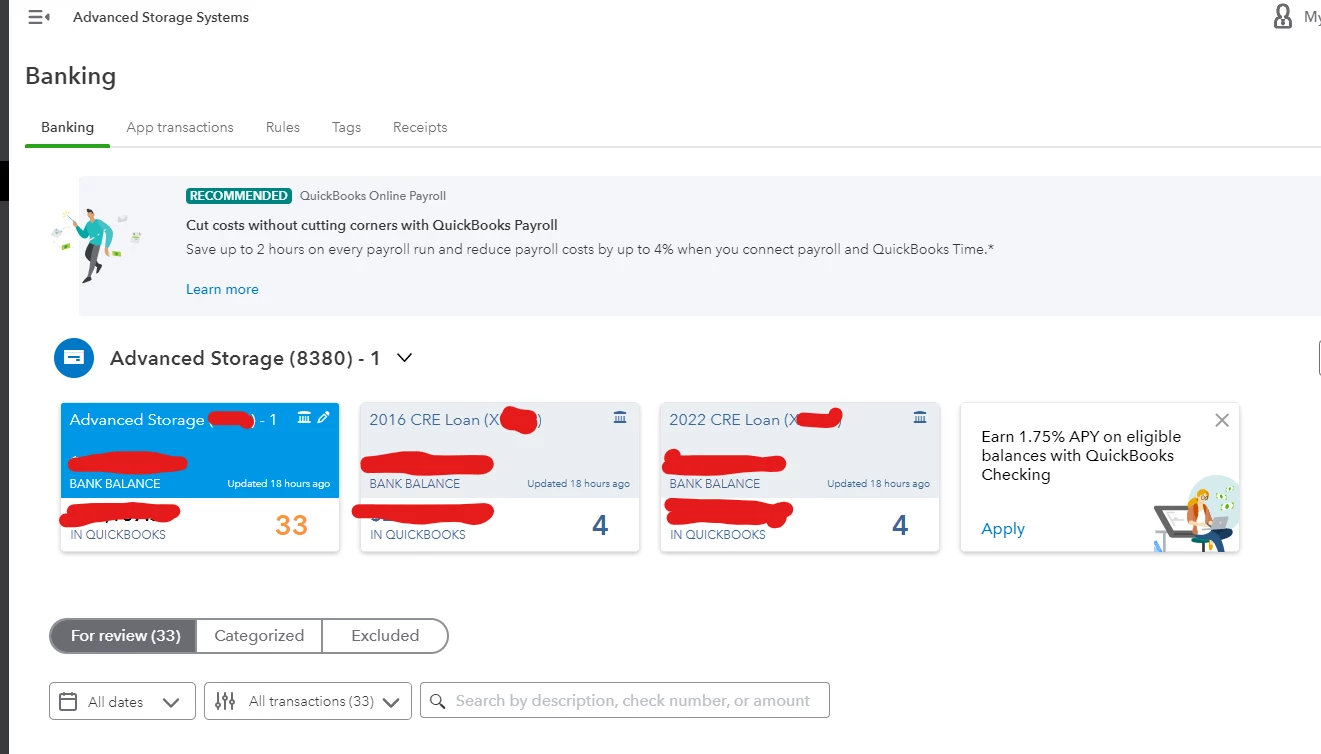
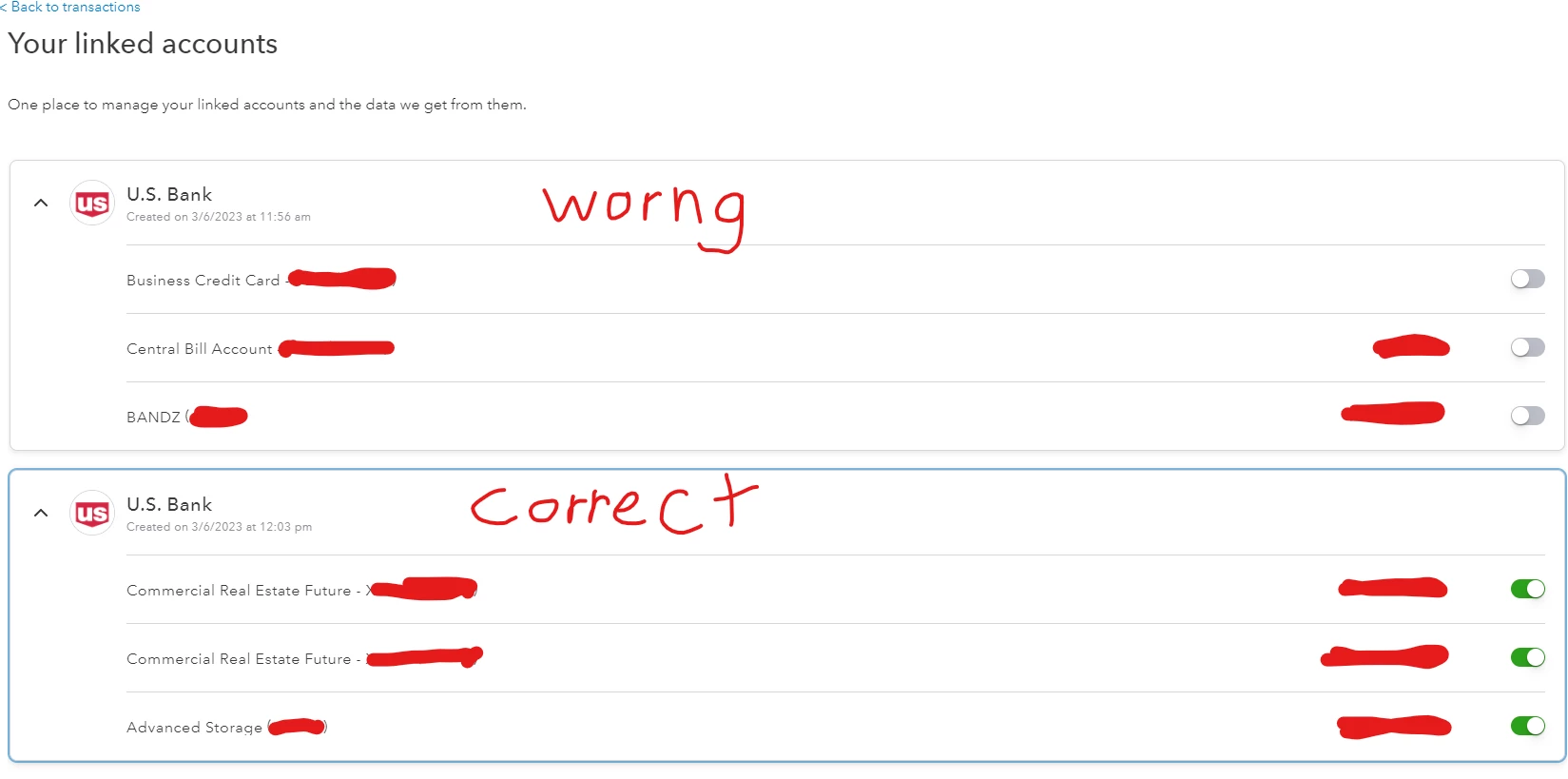
As you can see, only the correct account shows up in the Accounting View -> Banking screen. The incorrect account does not, and therefore I can not remove it using the steps yo u have recommended.
Hi, @jmarshall9120. Thank you for your quick reply, and I appreciate you sharing screenshots of your Banking screen. Let me provide additional steps so you can remove the unwanted bank accounts from QuickBooks Online (QBO).
As I can see, the account you want to remove isn't linked to QBO yet. It's just waiting to be enabled and connected. This is why the account does not appear under Banking. To pull it out from your record, you can temporarily enable bank so it'll reflect on the Banking page.
- Look for the account under Your linked accounts.
- Enable the account by clicking on Enable now.
- Follow the onscreen instruction to complete the process.

Once connected, go back to the Banking section to disconnect the account.
- Locate the account under Banking.
- Tap on the pencil icon.
- Click on Edit account info.
- In the Connected to section, tick your option to Disconnect this account on save.
- Click on Save and Close.
You can also learn more about the process from here: Disconnect accounts connected to online banking in QuickBooks Online.
I'm also attaching these articles for additional hints while managing your accounts in our system:
Please let me know if you have follow-up questions while replicating the solutions I've added by leaving a comment below. I'm always here to help. Have a good one!

