I apologize, I still don't understand. I see on your screen shot you have deposit to: Vendors Account and From Account: chequing. We have a Visa Credit Line so the money is coming from the Visa Credit Line via the bank and was deposited to the Visa Credit Line so we now have a credit card statement showing the cash advance on it. What is the second account I need to set up? I have the Credit Line account set up in Chart of Accounts but I'm confused what I do next. Thank-you for your patience in explaining this to me!
I appreciate you for adding more details about your concern, mjoal.
When making a deposit, the account entered in the Deposit To field should be a bank and not a credit card. The desktop program will prompt you the following message if you select the Visa Credit line” This account is the wrong type for this field”. Make sure to use the correct account type to properly track the transaction.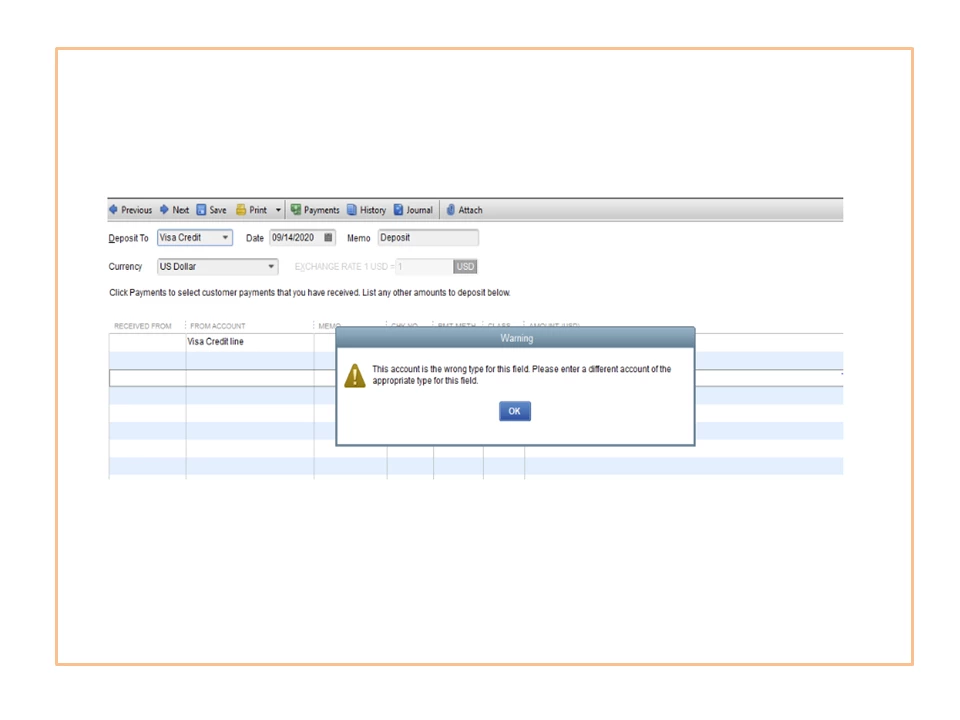
There’s no need to set up another account since you already have created the credit card account. All you have to do is input the cash advance in QuickBooks.
- Go to the Banking menu at the top to choose Make Deposits.
- Tap the Deposit To drop-down to select your bank account and enter the correct date in the appropriate box.
- In the Received From column, go to the first line and select your credit card vendor. For example, Visa Credit Card.
- Click the From Account drop-down and pick your Visa Credit line account.
- Type in the cash advance amount in the Amount (USD) field.
- Click Save & Close to keep the transaction.
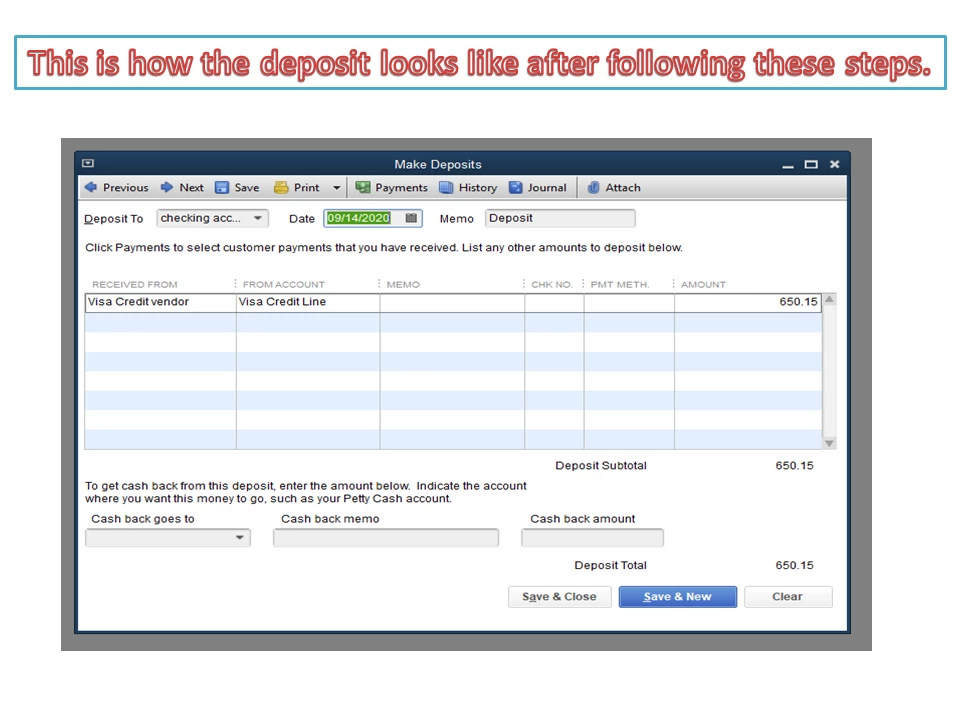
If you still want to use your credit card information in the Deposit to and Received From fields, I suggest consulting an accountant. They can guide you on how to handle this type of scenario, especially for the posting account. I'm adding a link where you can search for an accountant in your area: Business is better with a ProAdvisor.
You can bookmark this guide for future reference. It contains instructions on how to combine multiple entries into a single record and steps to record payments into the Undeposited Funds account: Record and make bank deposits in QuickBooks Desktop.
Stay in touch if you have any clarifications or questions about the product. I’ll zip right back in to answer them for you. Have a great day ahead.

