Thank you for bringing this matter to our attention, ktomari. We appreciate your patience regarding the duplicate post and understand the frustration you're experiencing with the incorrectly recorded credit card payments. I'm here to guide you through resolving this situation efficiently and accurately.
Yes, you can void the incorrect credit entries and record the correct payments using the write checks feature with the proper dates in QuickBooks Desktop (QBDT). Let me walk you through the process step by step.
To void the incorrect credit entries, here's how:
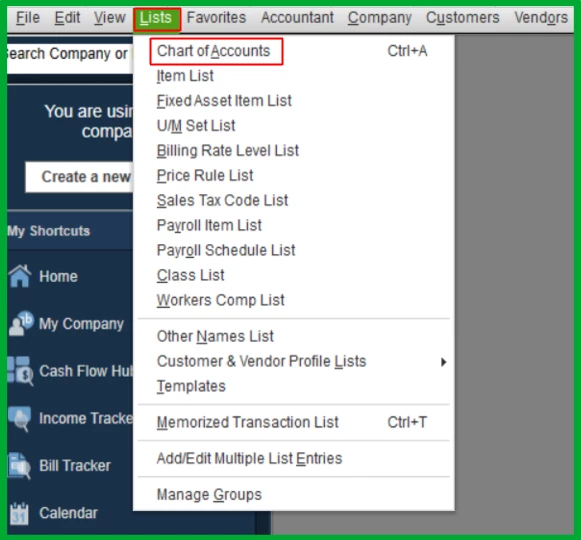
- Go to the Lists menu and select Chart of Accounts.
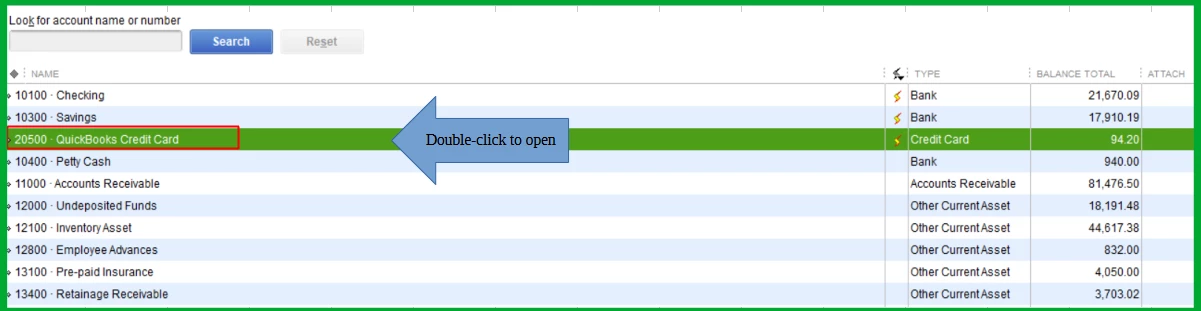
- Locate the credit card account associated with the incorrect credit entries and double-click to open it.
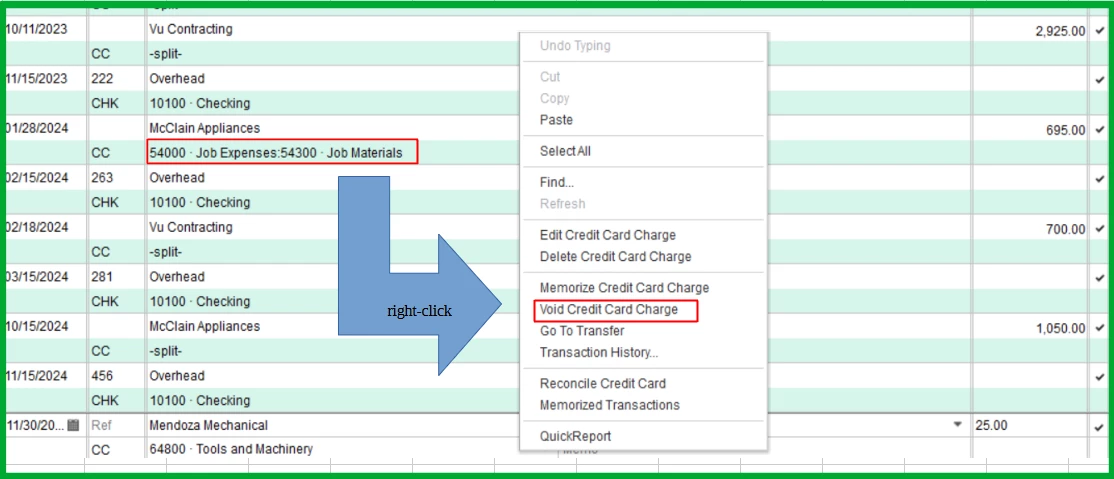
- Find the CC credit, then right-click and select Void Credit Card Credit.
Next, let's record the correct payments by creating a write check:
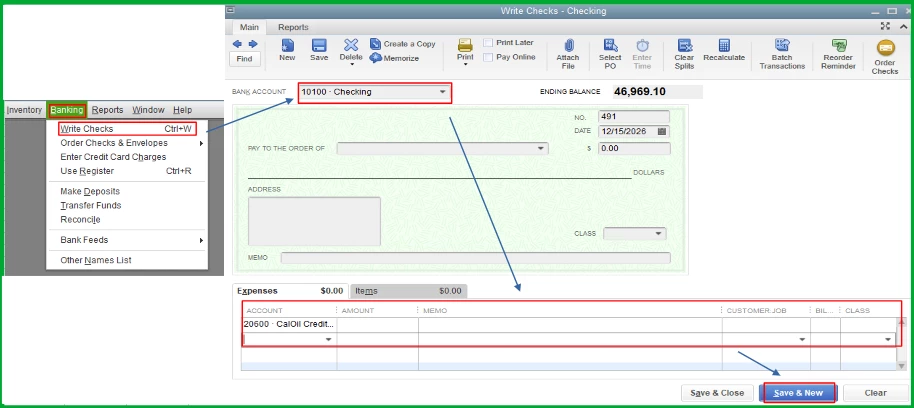
- Navigate the Banking menu and click Write Checks.
- In the Bank Account field, choose the account from which the payment was made.
- Under the Expenses tab, select your credit card account from the Account dropdown menu.
- Once done, hit the Select & New.
Finally, let's perform a mini reconciliation up to the date before the error. Before proceeding, please ensure you have the ending balance from your last successful reconciliation. This will provide us with a clean starting point.
- Navigate to the Banking menu and select Reconcile.
- Choose the credit card account that contains the transactions needing reconciliation.
- In the Statement Date field, enter an off-cycle date between your last reconciliation and the next scheduled one.
- In the Ending Balance field, input the balance from your last successful reconciliation, then click Continue.
- In the Reconcile window, check off the transactions you are fixing and re-reconciling.
- Make sure the Difference field shows $0.00.
- When everything looks good, select Reconcile Now.
Additionally, refer to this article to learn what to do if your accounts don't match your bank statements at the end of reconciliation: Fix issues when you're reconciling in QuickBooks Desktop.
I hope this guidance helps you resolve the issue with your credit card payments. Remember, accuracy in financial records is crucial, and we're here to support you in maintaining that accuracy. If you encounter difficulties following these steps or have further questions, please don't hesitate to reach out. We're committed to ensuring your QuickBooks experience is smooth and precise.

