April 10, 2021
Question

Credit Card Reconciliation

  • April 10, 2021
  • 1 reply
  • 0 views

Hello.  


Thanks in advance for any help provided.  I have very limited accounting skills so if possible please provide detailed instructions.  


The year end is Dec 31.  The credit card account period ending Dec 28, 2019 was reconciled.  The 2019 year end accounting was completed. 


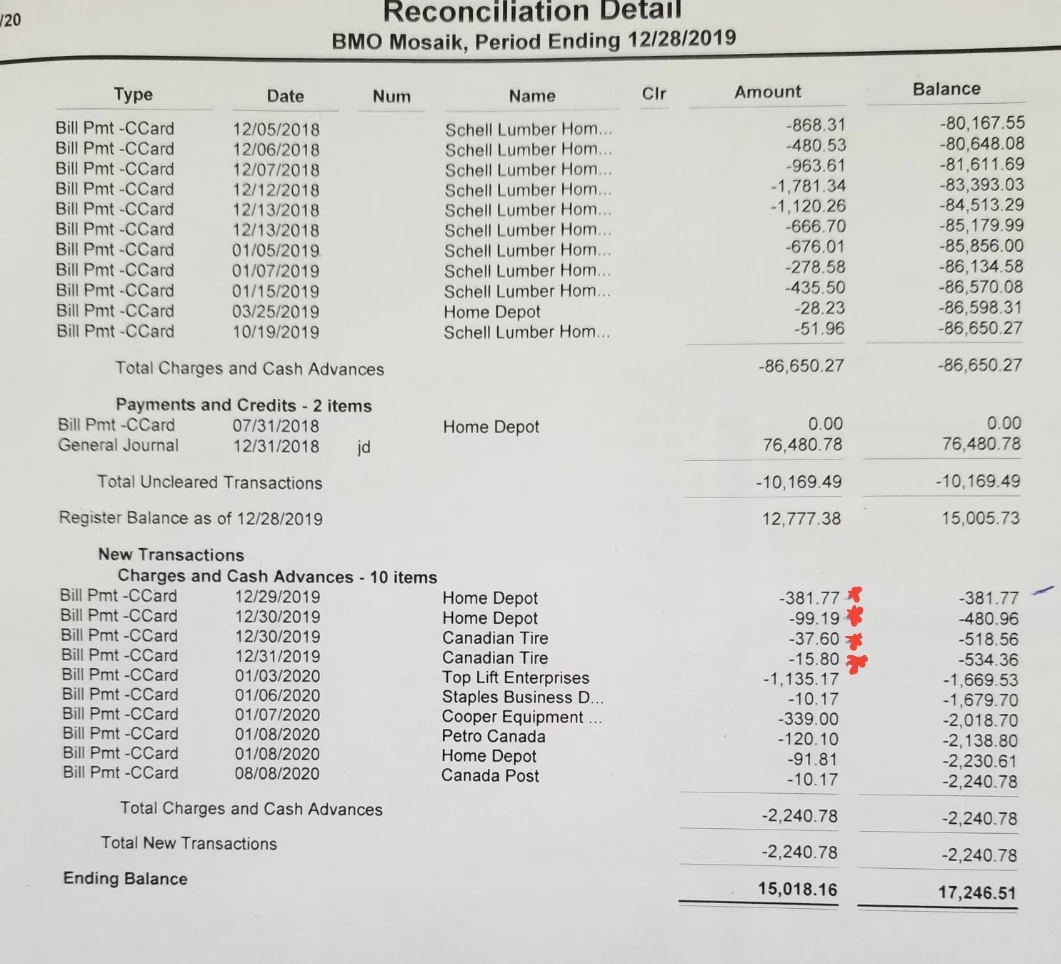
There were a few credit card charges on Dec 29, 30, 31 that are to be reconciled for the period ending Jan 28, 2020. (see attached reconciliation detail marked in red) 


The opening account balance for the period ending Jan 28, 2020 matches the closing balance for period ending Dec 28, 2019.  However, the 4 charges (see attached reconciliation detail marked in red)  are not listed as charges when reconciling the period ending Jan 28.  


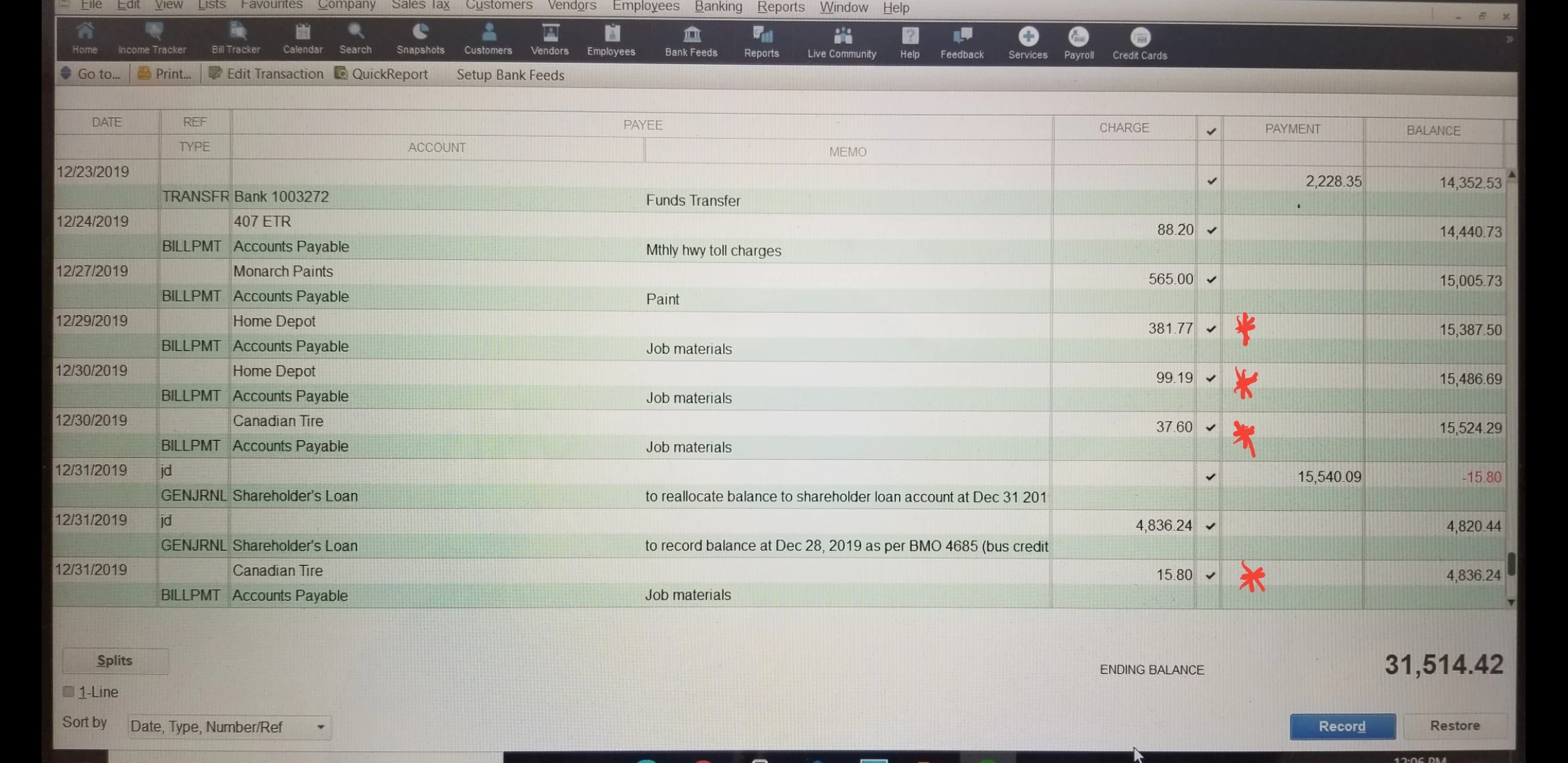
I'm not sure why, but the transactions show as cleared/reconciled in the register (see attached screen shot).  I can't unclear them as this will change the Jan 28, 2020 opening balance. I also don't want to muck up the complete 2019 year end.  


What can I do to add these missing charges to the period ending Jan 28, 2020 without changing the opening/closing balance so that I can reconcile?


Thanks again for any help.


1 reply

April 10, 2021

I'm here to help you get you back in working order, INTRAD.


Thanks for sharing the detailed process you've done during the reconciliation. 


Let's perform a special reconciliation to resolve the issue. I'll guide you how:


  1. Go to the Banking menu and then select Reconcile.
  2. Choose the credit card account with the transactions you need to reconcile.
  3. In the Date of Statement field, enter the date for an "off-cycle reconciliation." This date can be any date between your last reconciliation and the next scheduled one.
  4. From the Ending Balance field, enter the balance of your last successful reconciliation. 
  5. Select Continue.
  6. On the Reconcile window, check off the transactions you are fixing and re-reconciling.
  7. Make sure the Difference field shows $0.00.
  8. When everything looks good, select Reconcile Now.


Once done, QuickBooks will ask if you want to create a Payment Check or Create a Bill to Pay Later.

  1. Select Create a Bill to Pay later.
  2. If you need to, print your Reconciliation Report for your records.
  3. After you print the report, a bill appears on the screen. The bill amount will be the balance you just reconciled.
  4. Select Clear. This removes all info from the bill.
  5. Close the bill.

This balances the account. QuickBooks won't create a bill so your credit card balance isn't affected.


I'd recommend consulting an accountant to guide you with the process.


I've also included these articles that'll help you resolve common errors when reconciling an account:


Additionally, to keep your downloaded bank feed transactions in QuickBooks are accurate, please ensure to add and match them.


I'll be around if there's anything that I can help with your reconciliation. Please add the details in the comment section.

April 11, 2021

Hi INTRAD,


Hope you’re doing great. I wanted to see how everything about fixing your credit card reconciliation. Was it successful? Do you need any additional help or clarification? If you do, just let me know. I’d be happy to help you at anytime.


Looking forward to your reply. Have a pleasant day ahead!