Thanks for checking in with us, LLConroy.
To avoid messing up your reconciliation, as an initial step, you'll need to undo the reconciled transactions, delete the sales receipt, and enter the amount as a deposit.
The QuickBooks Online Accountant (QBOA) gives you the ability to Undo reconciliations without manually editing individual transactions from within the register.
However, if you don't have an account version of QuickBooks, I'd recommend inviting your accountant to your company and let them do the process. Here's how:
- Click the Gear icon in the upper-right corner, and select Manage Users.
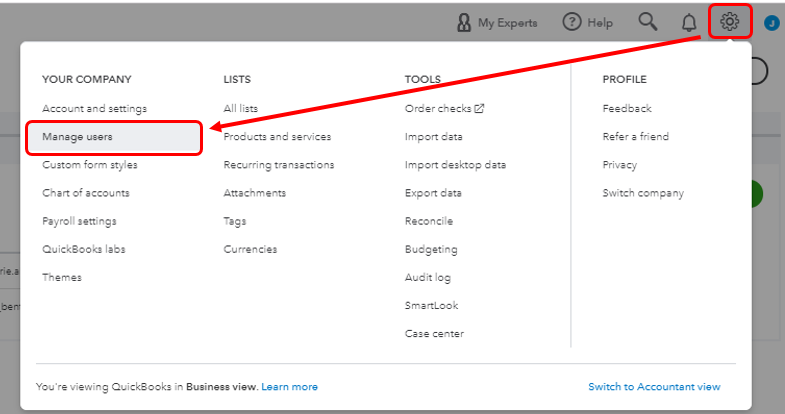
- Go to the Accounting firms tab, enter the accountant's email and click the Invite button.
- Hit Save.
- Once invited, have your accountant undo the entire reconciliation.
Otherwise, you'll need to undo the reconciled transactions one at a time. You can use this article for reference: Undo and remove transactions from reconciliations in QuickBooks Online. On the same link, you'll find a write-up that provides steps on how to adjust as well as fixing beginning balances.
Once done, you can delete the sales receipt and enter a deposit.

Additionally, you can visit the following write-up: Sales and customers. This will provide you articles on how to manage your company income in QuickBooks Online.
Let me know if you have additional questions. I'll be available in the comments to assist you further. Have a nice day!

