
Solved
Does anyone have an issue trying to connect to business checking at Key Bank?
Original commenter did not share additional details


Hello, mary-buzas.
I've checked my resources and there's no issue with connecting Key Bank to QuickBooks Self-Employed.
If you're using QuickBooks Online, you'll need to enable third-party apps so you can connect this bank. This is because some banks require to turn on third-party apps first.
Here's how:
1. Sign in to Online banking by go to https://ibx.key.com/ibxolb/login/index.html#/login. (Please take note that this permission is not available in Mobile App.)
2. Select User Profile.

3. Scroll-down to Password and Security.
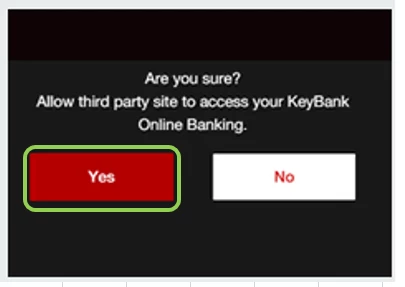
4. Toggle "Third Party Access", then choose On.
5. Select Yes button to confirm.
Once done, log in to your QuickBooks Online company, then refresh the account.
Here's an article for more troubleshooting steps on banking connection error: Fix banking error 103.
Keep in touch if you have any questions or concerns about QuickBooks. I'm always here to back you up. Have a good one!
Enter your E-mail address. We'll send you an e-mail with instructions to reset your password.