May 10, 2021
Question

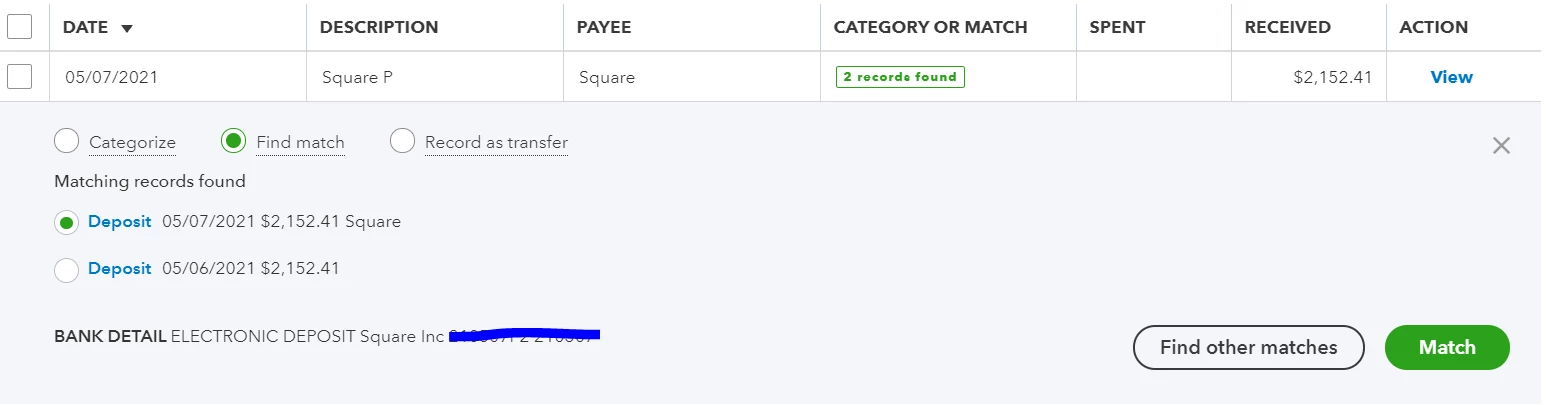
Duplicate deposit when using square Sync, causing income inaccuracies.

  • May 10, 2021
  • 1 reply
  • 0 views

Hello, 


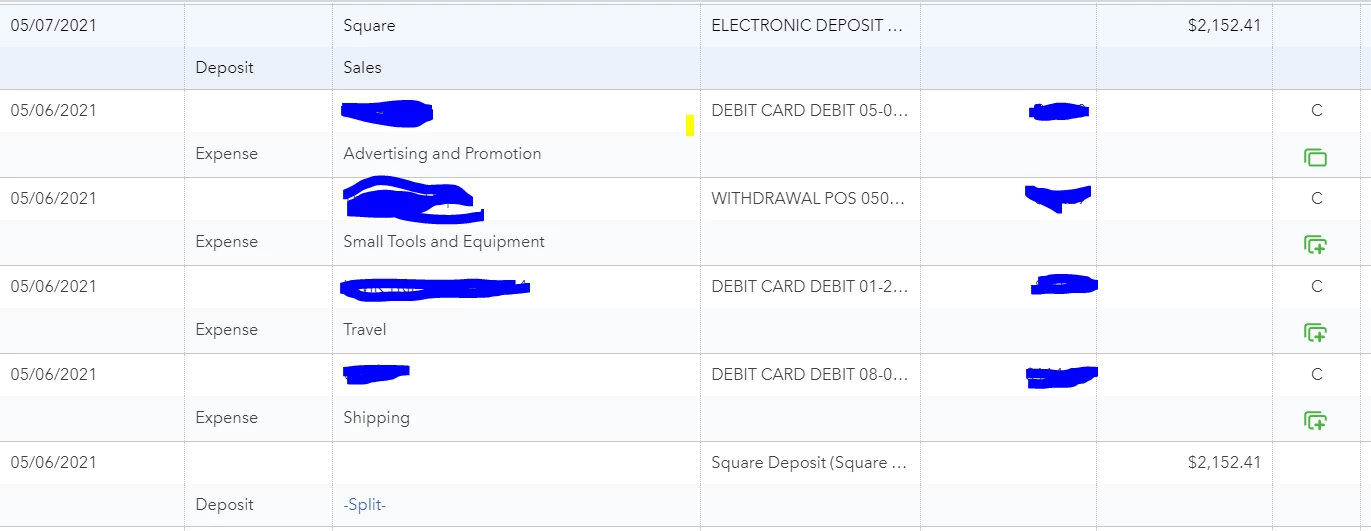
When square syncs up its daily transactions I can not match them to balance.  I can either select the sync from Square, which also has the fees I paid for all transactions that day, hence the -Split-, or I can select my actual bank account sync entry.   Please advise on how to solve this issue, it's currently giving me double income on all my square transactions. 


Thanks!
 

1 reply

May 10, 2021

I can walk you through managing duplicate transactions, SDG_Motorsports.


The Sync with Square app will automatically post your deposits to the preferred account you chose in the settings. I'd suggest changing the default bank linked.


Here's how: 


  1. Log in to your QuickBooks Online account.
  2. Click the My Apps menu in the left panel.
  3. Look for the Sync with Square app and click Settings.
  4. Select Edit next to Basic Settings.
  5. Update the default bank account where the app deposits the money. 
  6. Click Save changes.

Further Square invoice payments should go to the Undeposited Funds account first, then you make a bank deposit in QBO of all the Square invoice payments plus the fees that should match the Square bank deed deposits. 


You can either match one deposit and delete one of the duplicate deposits. You can also check this link for more details: Sync Square with QuickBooks Online.


Here's a link that will also help you handle bank downloaded transactions: Categorize and match online bank transactions in QuickBooks Online.


Let me know if you have other questions. Take care!