

September 8, 2022
Question

Email Receipt Forwarding Not Working

  • September 8, 2022
  • 1 reply
  • 0 views

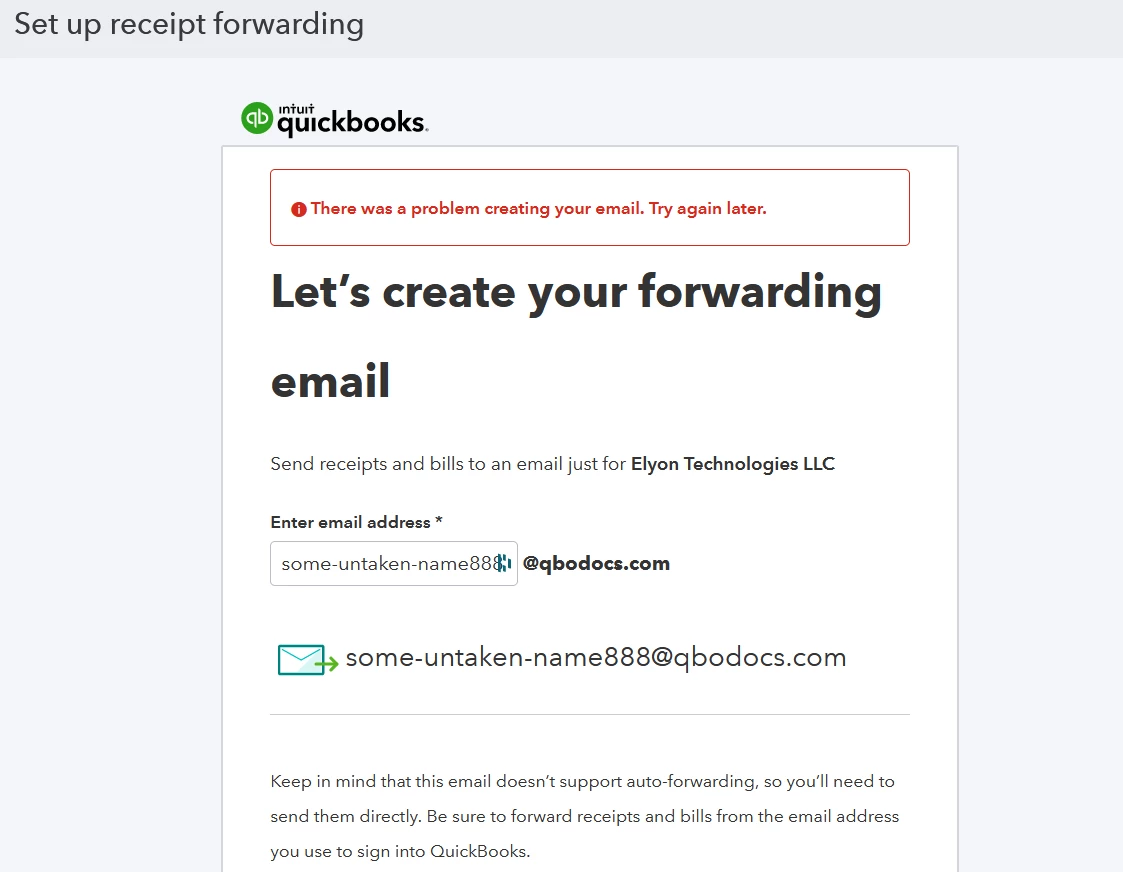
Hi, this has been a problem for months now for my husband and I. I reached out to support a couple months ago and it's still not fixed. This is a different problem than before though. Has anyone managed to resolve or get past this error screen?
 

1 reply

September 8, 2022

Hello.


Thanks for taking the time to reach out to our support. I'd like to shed some light on the error message when setting up your forwarding email. 


Our support agents might not have already informed you this, but we do have a reported issue about the forwarding email setup error message. Our engineers are working to fix this as soon as possible. 


If you haven't already done it yet, I'd recommend contacting our support again. They'll get your contact information securely and add you to the list of affected users. This way, you'll receive updates from our engineers regarding the issue. 


Here's how to reach them: 


  1. In QuickBooks, click the Help icon.
  2. On the pop-up window, click the Contact Us button.
  3. Enter the error message in the box, then proceed with Continue.
  4. Choose how you want to reach us (through phone or chat).


In the meantime, we can manually upload your receipts from your computer or Google Drive to manage your receipts within QuickBooks. 


If you need more details about managing your receipts, we can take a look at this article for a guide: Email receipts and bills to QuickBooks Online


Would you like some assistance in reconciling your books sometime in the future? We have an article to help you with the process. Check it out if you've run into any difficulties: Reconcile an account in QuickBooks Online


We appreciate your patience as we're working to get the receipt forwarding option back to normal again. Please let me know if you have concerns regarding your receipts, entries, or reports. I'm here to help.