Explore MT Online as a workaround.
https://www.moneythumb.com/?ref=110
There's another way, @kathypOCFH. I'd be delighted to lay down the steps to enter your bank transactions into the QuickBooks Online (QBO) program.
Since you cannot upload your bank transactions using a CSV file to QBO, I suggest manually entering your bank transactions one at a time directly into account registers in QBO.
Follow these steps to proceed:
- Go to Settings ⚙ and select Chart of accounts.
- Find the account register you want to review.
- Select View register from the Actions column.
- Click the Add check ▼ dropdown menu at the top of the list.
- Select the type of transaction you want to add.
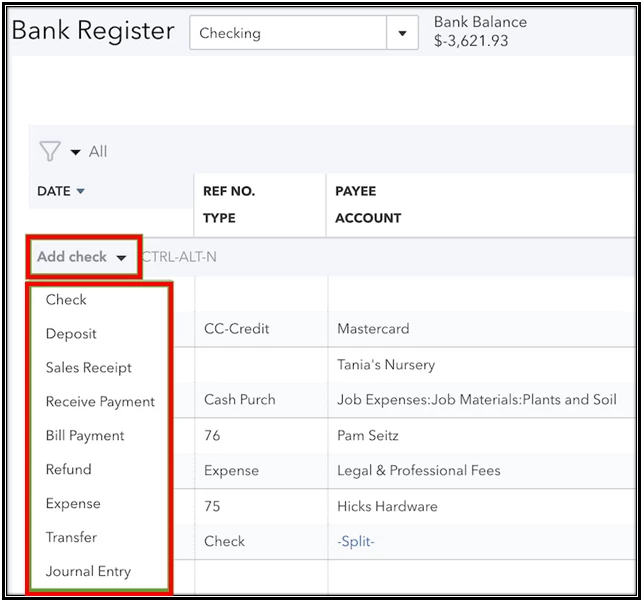
- Fill out the fields to complete the transaction.
- Once done, select Save.
Once everything's good with your transactions, you can visit these resources that will help you to speed up the review process of your online bank transactions:
I'm always around and ready to help if you have more questions about recording your bank transactions in QBO. Click the Reply button to add your comment so I can further assist you. Have a great day!

