November 18, 2021
Question

How can I change the date on the reconciliation I did and close before?

  • November 18, 2021
  • 1 reply
  • 0 views

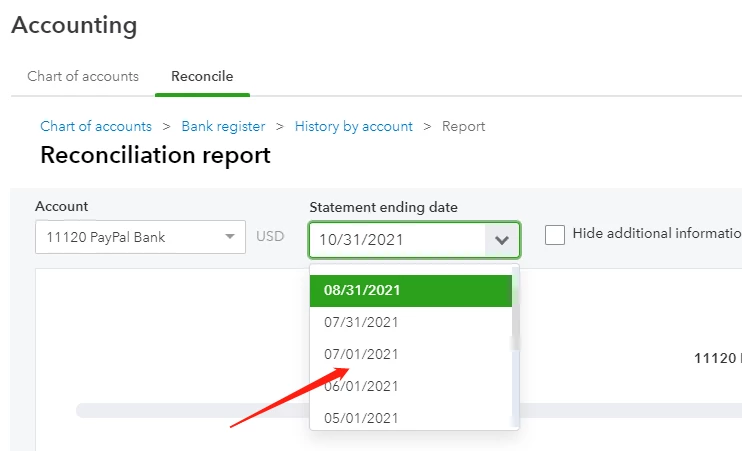
After few months past, I realized that statement ending date is not 1st but 30 or 31, 

How can I edit ending date on reconciliation date back to several months ago?
 

1 reply

November 18, 2021

I can help you correct the ending date of your reconciliation, John.


In QuickBooks Online, you’ll want to undo or remove the transactions manually from reconciliation to update the ending date to the correct one.


Here’s how:


  1. In the left navigation pane, select the Accounting menu.
  2. Go to the Chart of Accounts.
  3. Locate the account holding the transactions, then click View register.
  4. Select the entry you want to unreconcile.
  5. Keep selecting the letter R under the Reconciliation (indicated by a checkmark) column until the box is blank.
  6. Press Save and then press Yes to confirm the modification.


You can also invite an accountant to undo the entire reconciliation for you. Just make sure he/she is using a QuickBooks Online Accountants (QBOA) version. Only QBOA has special tools that can undo reconciled transactions faster.


Once done, redo the reconciliation process and ensure to enter the correct ending date.


I’ve attached this article in case you need help doing or fixing a reconciliation in the future: Learn the reconcile workflow in QuickBooks.


Don't hold back to drop a comment below if you have any other questions or concerns about your reconciled transactions. I’ll be here. Always take care!

November 19, 2021

Hi, thank a lot for your reply. 


However, transactions are correct and closing balance also fine. I only want to edit ending date from 1st to 30th for old reconciliations. 


How can I edit ending dates for old reconciliations?


Regards

November 19, 2021

Hello there, johnrebuffreality.


You can edit the information on your reconciliation by clicking Edit info on the reconciling page if you haven't finished it yet.


However, if the reconciliation is done, you'll need to undo the reconciliation through the QuickBooks Online Accountant version.  Once your accountant is invited by you to see your company data, then you can follow the steps below. 


To undo a reconciliation using Accountant version:


  1. Click the Gear icon and then Reconcile under "Tools." 
  2. Select the Reconcile tab and then History by account
  3. Press History by account
  4. Choose Account and Report Period
  5. From the drop-down arrow beside View report, pick Undo
  6. Click Yes to confirm and then Undo.


 This can be done by manually editing the transactions within the register. I'll show you the steps below:


  1. Go to the Accounting menu. Then select Chart of Accounts.
  2. Find the account and select Account history or View register.
  3. Select the transaction you want to unreconciled.
  4. Click the box with "R" and keep clicking it until the box is blank. This removes the transaction from the reconciliation.
  5. Select Save.

Feel free to read through this article for the entire process on how to undo reconciliation: How to Unreconcile a Transaction or Undo a Reconciliation.


However, I'd still recommend checking with your accountant for more guidance on how to handle this situation.


It's that simple! Here are a few extra articles that can help you along the way: 


Should you need further assistance with reconciliation, don't hesitate to visit us again in the Community. Have a splendid day!

