January 18, 2024
Question

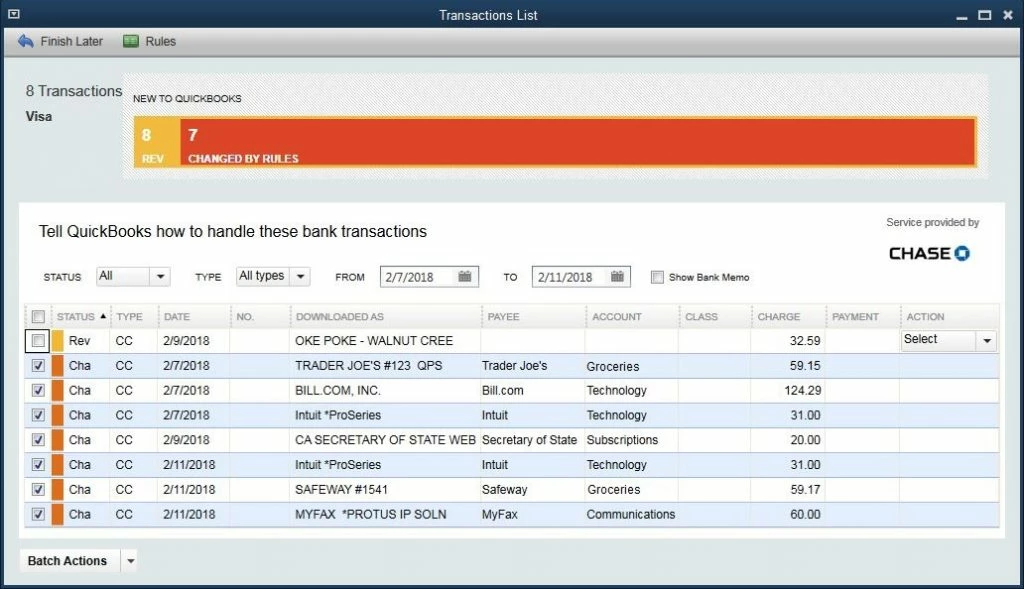
how can i update interface for my banking feeds on qb desktop, this interface seems to be dated

  • January 18, 2024
  • 1 reply
  • 0 views

1 reply

January 18, 2024

It's our pleasure to have you here today, Jane. We'll share details to help you change your bank feeds view inside QuickBooks Desktop (QBDT).


In QBDT, you can switch to 3 different banking modes with different view. We'll write down the steps below to get you going:


  1. Access your QuickBooks Desktop company.
  2. Go to the Banking menu.
  3. Select Bank Feeds and then choose Change Bank Feeds Mode.
  4. Pick a mode.
  5. Once done, click the OK button.


For more details, please see this article: Switch between banking modes.


In addition, we got these articles to help you manage bank transactions and reconcile an account inside QBDT:


We look forward to having you here again if you need assistance managing bank transactions inside the program, Jane. Please don't hesitate to visit us anytime. Keep safe, and have a good one.

January 20, 2024

sorry, but it is  not same like in new version