Thank you for the additional information, @KAS21. I'm determined to ensure everything is parallel so you can all work seamlessly.
Your boss may have opened a different company file. I'd suggest closing it and restore the correct one. You can take note of the file location from the other workstation. Doing this will help us ensure that we're opening the right one.
To see the file location, follow these steps below:
- Go to a workstation that is showing US dollars.
- Open QuickBooks.
- Press F2 on your keyboard to see the product information.
- Take note of the location under the File Information section.
Once done, go back to the other computer that shows UK pounds. You can use the location details to restore the company file.
- Make sure to close the current company file.
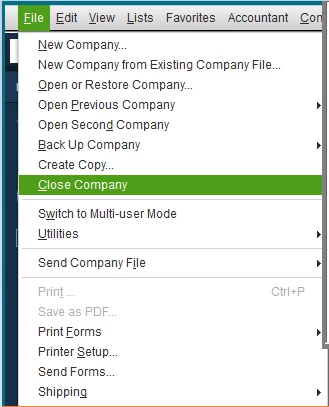
- Go to the File menu and select Close Company.
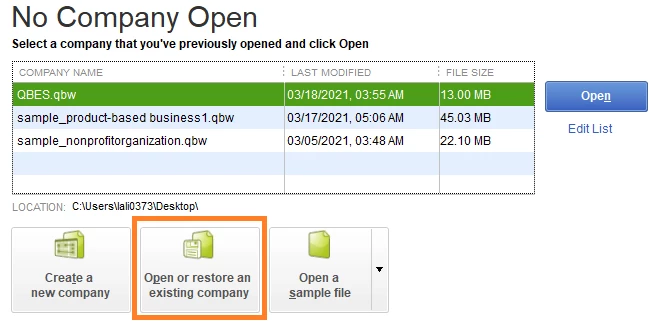
- In the No Company Open window, click Open or restore an existing company.
- Select Next.
- Find your company using the location details.
- Select Open, then enter the password.
I've added some articles that contain more information about restoring your company file and how to locate it if you forgot where you saved it:
Feel free to visit us again should you require further assistance. I'm always here to help. Have a great day.