Solved
How do I expand the display of bank transactions to see the entire page rather than just a portion of the page?
Original commenter did not share additional details


I have a trick available to see complete transaction details on your bank feeds in QuickBooks Online (QBO), stephen.
In your bank feeds, there’s an option to adjust each section to maximize its space and be able to see the complete details. However, please know that it will also take effect on the other columns. There’s also a horizontal scroll bar to help you move sideward of the page. I added a snapshot below for your visual reference:
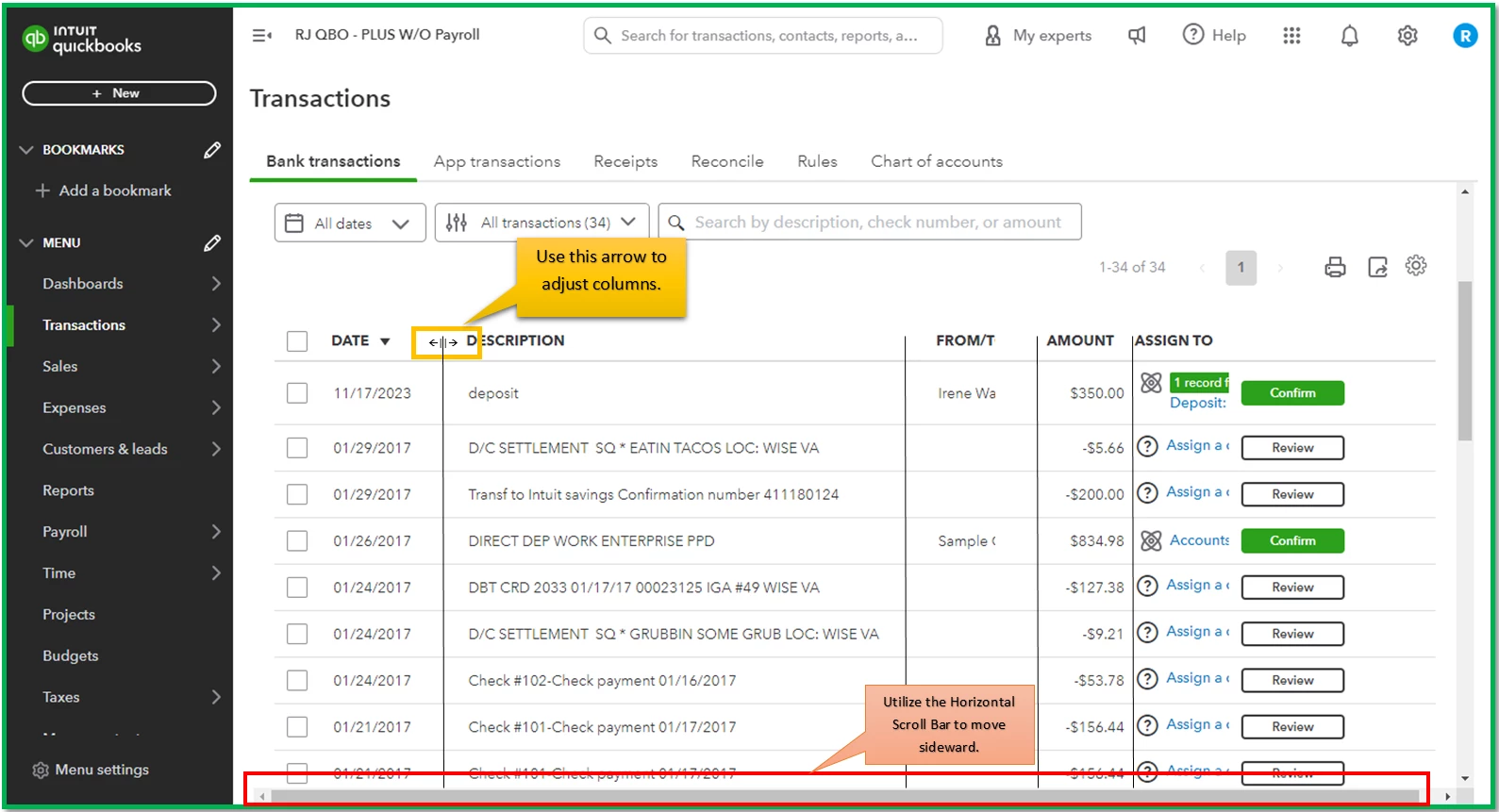
Furthermore, you can start categorizing your transactions to add them to the correct category and reconcile them to avoid discrepancies. With that, I’ll leave you with these resources for complete guidelines:
Leave a comment below if you have other display preferences for the product. I’m also open to questions about any QuickBooks-related matters you may have. Just don’t hesitate to tap the Reply button to post them here. Take care!
Enter your E-mail address. We'll send you an e-mail with instructions to reset your password.