Solved
How do I put an expense I added back under banking? My collegue needs to review it first.
Original commenter did not share additional details


I'd be glad to join you here and help with your banking concerns, claudia34.
There's an Undo button to send the transaction back to the For review tab. This will remove the category that you assigned to it when you matched or added it in the online banking. Let me show you how:
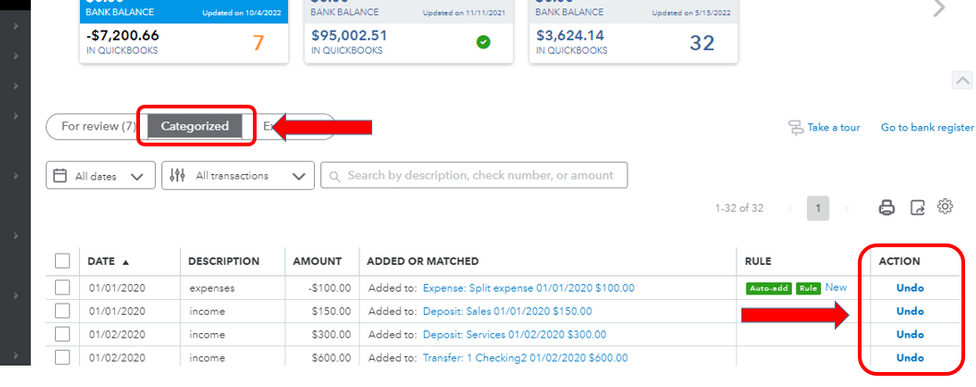
Once done, go back to the For Review tab and let your colleague review it.
Please see these articles for more details: Unmatch Downloaded Bank Transactions or Move Them to Another Account.
Let me also share these articles for additional guidance when working with your banking transactions:
Don't hesitate to reply and let me know if that helped you send the transaction back for review. We're always here to help if you need anything else.
Enter your E-mail address. We'll send you an e-mail with instructions to reset your password.