It’s nice to have you in the Community today, rfisher1.
The Switch Company is a built-in feature that will only show when a user has access to multiple accounts. Make sure the bookkeeper is not added to some of your accounts.
This way, they will not be able to switch from one company to another. In regard to removing your access, I've laid out the steps on how to perform this in QBO.
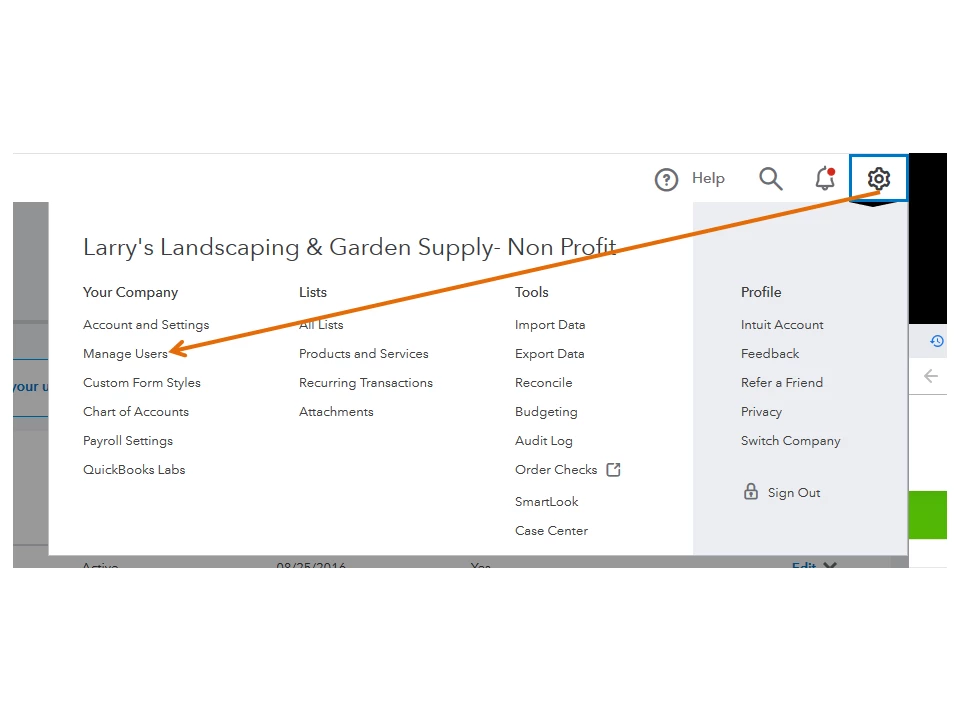
- Go to the Gear icon to select Manage Users under Your Company.
- From the list, choose the bookkeeper and then click the Edit drop-down in the Action column.
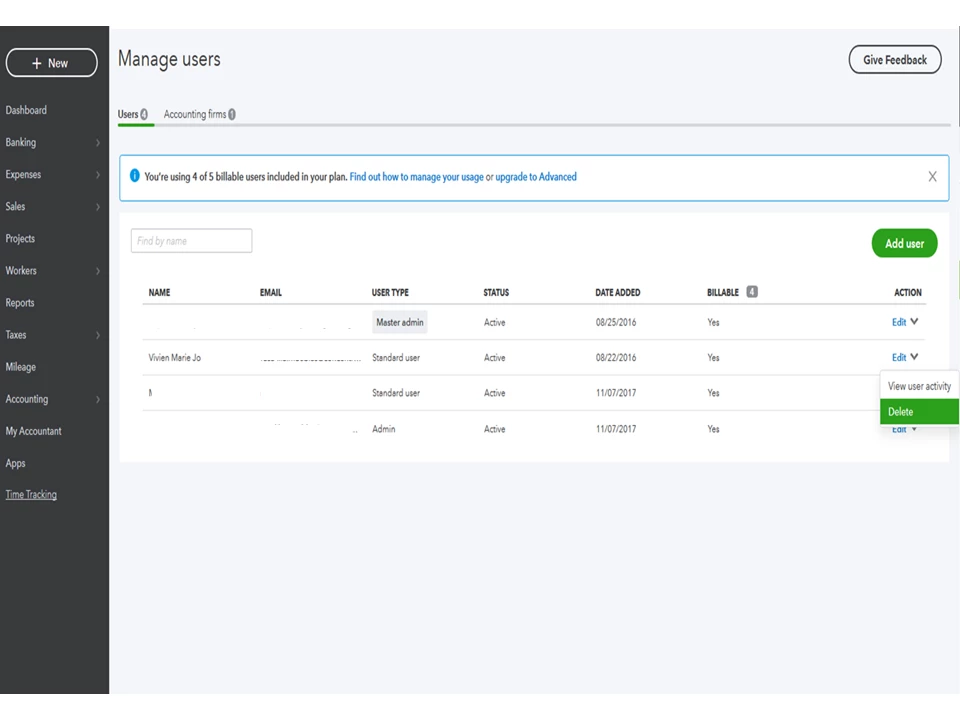
- Press Delete and then hit Delete again to confirm the action.
Here’s an article that provides an overview of managing users in QBO. It includes some links on how to change the master admin and add an accountant user: Add, delete, or change user access.
If there’s anything else I can help you with, let me know in the comment box below. I’ll get back to assist further. Have a great rest of the day.

