
March 2, 2021
Solved

I added a credit card, and the transactions start in 2020. How do I change the start date to only include transactions from 2021?

  • March 2, 2021
  • 1 reply
  • 0 views
Original commenter did not share additional details

Best answer by Rubielyn_J

It's a pleasure to have you here in the Community, @usergallaghermusic.


Let me provide some insights and steps on how you can handle your banking transactions in QuickBooks Online. 


Using Online banking, QuickBooks automatically downloads the 90 days' worth of your transactions. That being said, selecting a starting date for 2021 transactions is unavailable. 


However, we can get rid of the 2020 entries by simply excluding them. 


Here's how: 
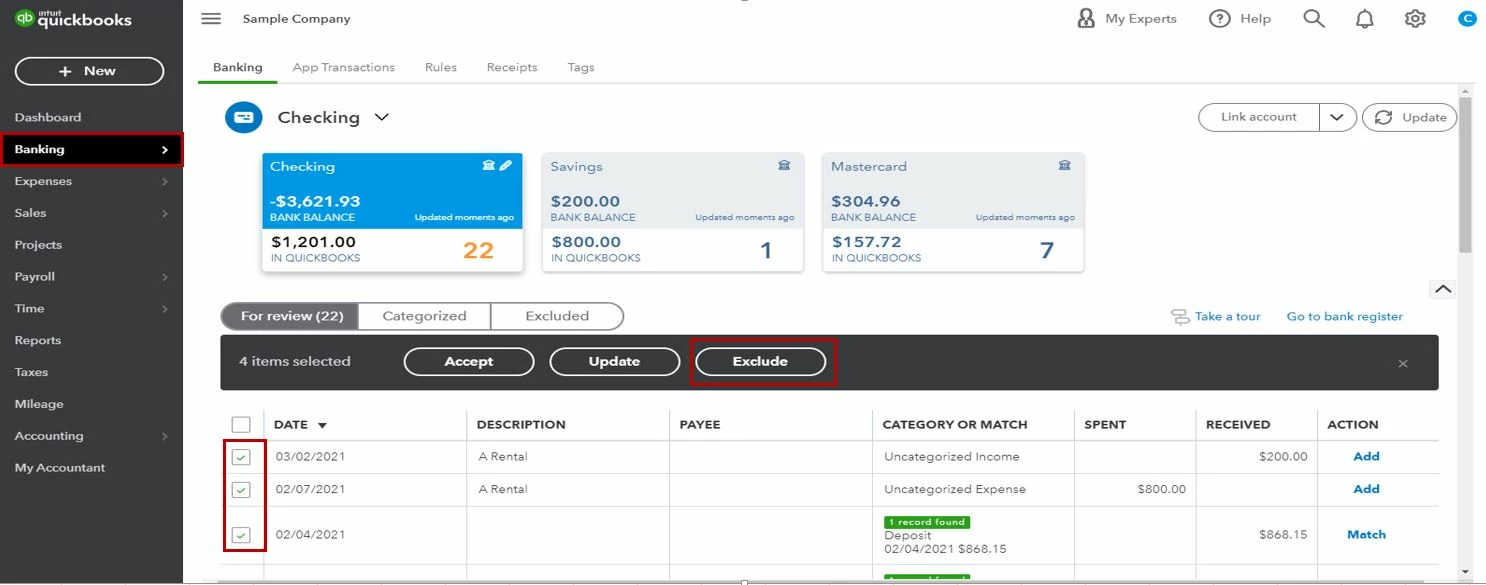
  1. Sign in to your QuickBooks Online account.
  2. Go to the Banking menu.
  3. On the Banking page, choose the For Review tab.
  4. Click each checkbox of the transactions from 2020 to exclude.
  5. Select the Exclude button.


Once finished, let's click the Update button to refresh and get the latest transactions. 
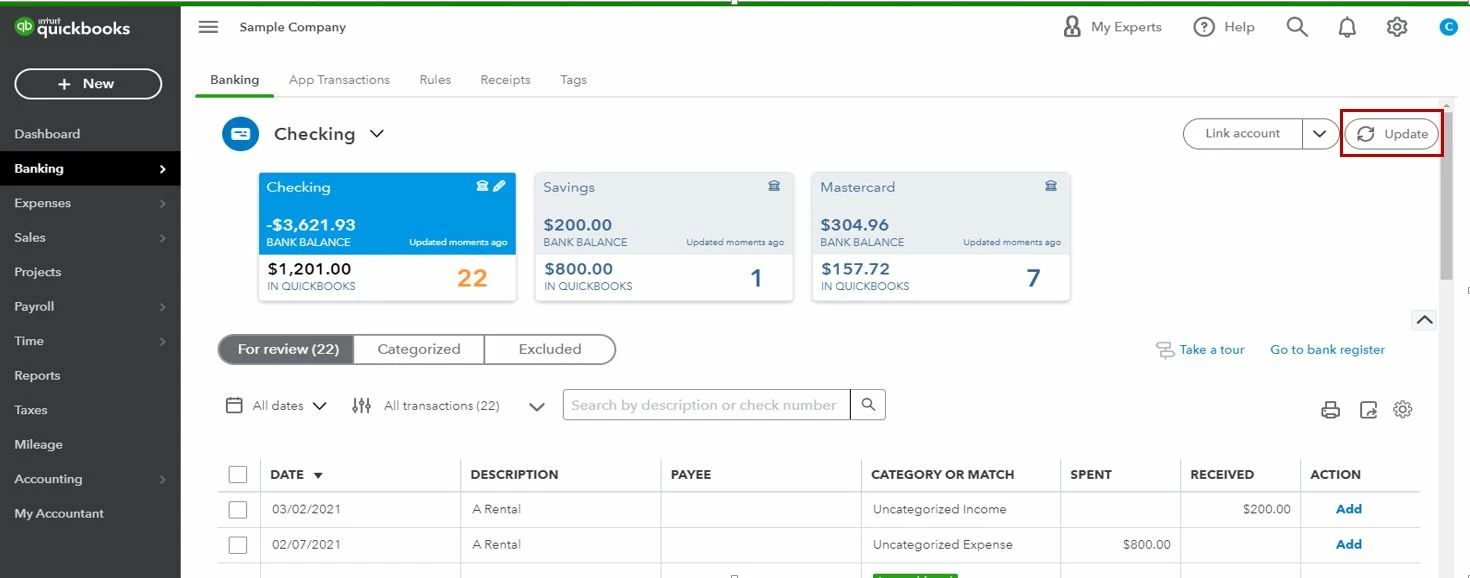
 

Otherwise, you can manually upload your entries to bring in those 2021 transactions. 


Lastly, in case you need help in reviewing your credit card transactions, I suggest checking out this article: Categorize and match online bank transactions.


That's it! If you have any other questions with QuickBooks, let me know by hitting the Reply button below. I'll be around to help. Have a wonderful week.

1 reply

Rubielyn_J
March 2, 2021

It's a pleasure to have you here in the Community, @usergallaghermusic.


Let me provide some insights and steps on how you can handle your banking transactions in QuickBooks Online. 


Using Online banking, QuickBooks automatically downloads the 90 days' worth of your transactions. That being said, selecting a starting date for 2021 transactions is unavailable. 


However, we can get rid of the 2020 entries by simply excluding them. 


Here's how: 

  1. Sign in to your QuickBooks Online account.
  2. Go to the Banking menu.
  3. On the Banking page, choose the For Review tab.
  4. Click each checkbox of the transactions from 2020 to exclude.
  5. Select the Exclude button.


Once finished, let's click the Update button to refresh and get the latest transactions. 


Otherwise, you can manually upload your entries to bring in those 2021 transactions. 


Lastly, in case you need help in reviewing your credit card transactions, I suggest checking out this article: Categorize and match online bank transactions.


That's it! If you have any other questions with QuickBooks, let me know by hitting the Reply button below. I'll be around to help. Have a wonderful week.

Rubielyn_J
March 3, 2021

Hi, @usergallaghermusic.


Hope you’re doing great. I wanted to see how everything is going about the banking concern you had the other day. Was it resolved? Do you need any additional help or clarification? If you do, just let me know. I’d be happy to help you at any time.


Looking forward to your reply. Have a pleasant day ahead!
