Hi there, @kimme04612.
I have replicated your concern and saw the same result. Currently, the Undeposited Funds account is unable to track down to the sub-accounts you've added when you create a deposit transaction from your sales receipt. To fix this, you'll have to go to the sales receipts and assign all to the Undeposited Funds account only, then choose the payment method if it's Paypal, Shopify, or Stripe. I'll show you how to do that.
To edit the sales receipts easily, here's how:
- Go to the Customers menu, and select Customer Center.
- Click the Transactions tab and choose Sales Receipts.
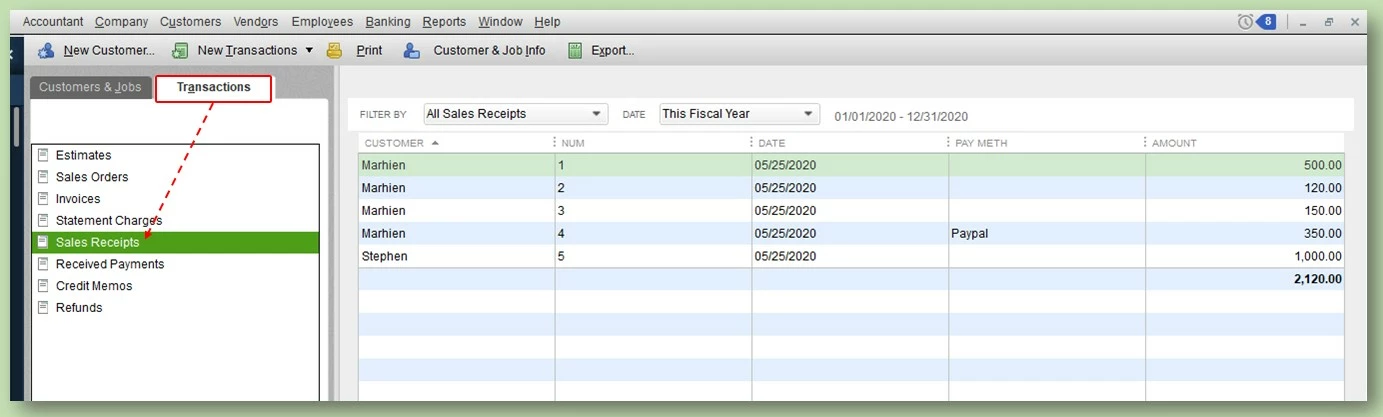
- Double click on the transaction.
- Click the drop-down icon for the Deposit to box, and choose Undeposited Funds.
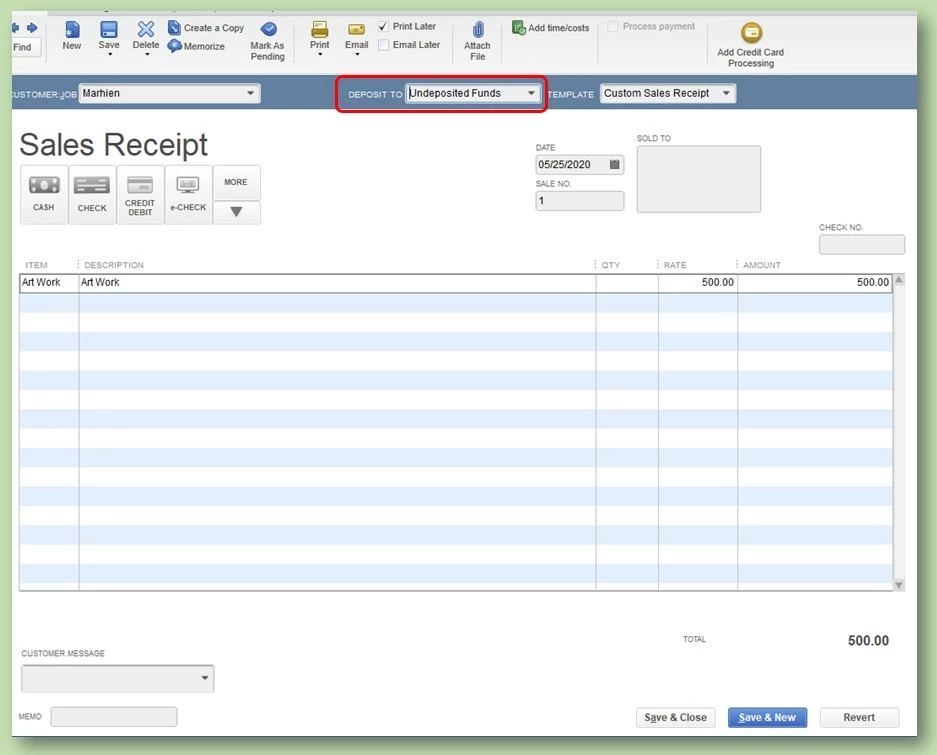
- Verify the date and click on the arrow down icon below the More tab.
- Click Add New Payment Method then enter if it's Shopify, Paypal or Stripe.
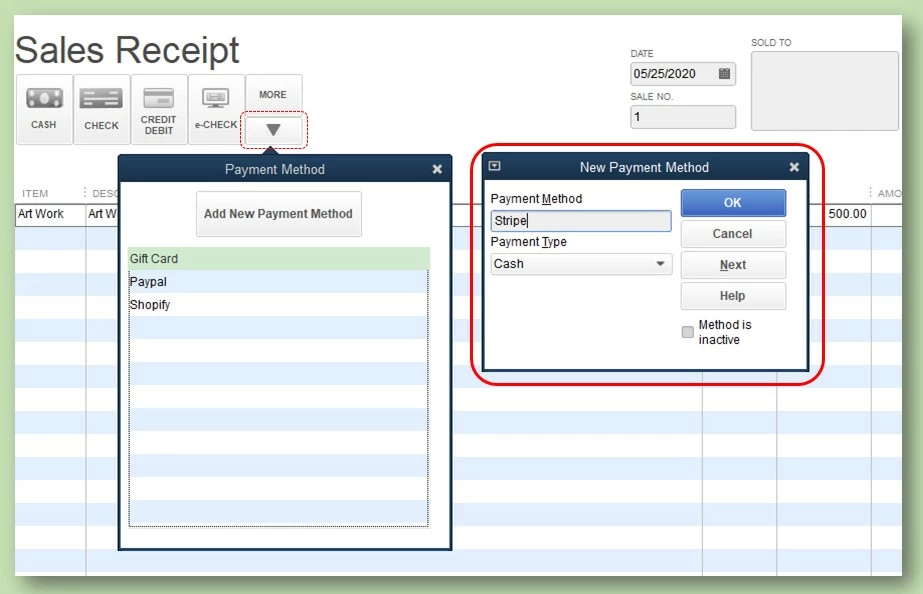
- Once done, double click the Payment method you need to use and then, click Save and close.
Now you will see the Payment method of your sales receipts transactions in the Customer Center, here's how it looks like after the modification:
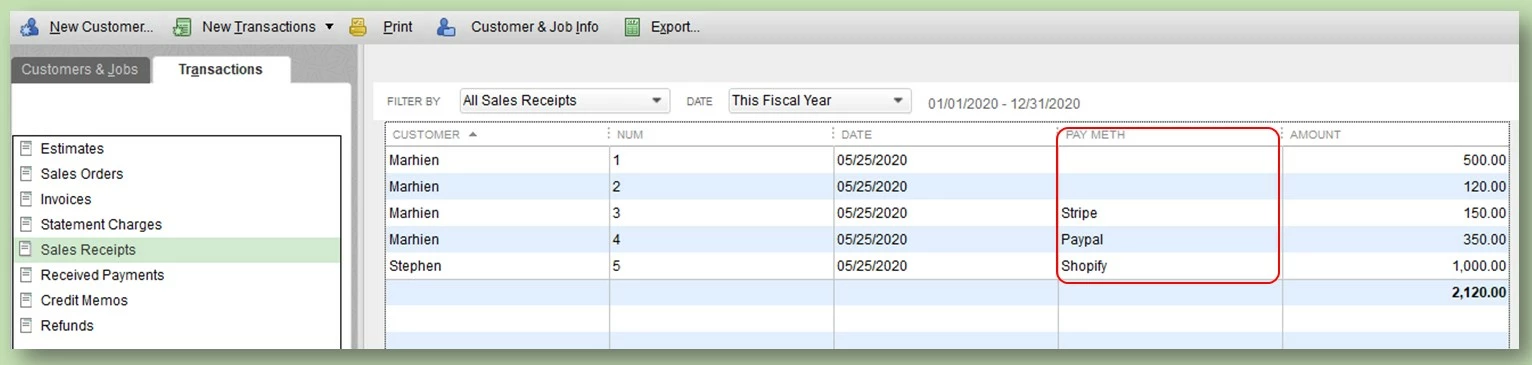
Also, I added this article to help you add bank deposits from the Undeposited Funds: Record and make Bank Deposits in QuickBooks Desktop.
You can always get back in this thread if you need anything else by clicking the Reply button. I'll be here to help. Keep safe!