May 3, 2022
Question

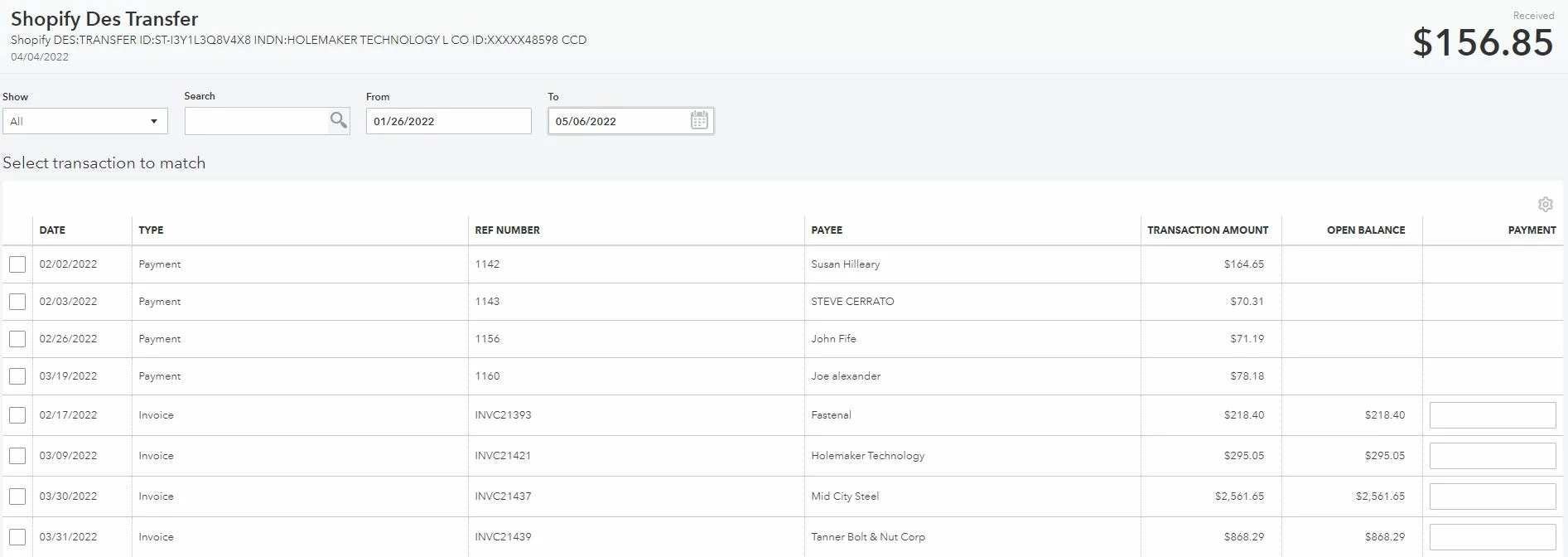
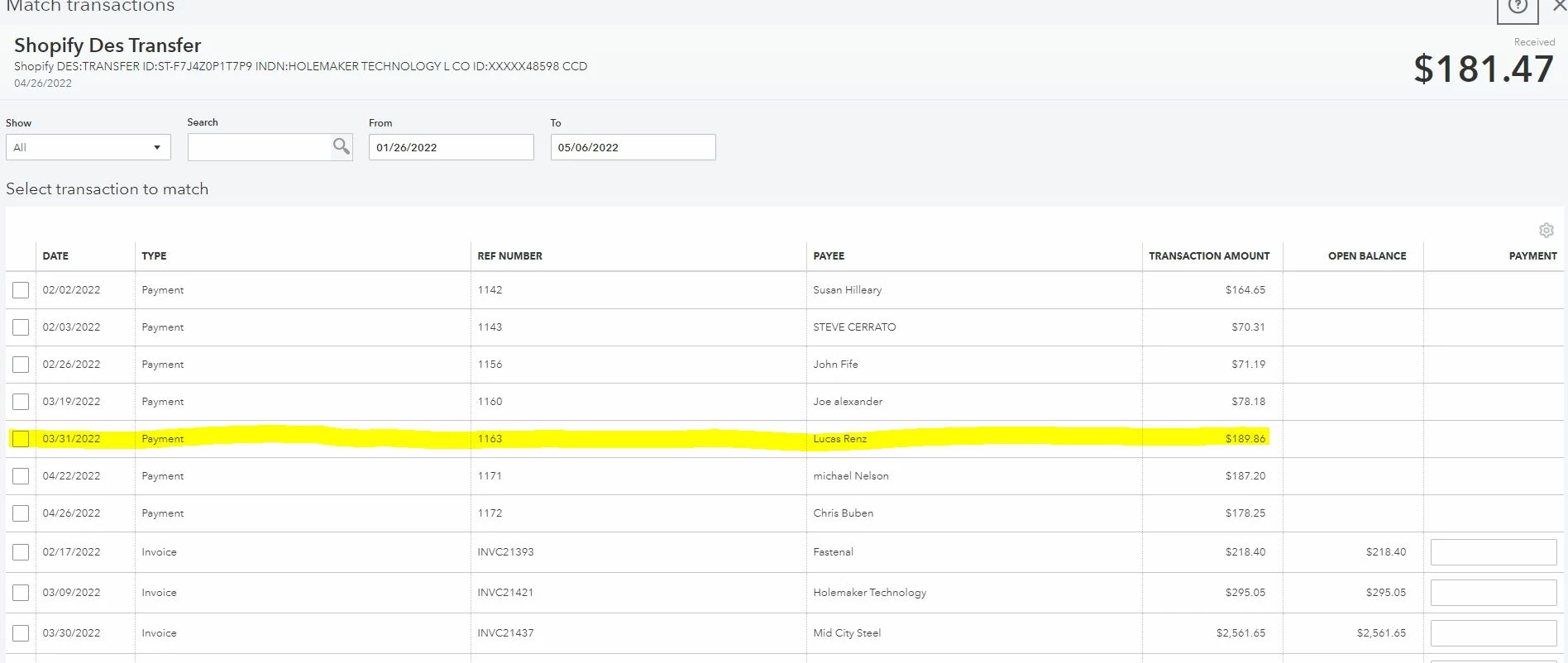
items showing on the reconciliation list of 1 transaction in the bank and not the actual transaction it needs matched to

  • May 3, 2022
  • 1 reply
  • 0 views

below is two receipts into the bank, the bottom one needs to match to 1163 highlighted on the top receipt, even changing the dates to be identical to what is shown on the top receipt this is still not showing on the transaction that needs matched to it as an outstanding transaction.
1 reply

May 3, 2022

I'm here to ensure you're able to match your transactions, Laura Perrow.   


I appreciate the screenshots you've shared with us. This makes the situation more clear. Let's review some criteria that possibly stop the system from matching the transaction:   


  • Verify that the transaction has not been reconciled.
  • Verify the transaction was entered using the same bank account.
  • Make sure the QuickBooks Online transaction has not been previously matched to another bank downloaded transaction.
  • If it is a deposit or payment received, make sure it is not on the Bank Deposit page (undeposited). 
  • Sometimes, the match is not located with the Find Match tool because the dollar amount in QB is higher than the bank transaction. If this is the case, edit the original transaction and refresh the Bank feed window.


You'll want to use the Find match or Find other matches option to see possibilities that might match. Here's how:


  1. Click the Banking menu, tap Banking and go to the For review tab.
  2. Press the transaction and hit Find match. If you can't find the match, click Find other matches.
  3. Enable the Suggested Matches button. Then, look for the match transactions and check their boxes. 
  4. Hit Save.


Once you're done matching transactions, you'll want to reconcile your account regularly to ensure your book is accurate.


Please don't hesitate to reach back out if you have any additional questions. We're happy to help. Take care!