

April 14, 2021
Question

matching bank transaction with invoice payments - error

  • April 14, 2021
  • 1 reply
  • 0 views

I'm not sure if I have totally lost my mind, or if Quickbooks is playing tricks on me, but please help me figure this out...  I have two downloaded deposit transactions for $1435.45 and $9.90 (total $1445.35).  This total should match to four invoices ($250, $700, $145.53, $350),
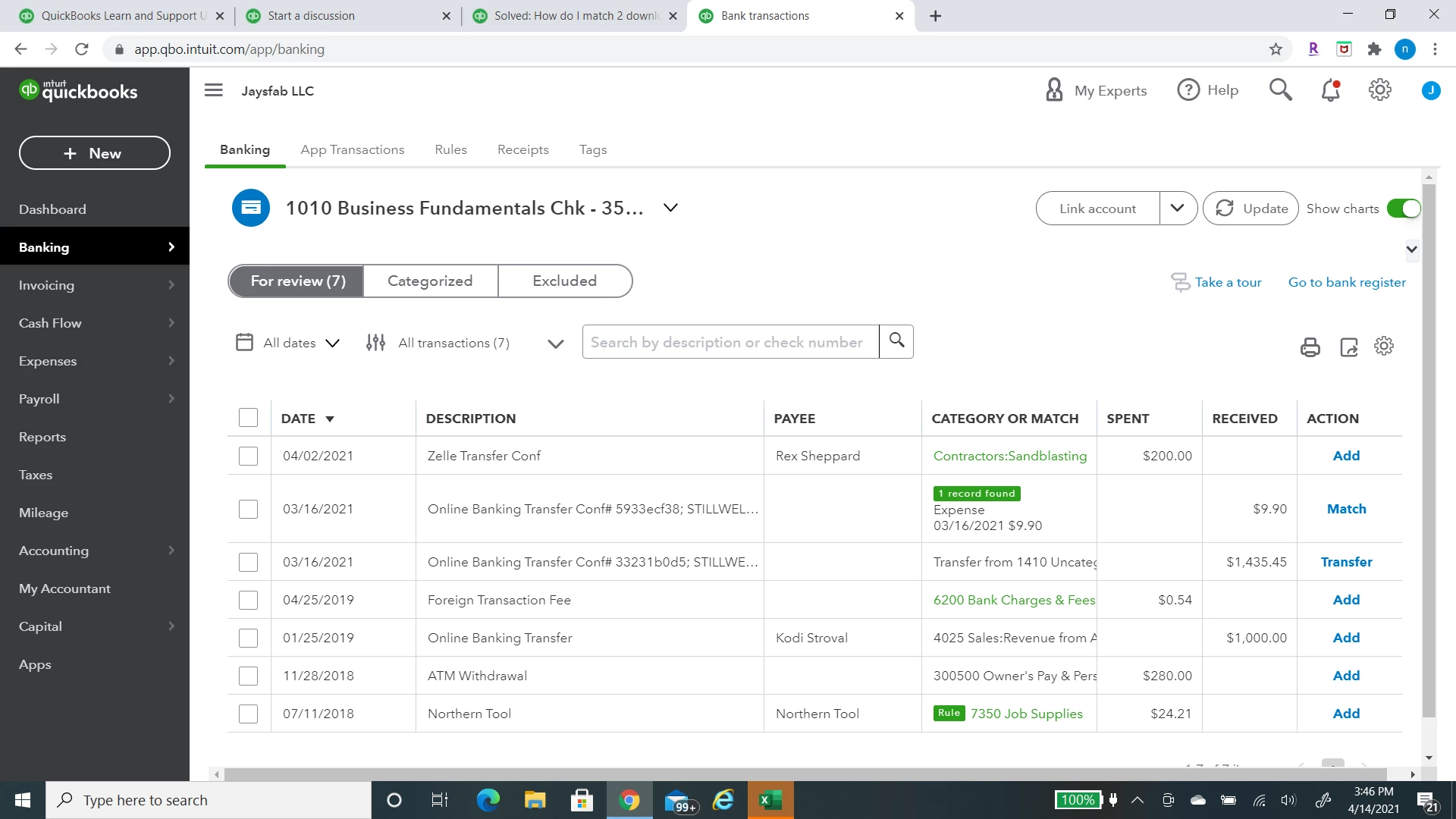


  I select the transaction for $1435.45 and choose the "match" option to apply it to the invoices.  For some reason, the match screen shows the transaction amount of $1445.35.  
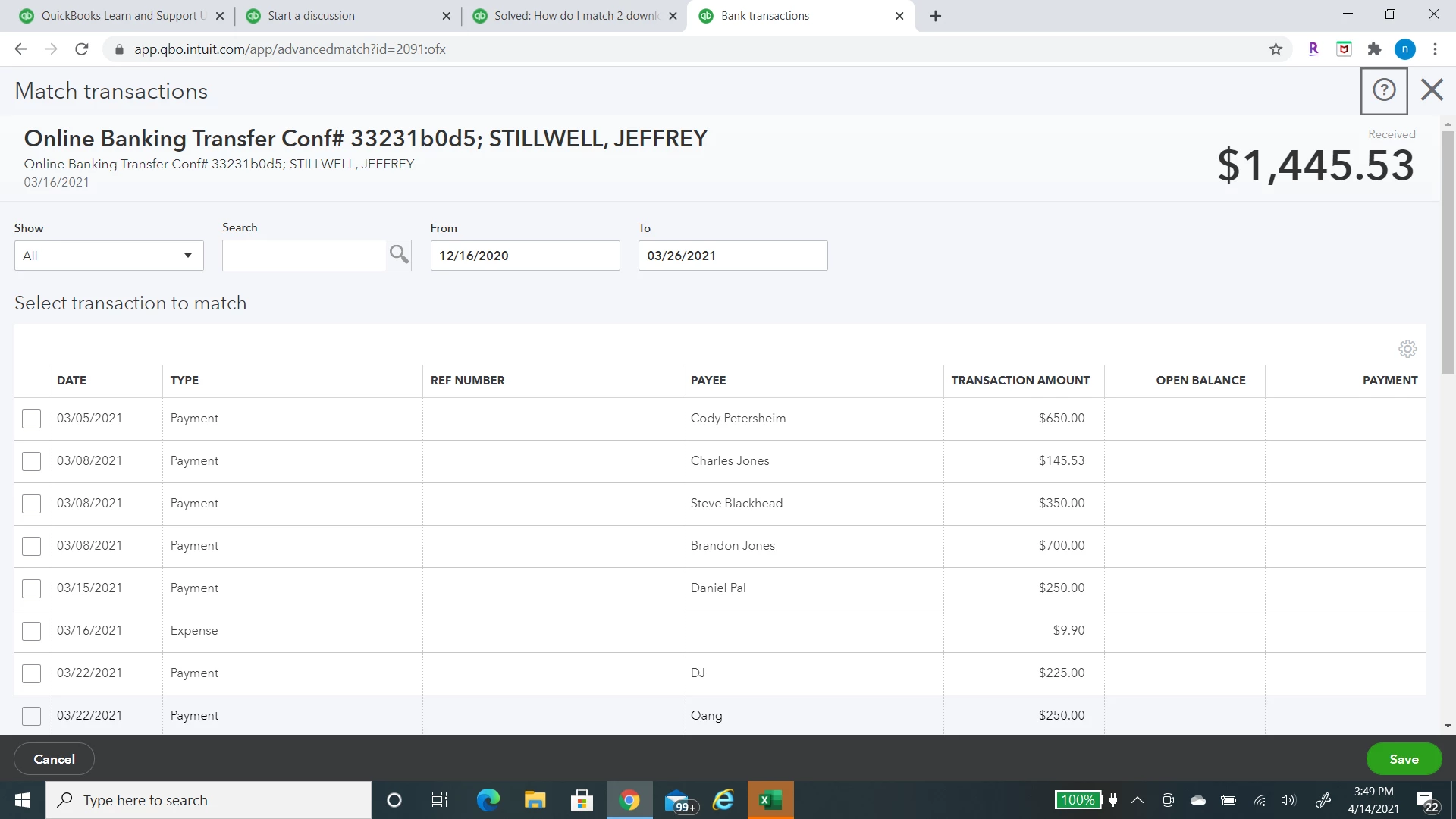
 

To make matters worse, if I pick the four correct invoices that total $14,445.35, I get an error message saying the "amount for the transaction is greater than the available amount in the downloaded transaction".  If I leave one invoice out to make it less, I get the message saying I have to reconcile the difference.  When I do that, I still get an error message.  I have even tried to reconcile a difference for the $9.90 less and I still get an error.  What am I missing???? 


1 reply

April 14, 2021

Hi @NS37.


Let me help match your bank transactions to the correct amount in QuickBooks Online (QBO).


If QBO can't find a match for your transactions, make sure to review the transactions if they have the same amount, payment method, and transaction date.

  1. Go to the Banking menu or Transactions menu.
  2. Select the tile for the account you want to review.
  3. Select the For Review tab to start your review.

QuickBooks sends downloaded transactions to the For Review tab. Review them one by one.


If the amounts are accurate, we can perform some troubleshooting steps to see if this is a browser-related issue. Let's start by accessing your account in a private/incognito window. You can use these short cut keys:

  • Google Chrome: press Ctrl + Shift + N 
  • Mozilla Firefox: press Ctrl + Shift + P
  • Safari: press Command + Shift + N 
  • Microsoft Edge: press Ctrl + Shift + P    

Once logged in, and able to match the transactions. You need to clear the cache of the regular browser you're using. You can also do this task on other supported, up-to-date browsers. Clearing the cache will refresh the system, and you'll be able to work with clean trash.   


For the complete details, kindly refer to this article: Reconcile an account in QuickBooks Online. It also contains information on how to edit completed reconciliations.


Please let me know if you have other concerns. I'm just around to help.