

April 25, 2020
Solved

Matching downloaded transaction to a journal entry

  • April 25, 2020
  • 1 reply
  • 0 views

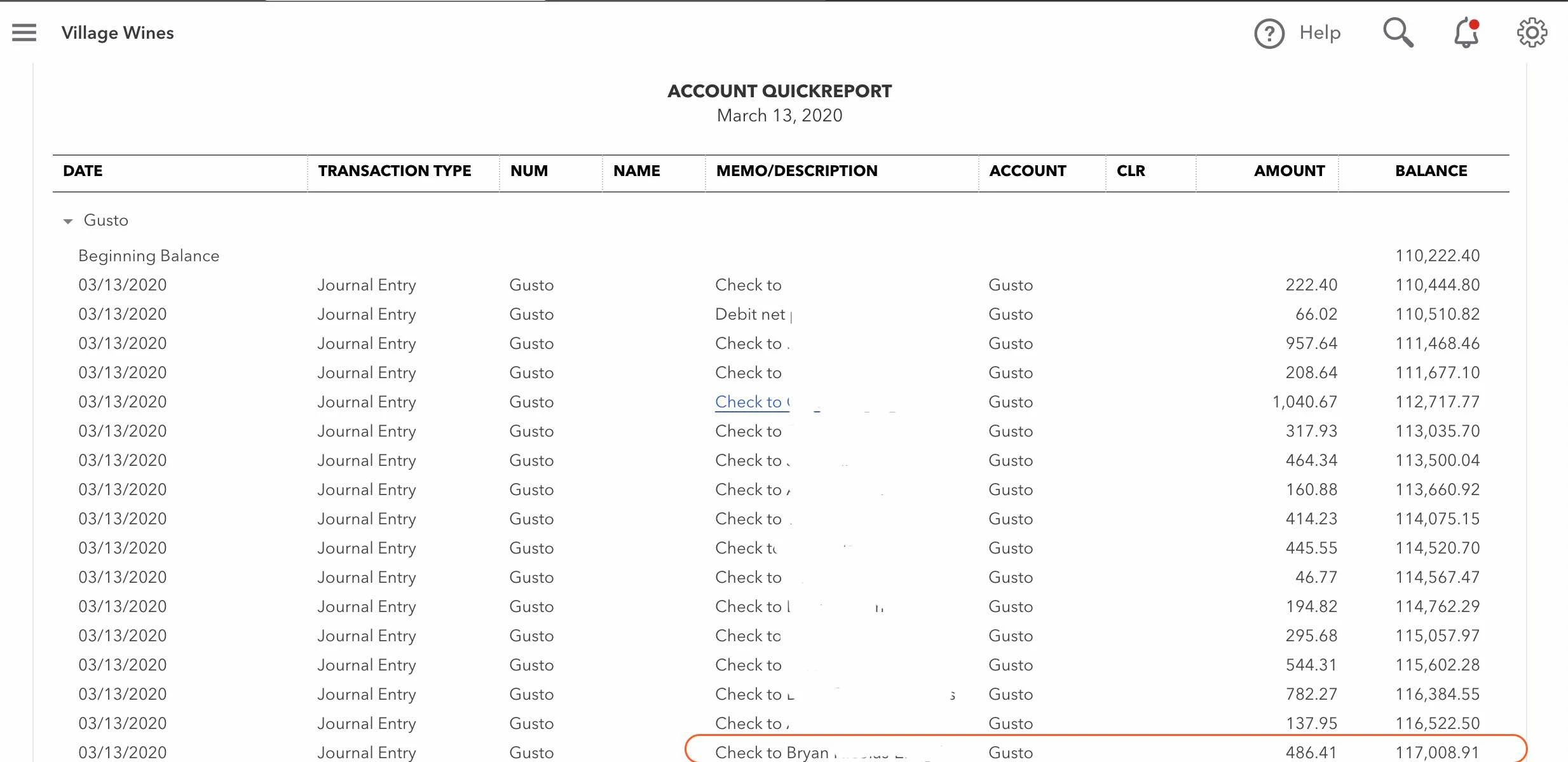
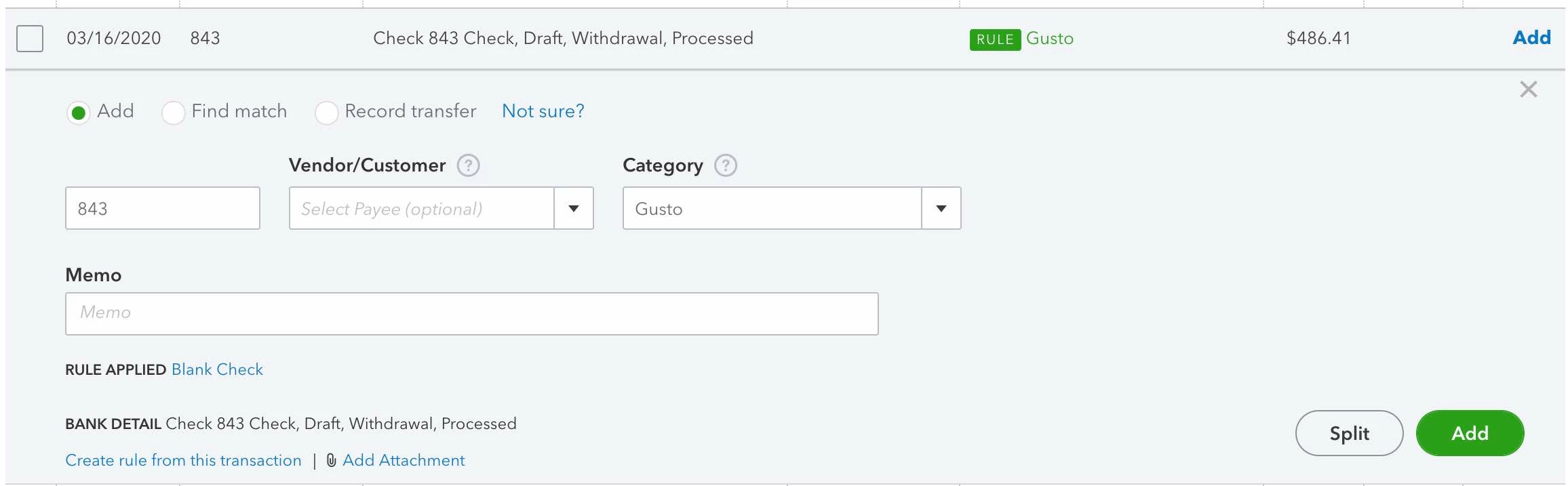
I am hoping you can help me.  My payroll service (Gusto) has QBO integration so a JE is entered for each payroll with lines for each item (taxes, wages, etc.), as well as employee checks.  I am struggling with how to match the downloaded check details to the journal entries.  Any ideas?  Please see the picture below which shows what the journal entry line for the check and the downloaded check in my transaction list.  I could really use some help as we write a lot of checks to employees.  

Thanks,

Tim
Best answer by MaryLandT

Thanks for the update and screenshot, villagewines.


Let's match the check with the journal entry you've already added in QuickBooks Online.


Before proceeding, here are a few reasons the match may not have been recognized:

  • The JE was recorded in a different bank account.
  • The JE has been reconciled. 
  • The JE has been previously matched to another bank downloaded transaction.

You may want to double-check again the date, amount, category, and check numbers of the entries are aligned. This is to make sure those checks will match.


For more in-depth information about finding a match in QuickBooks, refer to these articles: 

Stay in touch on how this goes by clicking the Reply button. I'm always around whenever you need help.

1 reply

KlentB
April 26, 2020

I'm here to help you with matching them, Tim.


We can match the downloaded transaction with the journal entries you've already entered the Banking page. We'll have to click the Match radio button so that will program will automatically locate the journal entry associated with it. Let me show you how:


  1. Select Banking from the sidebar menu, then go to the Banking tab.
  2. Choose the appropriate bank account then click the For Review tab.
  3. Locate then click downloaded check to expand the view. 
  4. Tick the Match radio button.
  5. Review the Records found, then select the link next to each record to get more details.
  6. Check the Deposit to field on the forms.
  7. When you’re done, select Match.

Take a look at my screenshot below:


I've also included an article that will help you in categorizing and editing your downloaded banking transactions.

If you're about to reconcile your account, I recommend reading our reconciliation guide to ensure that your QuickBooks accounts accurate.


I want to ensure that you're able to match these transactions, so please let me know how it goes by posting a comment below. Have a great rest of the weekend.

April 26, 2020

Hello.  

I do use the match function a lot for other things like transfers.  However, when i am under 'for review'  and i select any of the checks that match the payroll JE entries (imported from payroll company), there are no matches found.  

See attached image.


MaryLandT
MaryLandTAnswer
April 26, 2020

Thanks for the update and screenshot, villagewines.


Let's match the check with the journal entry you've already added in QuickBooks Online.


Before proceeding, here are a few reasons the match may not have been recognized:

  • The JE was recorded in a different bank account.
  • The JE has been reconciled. 
  • The JE has been previously matched to another bank downloaded transaction.

You may want to double-check again the date, amount, category, and check numbers of the entries are aligned. This is to make sure those checks will match.


For more in-depth information about finding a match in QuickBooks, refer to these articles: 

Stay in touch on how this goes by clicking the Reply button. I'm always around whenever you need help.