March 31, 2020
Solved

Noncash income for a nonprofit

  • March 31, 2020
  • 1 reply
  • 0 views

my client frequently pays for items out of her pocket and I need to record it as a non-cash donation. I found instructions that discussed creating a cash / non-cash equivalent account. However, when I go to the chart of accounts, new - it is not an option.


hopefully, my message will not be deleted this time.

Best answer by AileneA

Hello, @info4ruth1


Thank you for reaching out to the Community. Don't worry I am here to help you sort this out. 


First, we need to check the set up of your account, to make sure its under non profit account. This will track as revenue and expenditures instead of expenses. I'll guide you how to modify your account by following these steps below: 


Change customers to donors: 


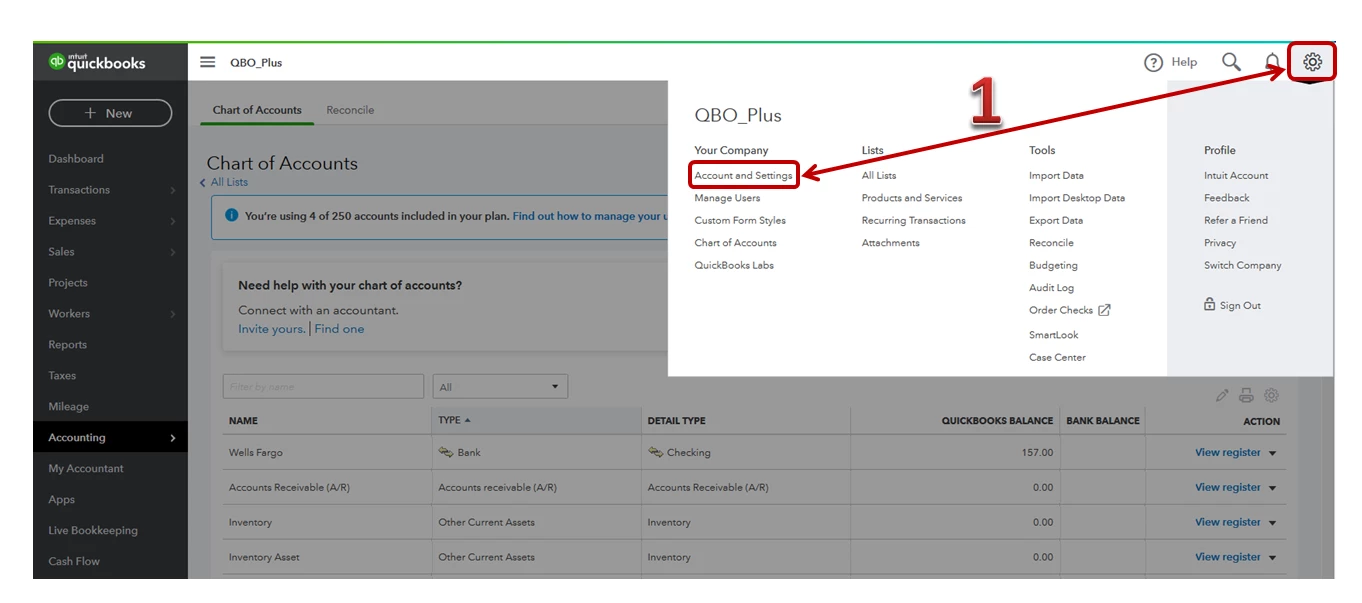
  1. Go to the Gear icon, then select Account and Settings
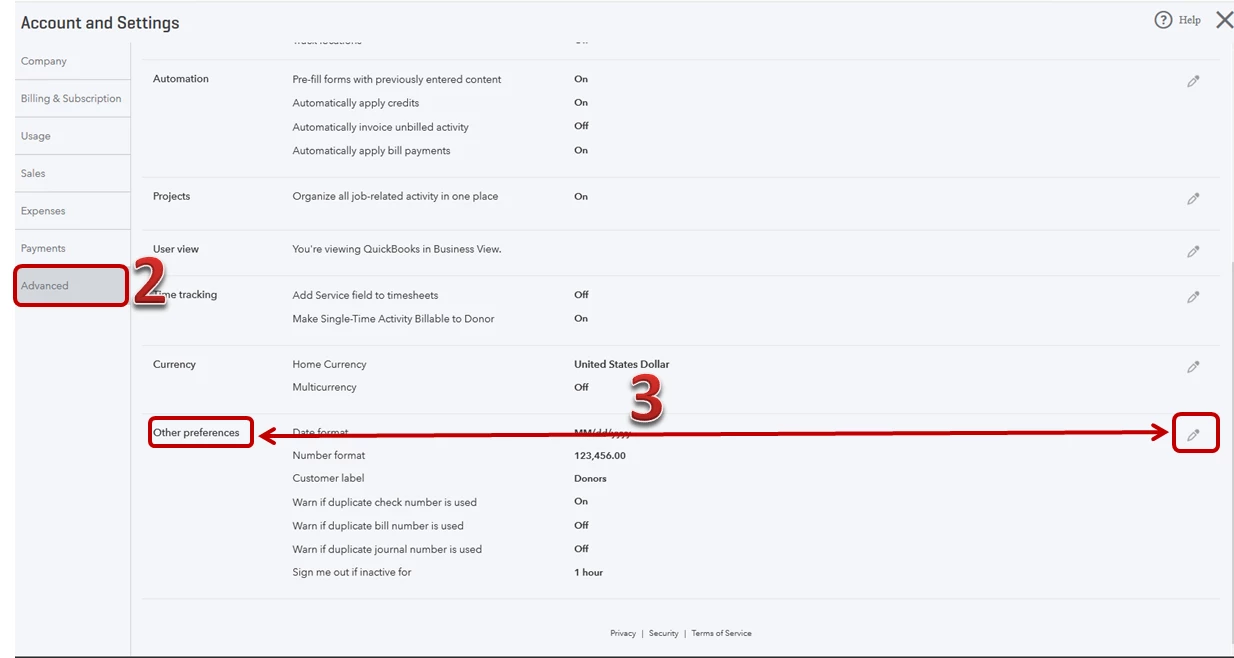
  2. Tap Advance on the left pane. 
  3. Under Other preferences, click Pencil icon. 
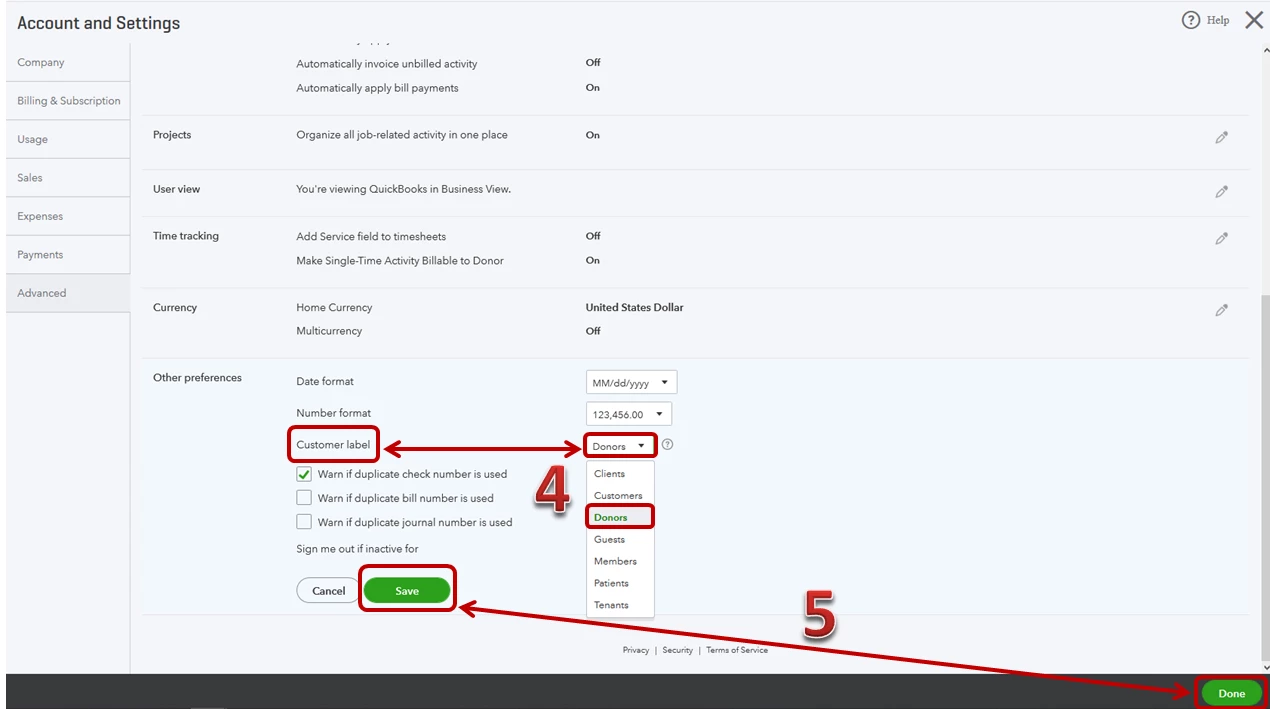
  4. Drop-down arrow from the Customer label, then press Donors
  5. Click Save, then Done


Change income and expenses to revenue and expenditures: 


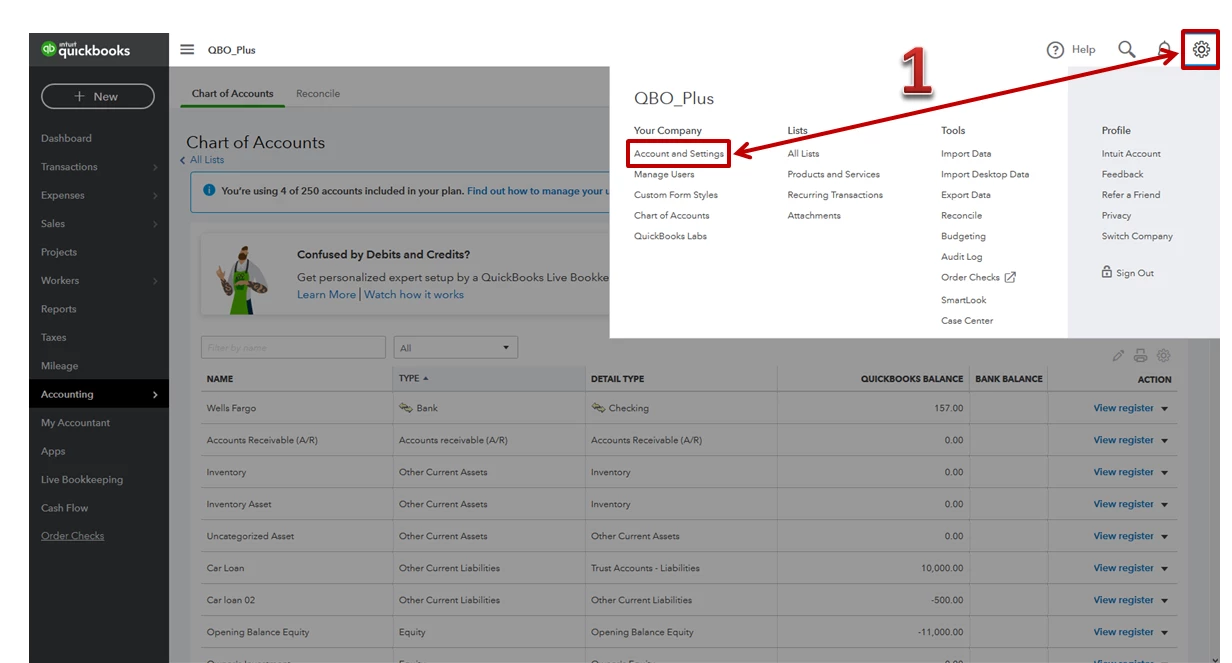
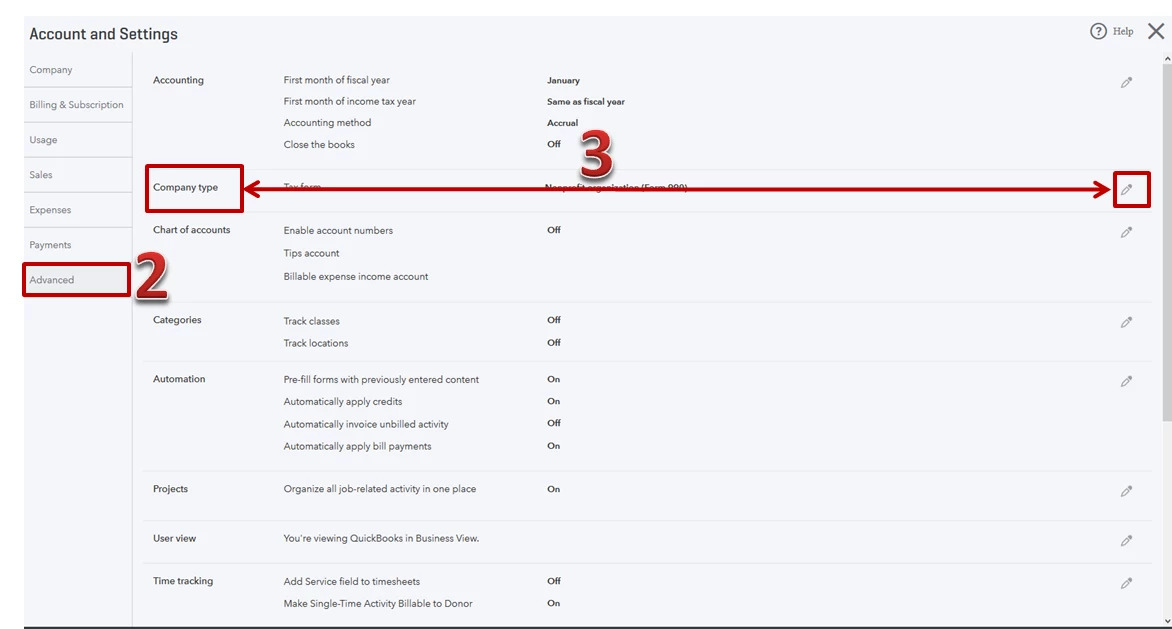
  1. Go to the Gear icon, then select Account and Settings.  
  2. Tap Advance on the left pane
  3. From the Company type, click the Pencil icon. 
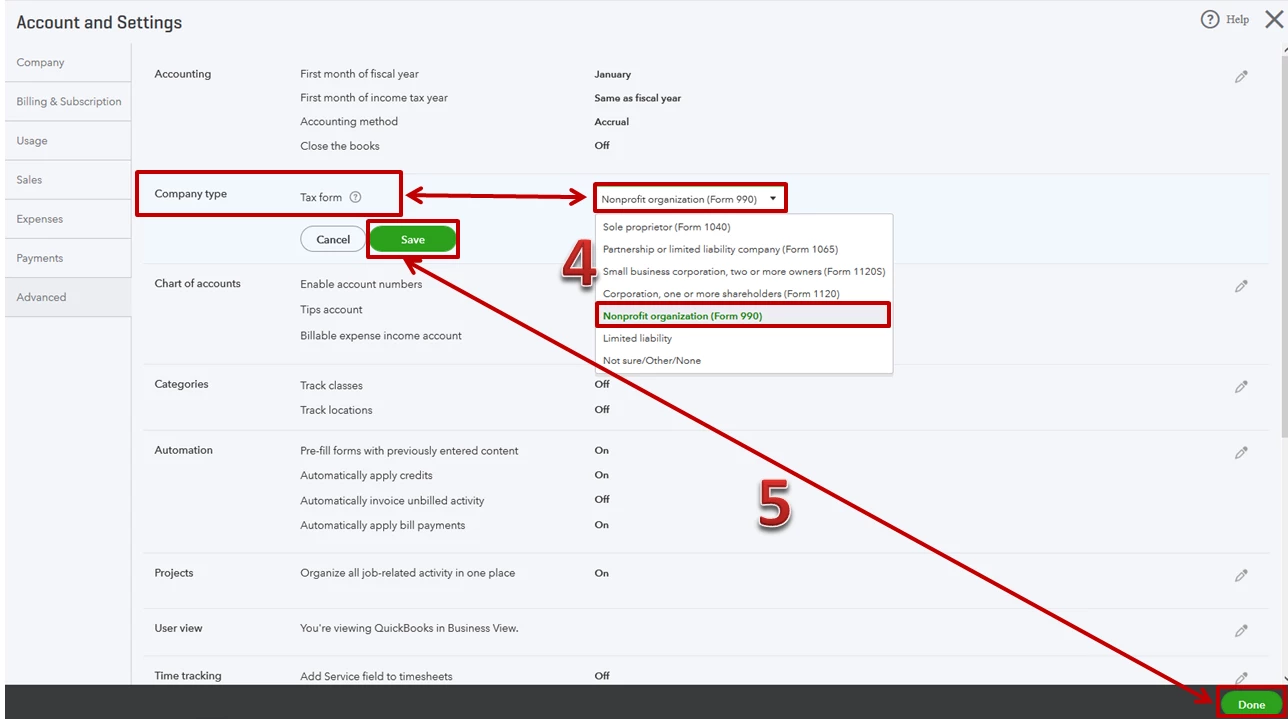
  4. In the Tax form drop-down arrow, select Nonprofit organization (Form 990). 
  5. Hit Save and Done.  


Once done, you'll want to create an account by clicking the Chart of account. 


Here's how: 


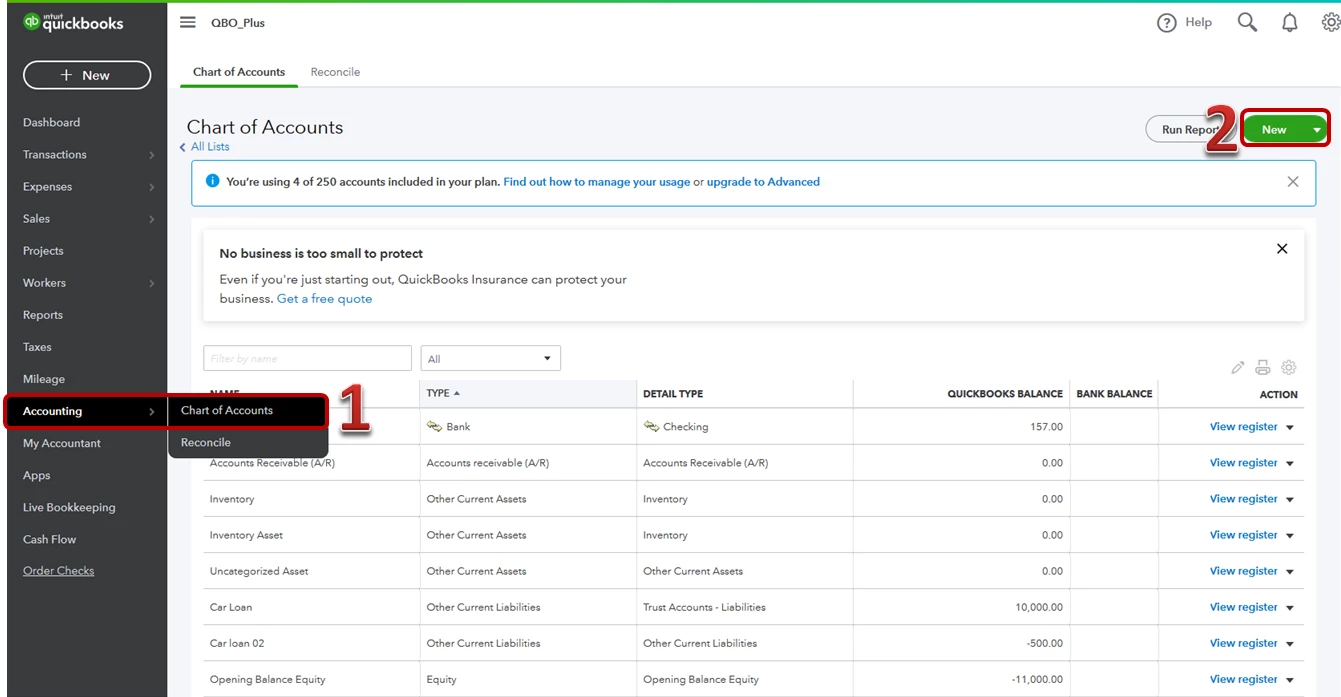
  1. Click the Accounting and choose Chart of Account
  2. Press New.
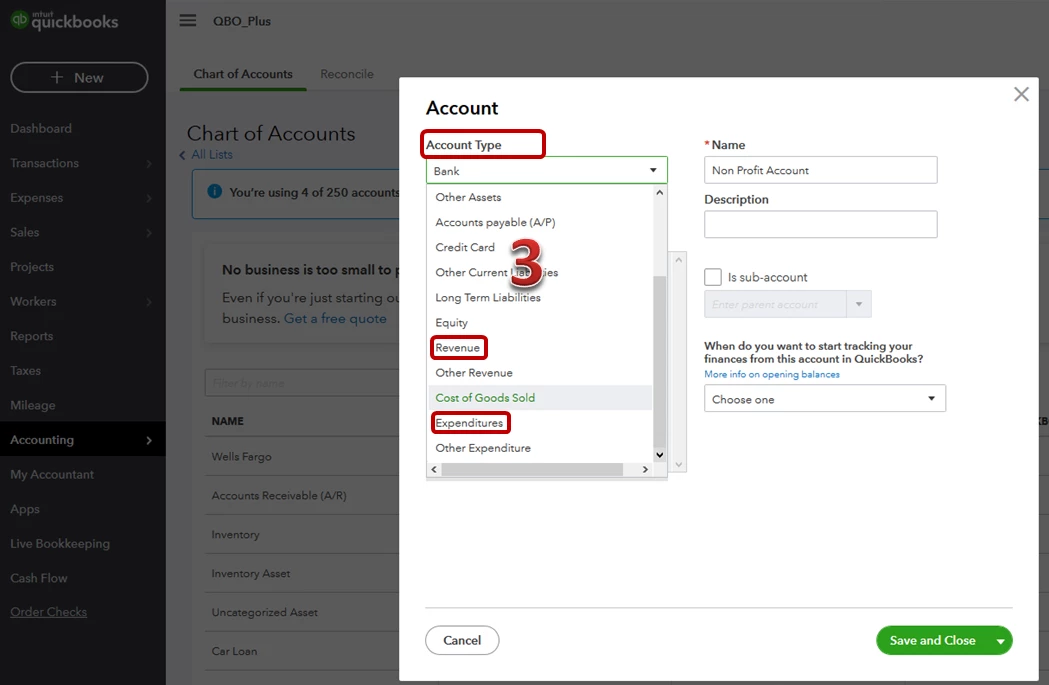
  3. From Account Type drop down arrow and choose either Revenue or Expenditures. 
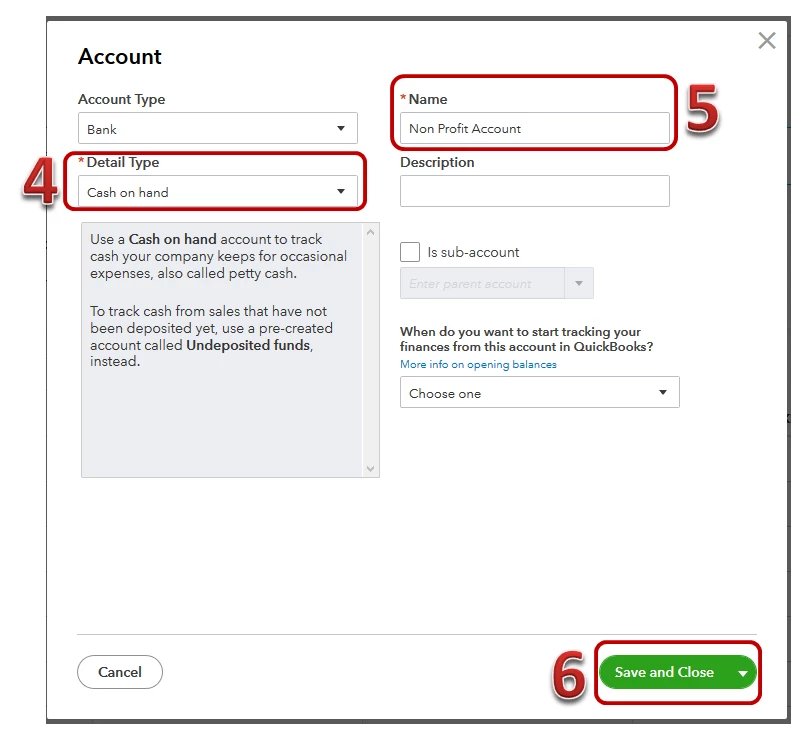
  4. From the Details Type drop-down arrow and select the specific account. 
  5. Under Name Put it as Non Profit Account. Description is optional. 
  6. Click Save and Close.  


I've added an article for more visual guidelines on how to create a Non profit Account: Configure an account for a non-profit organization


Please let me know how it go, I want to ensure that you be able to configure an account. Have a great day!


1 reply

AileneAAnswer
March 31, 2020

Hello, @info4ruth1


Thank you for reaching out to the Community. Don't worry I am here to help you sort this out. 


First, we need to check the set up of your account, to make sure its under non profit account. This will track as revenue and expenditures instead of expenses. I'll guide you how to modify your account by following these steps below: 


Change customers to donors: 


  1. Go to the Gear icon, then select Account and Settings
  2. Tap Advance on the left pane. 
  3. Under Other preferences, click Pencil icon. 
  4. Drop-down arrow from the Customer label, then press Donors
  5. Click Save, then Done


Change income and expenses to revenue and expenditures: 


  1. Go to the Gear icon, then select Account and Settings.  
  2. Tap Advance on the left pane
  3. From the Company type, click the Pencil icon. 
  4. In the Tax form drop-down arrow, select Nonprofit organization (Form 990). 
  5. Hit Save and Done.  


Once done, you'll want to create an account by clicking the Chart of account. 


Here's how: 


  1. Click the Accounting and choose Chart of Account
  2. Press New.
  3. From Account Type drop down arrow and choose either Revenue or Expenditures. 
  4. From the Details Type drop-down arrow and select the specific account. 
  5. Under Name Put it as Non Profit Account. Description is optional. 
  6. Click Save and Close.  


I've added an article for more visual guidelines on how to create a Non profit Account: Configure an account for a non-profit organization


Please let me know how it go, I want to ensure that you be able to configure an account. Have a great day!

April 2, 2020

This was very helpful in the first step. 

The second step was already done - we are set up as a nonprofit 

The third step did not take me to the option for a cash equivalent account. I am trying to record in-kind donations. 


Thank you for the help so far! 

April 2, 2020

Hello @info4ruth1,


Bank and cash on hand are the same as a cash equivalent. You'll want to choose either of them as your account type.


Please refer to the above steps for details. I'm also adding these handy articles for your reference. Here are the links:

Should you have other questions or concerns about your chart of accounts, please let us know. The Community is always here for you. Thanks for coming in and have a good day.