February 15, 2020
Solved

One of my credit cards is showing up as a bank payment account. How do i change this?

  • February 15, 2020
  • 1 reply
  • 0 views
Original commenter did not share additional details
Best answer by AileneA

Hi there, @dawnrose1213


Thank you for reaching out to the Community. 


We can modify the Account Type and Detail type to change this. Let me show you how:  


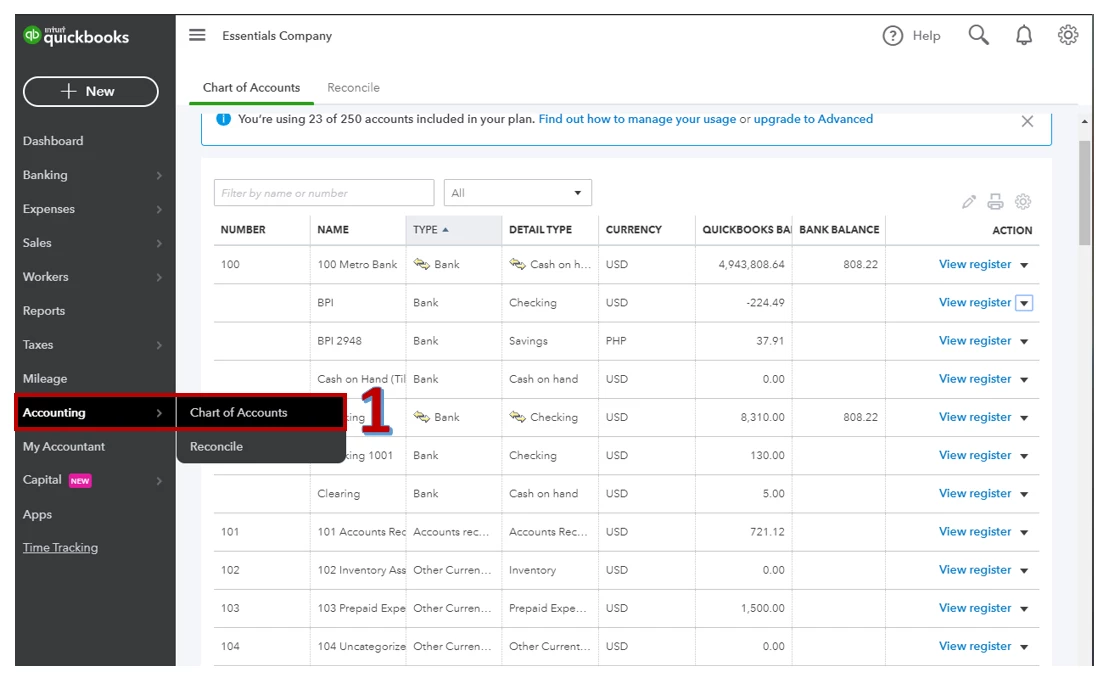
  1. Go to Accounting and select Chart of Accounts
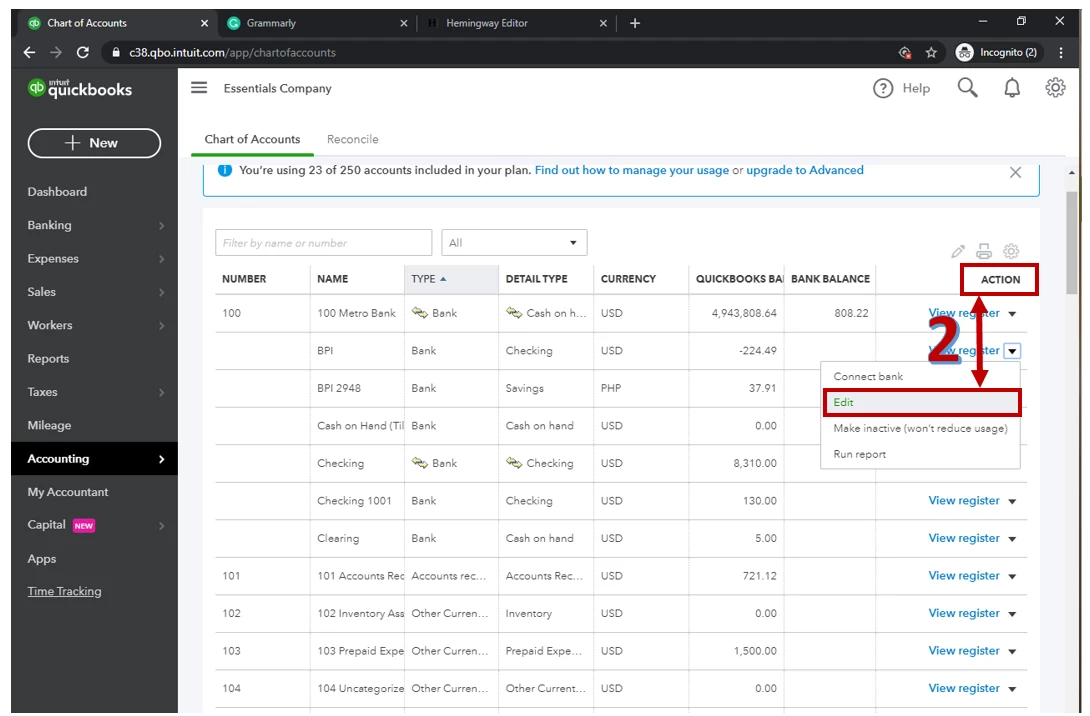
  2. Select the specific bank account you want to change and under Action click drop-down arrow and Edit
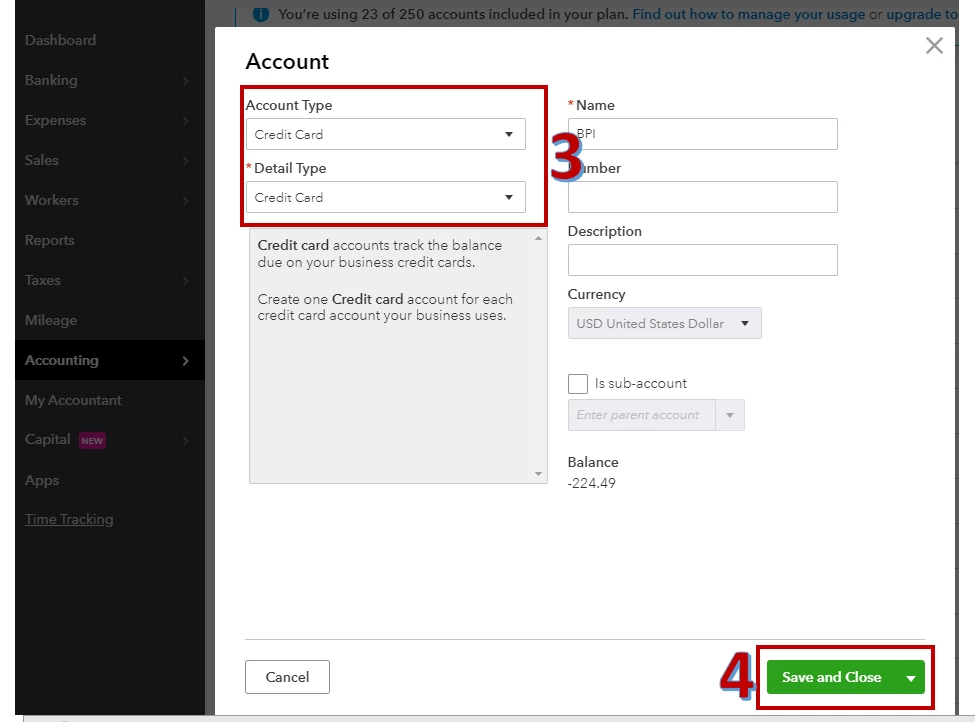
  3. Under Account Type select Credit Card and under Detail Type choose credit card. 
  4. Hit Save and Close.


Once done, you can view the changes made under Banking menu. 


For additional information on this, I recommend the following article: Connect bank and credit card accounts to QuickBooks Online


Please let me know how it goes or if you need further help about this. I'm just a post away. Have a great day!


1 reply

AileneAAnswer
February 15, 2020

Hi there, @dawnrose1213


Thank you for reaching out to the Community. 


We can modify the Account Type and Detail type to change this. Let me show you how:  


  1. Go to Accounting and select Chart of Accounts
  2. Select the specific bank account you want to change and under Action click drop-down arrow and Edit
  3. Under Account Type select Credit Card and under Detail Type choose credit card. 
  4. Hit Save and Close.


Once done, you can view the changes made under Banking menu. 


For additional information on this, I recommend the following article: Connect bank and credit card accounts to QuickBooks Online


Please let me know how it goes or if you need further help about this. I'm just a post away. Have a great day!

February 15, 2020

Thank you! I was so close and in the right area, which makes me feel better. I was missing the action menu part of it. I appreciate the help - it worked!