Thanks for sharing more details of your concern, jointczek.
No worries, I've got the steps to fix the issue of being unable to see the current bank transactions in the register.
One possible cause the "Only displayed with date/reconcile sort" message would show is if the transactions are sorted using a different category. We'll have to sort the transactions by date in QuickBooks Online to resolve this.
Here's how:
- Go to the Accounting menu and then select Chart of Accounts.
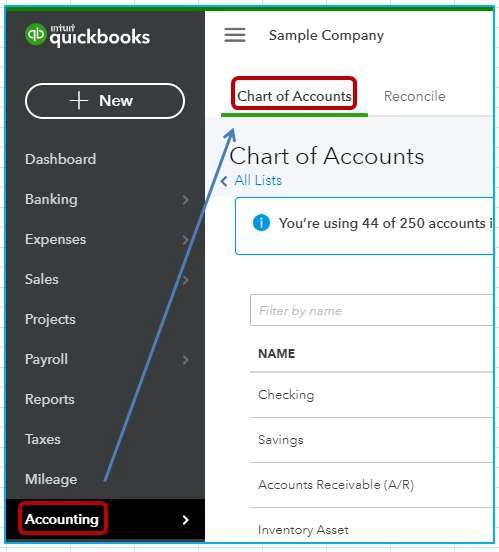
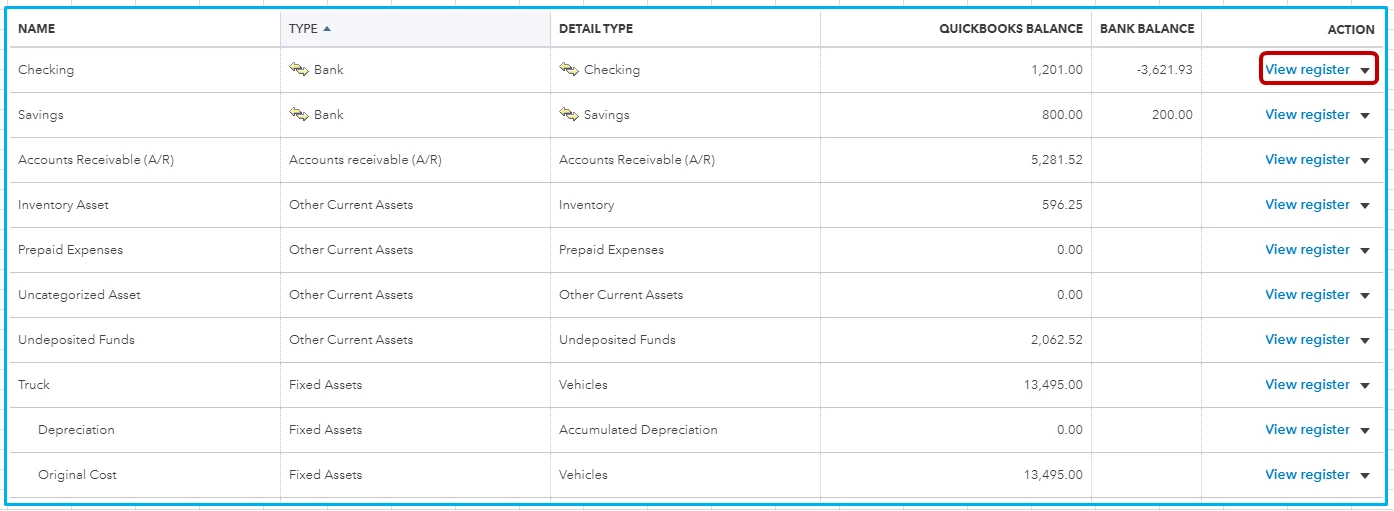
- Locate the name of your account.
- Under the Action column, click View register.
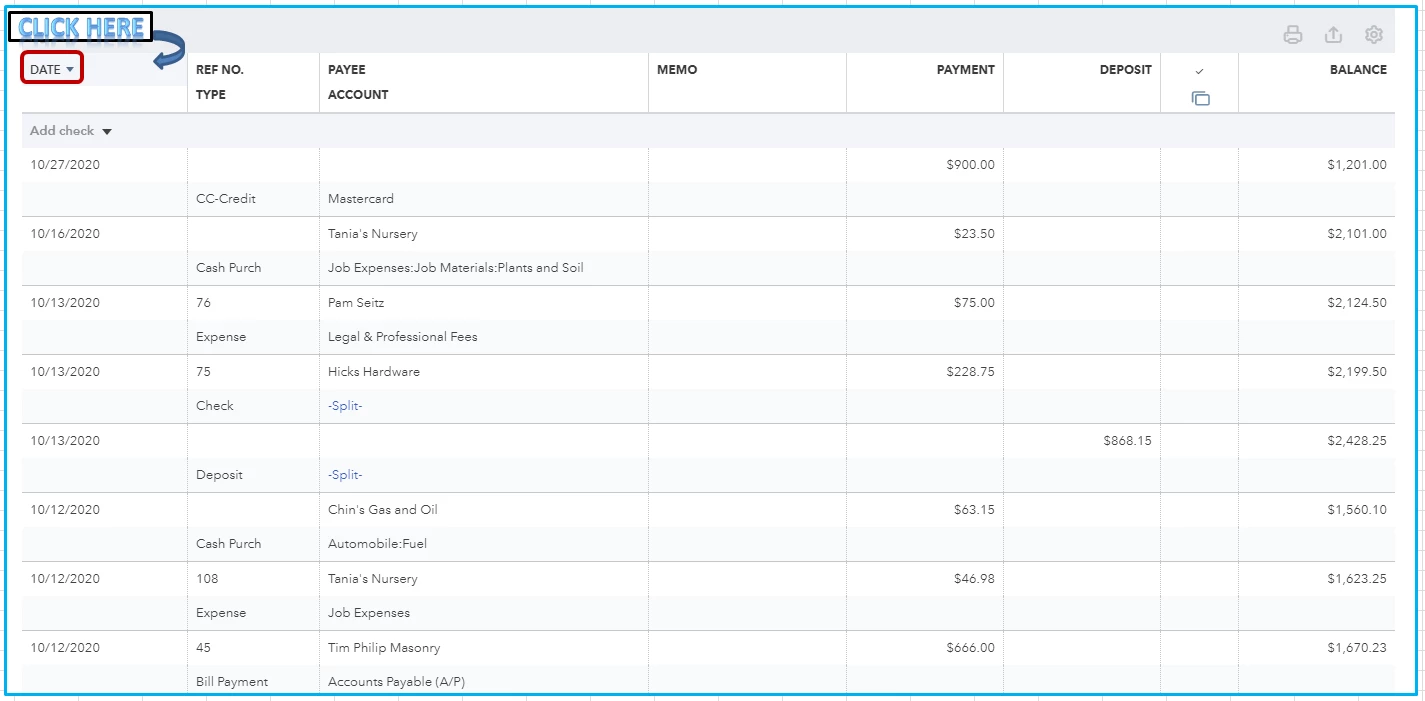
- On the Date column, click the drop-down menu until the recent transactions show.
Though, if the same result, let's perform basic troubleshooting steps. There are times when a browser's cache data becomes full of frequently-accessed pages. This could affect the performance of QuickBooks Online.
To better isolate if this is a browser-related issue or not, let's access your QuickBooks account using a private window.
Here's how you can access a private browser:
- Safari: Command + Shift + N
- Google Chrome: CTRL + Shift + N
- Mozilla Firefox or Microsoft Edge: CTRL + Shift + P
Once signed, check if the current balance is still missing. If it shows, let's clear the cache of your browser. This helps remove its stored cache so QuickBooks will function efficiently.
If it didn't work, I'd recommend using different browsers. They'll provide you the best and most secure experience. For more details, see this article: System Requirements For QBO.
In addition to this, I've got you this article for reference in reconciling your accounts. This way, we'll ensure your accounts matches the bank statements effectively: Reconcile Workflow.
Keep us posted if you need a hand in handling your bank transactions. This way, we'll be able to assist you on time.

