January 11, 2025
Solved

Restoring a deleted NSF check in the bank register

  • January 11, 2025
  • 1 reply
  • 0 views

While trying to learn the online version of Quickbooks I accidentally deleted a check from the bank register that was returned for Nonsufficient funds. How do I restore this check to the bank register?

Thanks for the help!

Best answer by ThomasJosephD

I see the importance of each entry in your bank register, PQ1. To review a deleted transaction, you can utilize the Audit Log feature in QuickBooks. Rest assured, I am here to assist you with managing and restoring any deleted transactions in your bank register.


The Audit Log feature in QBO meticulously records all activities, including any transactions that have been deleted. Although these transactions are removed from your current bank register, the Audit Log allows you to view them. To restore these entries, you will need to manually re-enter each one back into your bank register.


Here’s how to proceed:

  1. Go to Setting.
  2. Choose Audit Log under Tools.
  3. From the Filter dropdown, select the appropriate user, date, and event.
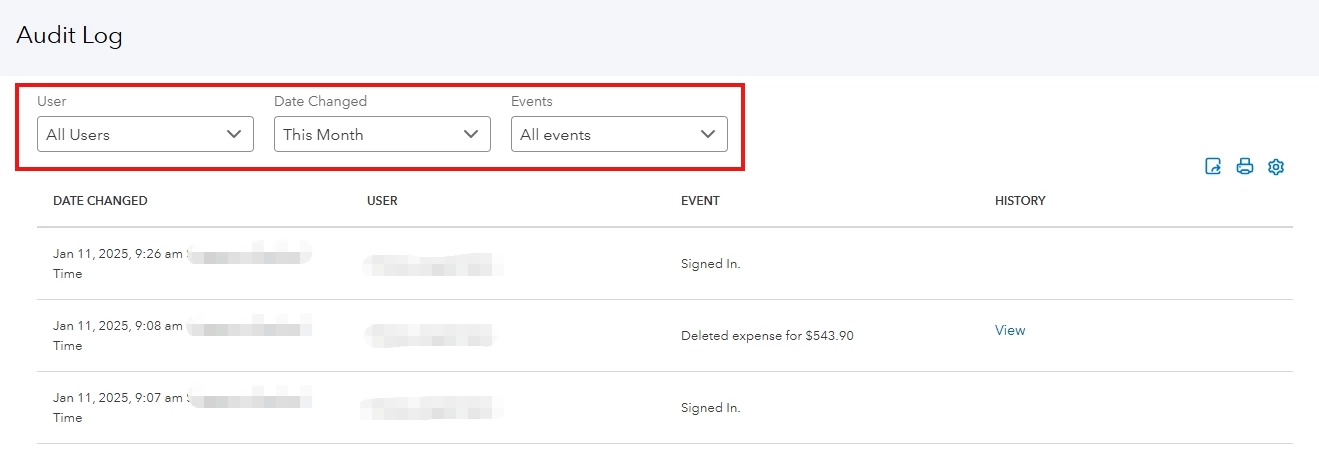
      

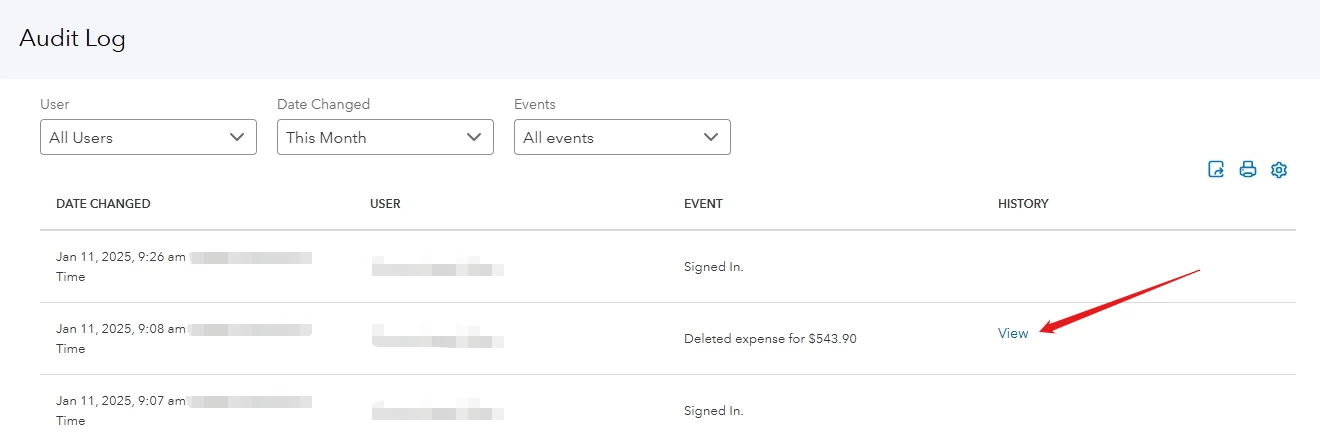
  4. Locate the deleted check.
  5. Select View under History column.

  6. All the information needed for the transaction can be found under the Event column.
  7. You can re-enter the transaction with its original transaction date using the information from the Audit log.


I've included an articles on how to void transactions and undo voided transactions in QBO. This guide will be helpful if you've mistakenly created a transaction and wish to either remove it or recover it.


Additionally, you may find the following articles useful for future references:


I'm pleased to assist you in effectively managing your financial transactions. If you have any questions during the recovery process, please don't hesitate to hit the Reply button and leave us a comment. The Community team is here to help you.


1 reply

January 11, 2025

I see the importance of each entry in your bank register, PQ1. To review a deleted transaction, you can utilize the Audit Log feature in QuickBooks. Rest assured, I am here to assist you with managing and restoring any deleted transactions in your bank register.


The Audit Log feature in QBO meticulously records all activities, including any transactions that have been deleted. Although these transactions are removed from your current bank register, the Audit Log allows you to view them. To restore these entries, you will need to manually re-enter each one back into your bank register.


Here’s how to proceed:

  1. Go to Setting.
  2. Choose Audit Log under Tools.
  3. From the Filter dropdown, select the appropriate user, date, and event.


  4. Locate the deleted check.
  5. Select View under History column.

  6. All the information needed for the transaction can be found under the Event column.
  7. You can re-enter the transaction with its original transaction date using the information from the Audit log.


I've included an articles on how to void transactions and undo voided transactions in QBO. This guide will be helpful if you've mistakenly created a transaction and wish to either remove it or recover it.


Additionally, you may find the following articles useful for future references:


I'm pleased to assist you in effectively managing your financial transactions. If you have any questions during the recovery process, please don't hesitate to hit the Reply button and leave us a comment. The Community team is here to help you.

PQ1Author
January 11, 2025

Thanks so much for the help!