Solved
Transaction List by Account not listed?
Hello, @mophidaho.
Let me help you in creating a report for each checking account in QuickBooks Online (QBO).
You can pull up the Transaction List by Account report in QuickBooks Online. If you're using a Modern view, you can filter it by account. It is not in the list.
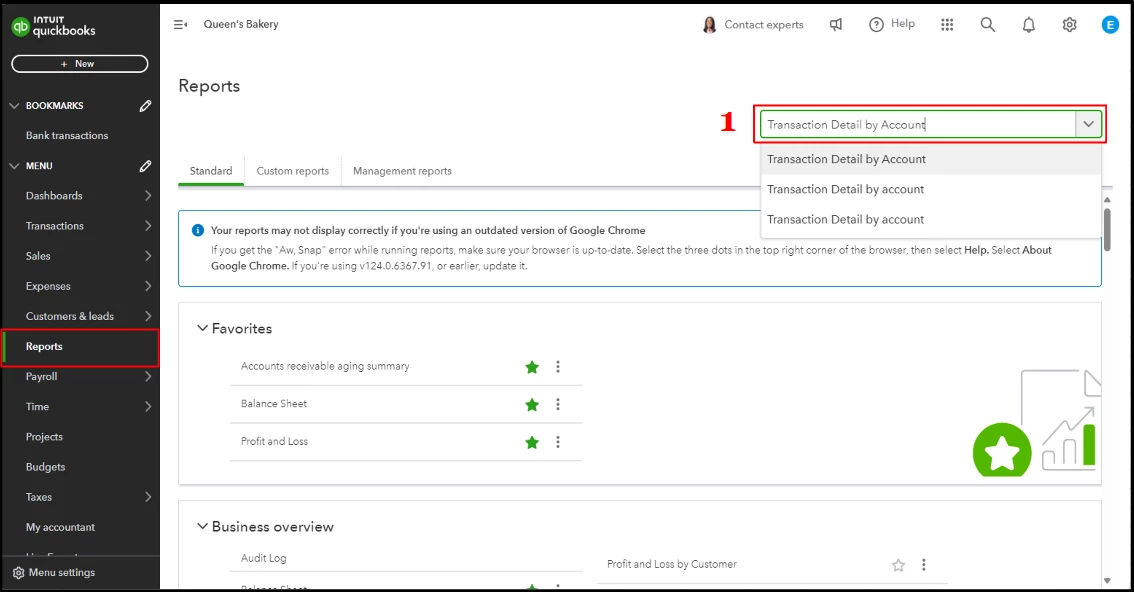
Go to the Reports menu.
Search and select Transaction List by Account. It is not in the list.
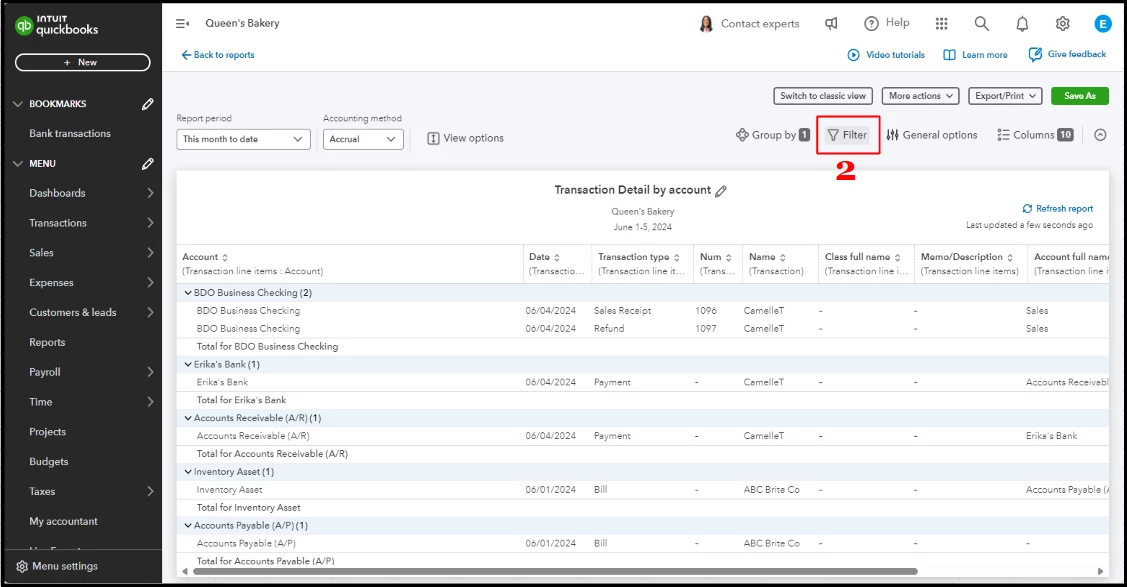
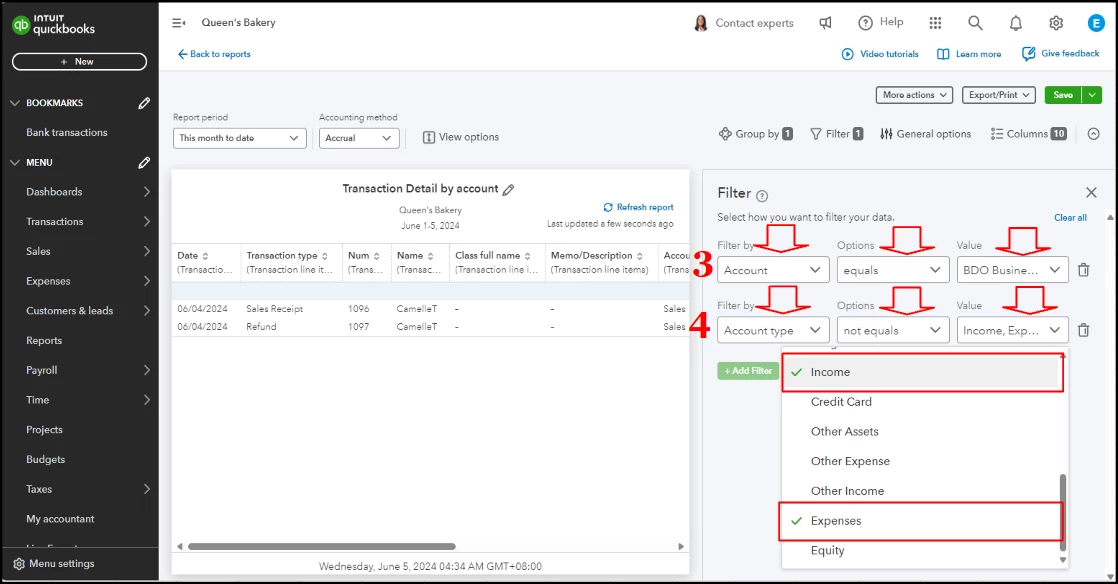
Click the Filter. Select the account you want to filter.
Finally, click Save as.
[Ned Barker ] How do I see if I am in classic or modern?
I am in Business View
However, if you're using the Classic view, I recommend customizing the Transaction Detail by Account report. I'll guide you through the steps:
Go to the Reports menu.
Search and select Transaction List by Account. Not there. I did both and it is not in either one.
Click the Customize button. From the Account drop-down, select the checking accounts.
Tap Run report.
Another option is to pull up a quick report. From the Gear icon, click the Chart of accounts and find the checking account. Click the drop-down next to the View register, then select Run report.
That works. It is in the Modern View with an option to Switch to classic view.
Furthermore, I've also included additional articles that can be useful in managing your reports and how to reconcile your accounts.
Customize reports in QuickBooks Online
Reconcile an account in QuickBooks Online
Let me know if you have other concerns aside from managing your financial reports. I'll be here to help.
Let me help you in creating a report for each checking account in QuickBooks Online (QBO).
You can pull up the Transaction List by Account report in QuickBooks Online. If you're using a Modern view, you can filter it by account. It is not in the list.
Go to the Reports menu.
Search and select Transaction List by Account. It is not in the list.
Click the Filter. Select the account you want to filter.
Finally, click Save as.
[Ned Barker ] How do I see if I am in classic or modern?
I am in Business View
However, if you're using the Classic view, I recommend customizing the Transaction Detail by Account report. I'll guide you through the steps:
Go to the Reports menu.
Search and select Transaction List by Account. Not there. I did both and it is not in either one.
Click the Customize button. From the Account drop-down, select the checking accounts.
Tap Run report.
Another option is to pull up a quick report. From the Gear icon, click the Chart of accounts and find the checking account. Click the drop-down next to the View register, then select Run report.
That works. It is in the Modern View with an option to Switch to classic view.
Furthermore, I've also included additional articles that can be useful in managing your reports and how to reconcile your accounts.
Customize reports in QuickBooks Online
Reconcile an account in QuickBooks Online
Let me know if you have other concerns aside from managing your financial reports. I'll be here to help.