

May 28, 2025
Question

unable to connect my Truist bank account - QB support unable to help?!

  • May 28, 2025
  • 1 reply
  • 0 views
I have not been able to connect my Truist bank accounts to my QBO company for a month. They were previously linked without issue. I disconnected them when I created a new company and have not been able to get them reconnected. I have tried incognito windows, different browsers, clearing my cache, etc. There are no error messages. It simply says "Sorry an unexpected error has occurred. Please try again."
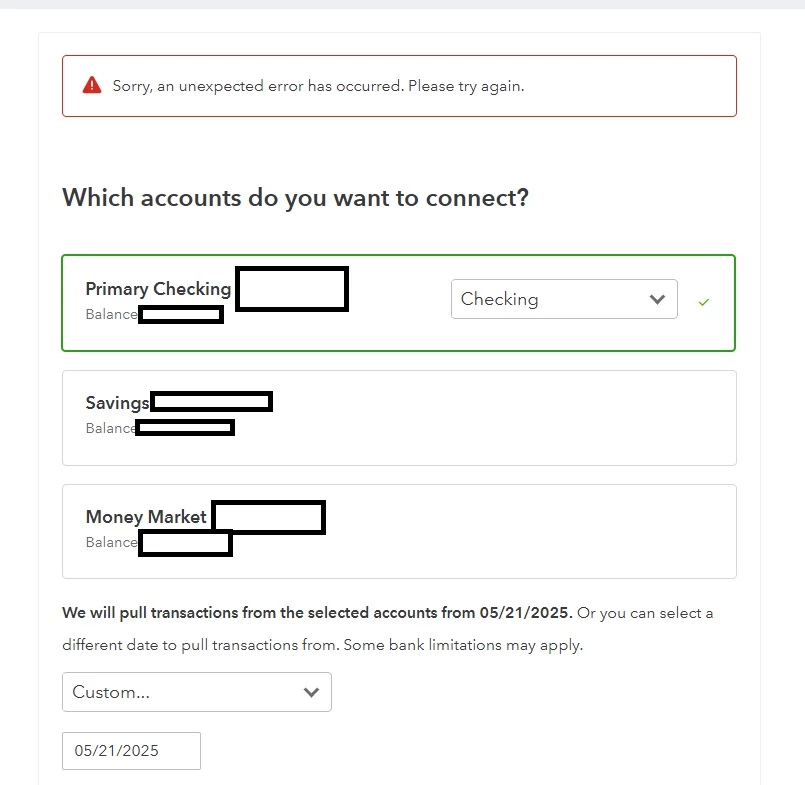
 
 
I have spoken with 6 different customer care representatives and no one has been able to resolve my issue. I have done multiple screen shares with different customer service reps. I have been told that engineers would fix it or get back to me in a few days. This has never happened. I have spoken with my bank and confirmed that the issue is not on their end. I have even paid extra money for a Quickbooks connection at my bank and that has not resolved the issue. I get different answers from each person and they always end in adding screenshots of my problem (above) to a case file and no one following up with me. Can someone please help?

1 reply

May 28, 2025

Thanks for getting in touch with the Community, PHE_Treasurer. I appreciate your detailed information.


Since you've already performed troubleshooting on the browser you're using, I'd recommend confirming you meet each of the platform's system requirements.


If you already meet each system requirement, and are still encountering the message when trying to connect your accounts, you'll want to continue getting in touch with our Customer Care team.


They'll be able to pull up your account and cases in a secure environment, conduct further research with you, and create an investigation ticket if necessary.


They can be reached while you're signed in.


Here's how:
 

  1. Sign in to the company.
  2. Click (?) Help.
  3. Use your QB Assistant and enter the question or topic.
  4. In QB Assistant, you can enter "Talk to an expert" to get options for expert help. From your Search screen, you'll have a selectable Contact us option.


Be sure to review their support hours so you'll know when agents are available.


I'll be here to help if there's any questions. Have a great Wednesday!