
Solved
Why does Quickbooks leave a six month gap in my linked bank card transaction history? I'm missing all purchases between 5/6/20-11/23/20
Original commenter did not share additional details

I can help you get all your missing purchases, @mikelv98.
When adding transactions from your bank feed, QuickBooks depends on the information from your bank.
You have the option to add these purchases manually using CSV format. You’ll want to export the events from your bank and then import them into QuickBooks. Once you’re ready, you can follow these steps below to import them:
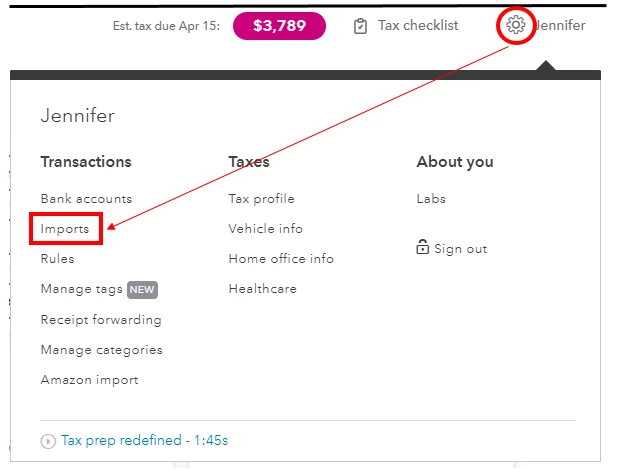
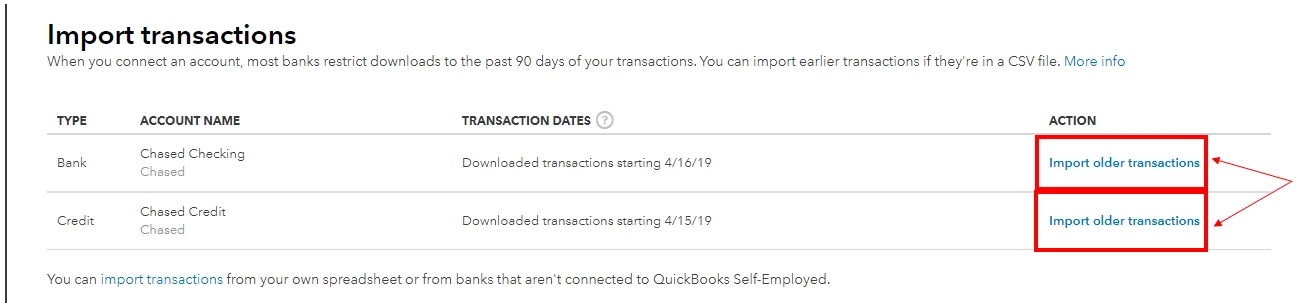
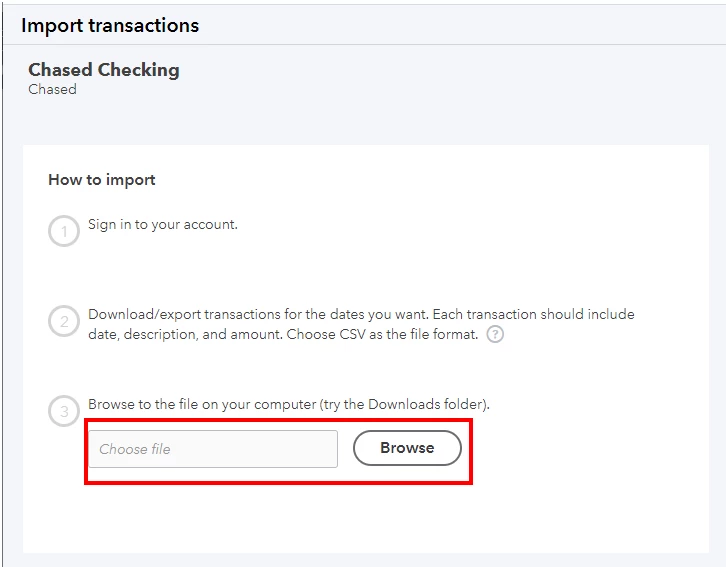
You can use this detailed guide to manually import transactions into QBSE. This helps you ensure all purchases will be entered successfully. In addition, here’s a reference to categorize the transactions.
I’ll be here anytime if you need further assistance with your bank entries. Have a good one!
Enter your E-mail address. We'll send you an e-mail with instructions to reset your password.