


Ami_D
February 22, 2022

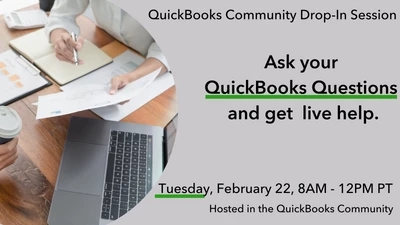
Ask Your QuickBooks Questions | Drop-In Session
  • February 22, 2022
  • 19 replies
  • 0 views


Do you have a question about QuickBooks but haven't gotten around to reaching out to us yet? QuickBooks Experts are live now on this post to answer! Simply reply to this post with your question. We'll take questions this morning, 2/22, from 8am - 12pm PST. 


Topics include, but aren't limited to: Invoicing, Payroll, Account Management, Product Features, and more.


Click here to ask your question.


We look forward to helping you get the most out of QuickBooks.

19 replies

February 22, 2022

I started a new company in QuickBooks pro 2007. I can login to old company but not new one

Ami_D
Ami_DAuthor
February 22, 2022

Good afternoon @James vail , thanks for joining us in the drop-in session! To be sure I understand correctly, do you mean that you created a new company file, but it doesn't appear in the list when you go to open it? 

If that's the case, this article has a great list of troubleshooting options that may help to resolve the issue: What to do if you can't open your company file in QuickBooks Desktop 

If none of these work, or I've misunderstood in any way, please let me know! We can continue to work through it together. 

February 22, 2022

Hi -

We're receiving deposits from QuickBooks payments. How do we set them up so the fees are charged to the sender/payer, rather than us?

MonicaM3
February 22, 2022

Hi @Patti Johnson 


You could charge your customer the credit card processing fee by adding it to their invoice. Currently, there isn't a feature available in QuickBooks to do that automatically.


You would set up a service item for the fee. Here's how:

  1. Go to Sales then choose Products and Services.
  2. Click on New then select Service.
  3. Enter the name of your service item. (Example CC Fee)
  4. Select the account you'd use to track our processing fees under the Income account drop-down.
  5. Once done, click Save and Close.


Then you would add the service item to the invoice.


Here is some additional information about credit card processing.


February 22, 2022

I back up my QB Desktop Pro 2021 to a thumb drive. Whenever I do this I end up with a duplicate(?) backup on my desktop.  Can I delete these?  How do I stop it?

MonicaM3
February 22, 2022

Hey @Leah2020 


I don't like a lot of clutter on my desktop, so I can appreciate your wanting to stop those duplicate backups. You can delete the duplicate backups on your desktop, no problem as long as you have the thumb drive backups.


To stop the desktop backups, you'll want to adjust the backup options:


  1. Select the File and hover over Back up Company. Then select Create Local Backup.
  2. Select Options.

    Change
  3. Make your changes and select OK.


That should do it!


February 22, 2022

In Payroll I am doing a bonus payment but when I go to put in the amount I get a pop up screen. It is for new bonus payment detail.


What information is supposed to go here?


I am paying a bonus of 1340.42 and it has all other information but the federal income tax and it will not let me add it manually.

February 22, 2022

Welcome to the Community, Ash_80.

Your New Bonus Payment Detail window is asking you to review the estimate of your employee's total earnings this year. QuickBooks utilizes this information to calculate income tax on bonuses. The estimate should include all of their earnings, except this current bonus or any previous ones, and should be based on their gross amounts.

When you're finished entering your estimate, you can add a bonus item to their paycheck.

Here's how:

  1. If you haven't created a bonus payroll item, you'll need to set one up.
  2. Begin creating payroll as you normally would.
  3. In the Earnings box of your Preview Paycheck window, click on the Item Name column under their regular salary or hourly item to access your drop-down menu for selecting a bonus item, then choose an item.
  4. Enter the gross amount of their bonus in your Rate column.
  5. Adjust federal and/or state withholding taxes as necessary.
  6. Select Save and Close or Save and Next to continue creating paychecks.

I've also included a detailed resource about working with bonus paychecks which may come in handy moving forward: Create Bonus Paychecks

Please don't hesitate to send a reply if there's any questions. Have a wonderful day!

February 22, 2022

I have a few questions:


I just started an LLC late last year. I have been categorizing my salary payments as Owner's Pay but I see when I print one of my reports that this is considered non-payroll money taken out of the business. How do I categorize this as payroll? I am not using the Quickbooks payroll software. 


Also - I have one banking transaction that shows up from a linked account that was auto categorized as amounts temporarily being held from deposited checks. This does not appear on my bank statement. 

MorganB
February 22, 2022

Hey there, jswartout. I'd be glad to lend a hand with your QuickBooks questions.


Rather than Owner's Pay, I recommend using an Owner's Draw equity account to pay yourself. The following linked article provides even more info about setting up and paying an owner's draw.


Additionally, there's a great post on the QuickBooks Blog that compares salary to owner's draw.


It's always a good idea to speak with your accountant about which option is best for you and your business. I'll be here if you have any other questions!

February 22, 2022

I am new to QuickBooks and signed up for the small business account. I know how to create an invoice now but want to show that the invoice has a deposit. For instance if the invoice is for $500 and a 50% deposit is due, how so I show that? The remaining would be invoiced again but I want to document the process with the total amount, 50% due (invoice 1) and then the remaining with the 50% deposit highlighted with the total due (invoice 2)

Tori B
February 22, 2022

Thanks for swinging by our drop-in event, @JFAllen93


Congrats on the new QuickBooks, and welcome to the family! 


There are a couple of different ways we can handle this one. The first way would be to create a credit memo and apply it to the invoice. The other way would be to apply the deposit as a partial payment, leaving the invoice status as Partial instead of Paid. I've included some steps for both scenarios below. 


To create a credit memo: 


  1. Click on the +New button. 
  2. Choose Credit Memo
  3. In the Customer dropdown, select the customer's name.
  4. Enter the credit memo details. 


To apply the credit memo to the invoice: 


  1. Click on the + New.
  2. Hit Receive payment.
  3. In the Customer dropdown, select the customer.
  4. In the Outstanding Transactions section, tap on the open invoice you want to apply the credit memo to.
  5. In the Credits section, choose the credit memos you wish to apply.
  6. For the open invoice in the Payment column, enter how much of the credit you want to apply.
  7. Leave the Payment method, Reference no, Deposit to, and Amount received fields blank.
  8. Fill out the rest of the form, including the Payment date.
  9. Make sure the total is correct after applying the credit memo.
  10. When you're done, select Save and close.


Check out Create and apply credit memos in QuickBooks Online for additional details about this process. 


If you wish to add a partial payment, here's how you can do that: 


  1. Click the +New icon.
  2. Choose Receive Payment.
  3. Enter the customer's name.
  4. Select the invoice by putting a checkmark.
  5. On the Payment column, enter the partial payment amount.
  6. Click Save and close.


That's all there is to it. The invoice status will automatically change to Partial after following the steps above. To get more in-depth information about invoice payments, check out Record customer payment in QuickBooks Online.


Please keep in mind it's always best to discuss these matters with your accountant before making any changes to your account. If you don't have an accountant, you can find one here in our Resource Center.


Don't hesitate to let me know if you have any follow-up questions or concerns!


February 22, 2022

how do I categorize payments that were made to a credit card prior to starting our business?  Before we started our business we used a capital one master card.  When we started our business, we started strictly using it for our small business.  We paid the card off using personal cash before we started using it for the business.  I had to link the card back further for reconciliation purposes so that the beginning balance was accurate.  For the charges, I categorized them as owners draw, and for the payment mothod, my only options are checking accoutn or cash on hand, so I put cash on hand but now it states that I have a negative cash on hand balance.  How can I change that?


Ami_D
Ami_DAuthor
February 22, 2022

HI again @jscco !


I was able to speak with one of our engineers and they provided some additional guidance I'd love to share.


There is no way to run a test migration, per se, but you can create a backup in 2019, save the backup in a safe location, then initiate the migration to 2022 to see how it goes.


If anything goes poorly, you can restore the backup and continue to use 2019 until you're able to reach support for assistance.


You can find more information on creating and restoring backups here: Back up your QuickBooks Desktop company file 


I hope this helps! 

Ami_D
Ami_DAuthor
February 22, 2022

Thank you to everyone who joined us for today's drop-in session! We are now closed to new replies, but the QuickBooks Community is always open to your questions, 24/7! Post a new thread any time. Most questions are answered in less than 4 hours.