July 26, 2018

How to Customize Invoices in QuickBooks Online

  • July 26, 2018
  • 22 replies
  • 0 views


What impression do you want your invoices to leave on your customers?


A customized invoice, even semi-stylized ones, is an opportunity to enhance the perception of your business. The Custom Form Styles module in QuickBooks Online lets you edit the layout, design, and data fields that appear on your invoices.


There’s nothing wrong with plain invoices. Customers aren’t going to abandon your brand because you use generic sales forms. Invoices do, however, make them think something.


Unlike other branding solutions, this one requires very little effort and has no added cost. You don’t need an MFA to create an eye-catching invoice template. Anyone with QuickBooks Online Essentials and QuickBooks Online Plus can use the Custom Form Styles module to create an attractive, professional-looking invoice.  


Why do I need to customize my invoices (and other sales forms)?


Customizing invoices give your communications a bit of texture. Simple changes, such as layout and logo location, can make the difference between staying top-of-mind or getting lost in the noise of email inboxes. 


As ProAdvisor and ParkWay Inc. CTO Matthew Fulton reminds us, “It can be easy to forget that to someone else, your invoice is no different than the other 9 forms in front of them.”


You also need to provide customers with the right information. Consider those on the receiving end of an invoice - at a minimum, customers deserve an invoice with relevant information presented in a clear format. 


Get started creating customized invoices


To begin, click the Gear Icon () and then select Custom Form Styles. From the Custom Form Styles dashboard, you can manage and edit templates for Invoices, Estimates, and Sales Receipts.
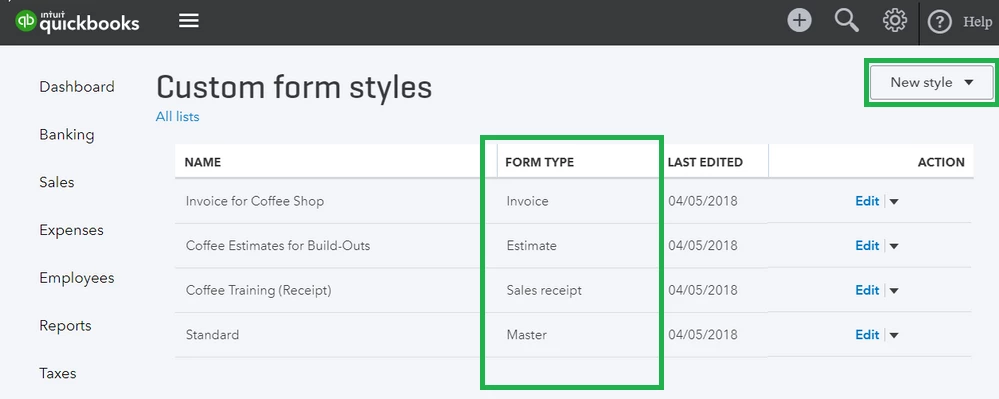
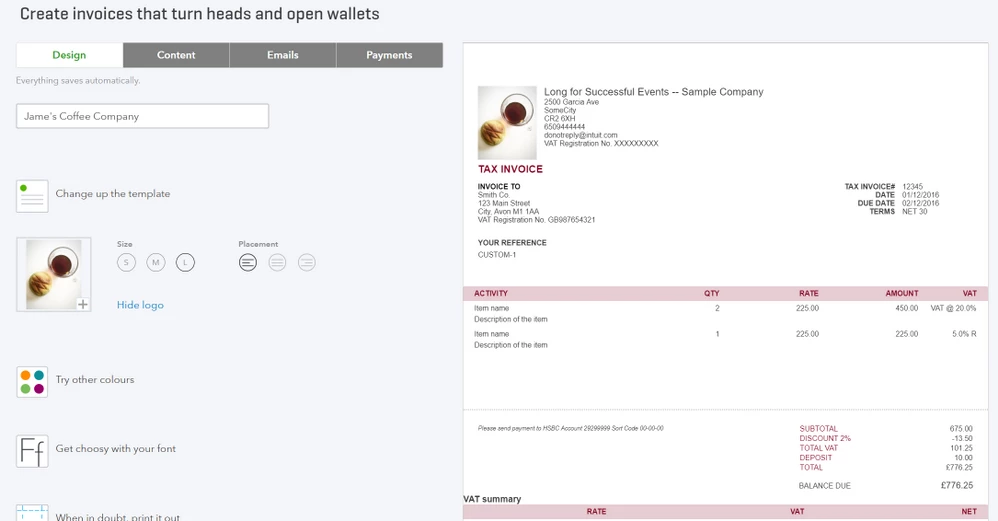
 

While you can create multiple iterations of a form from a master, you can only apply one template at a time.


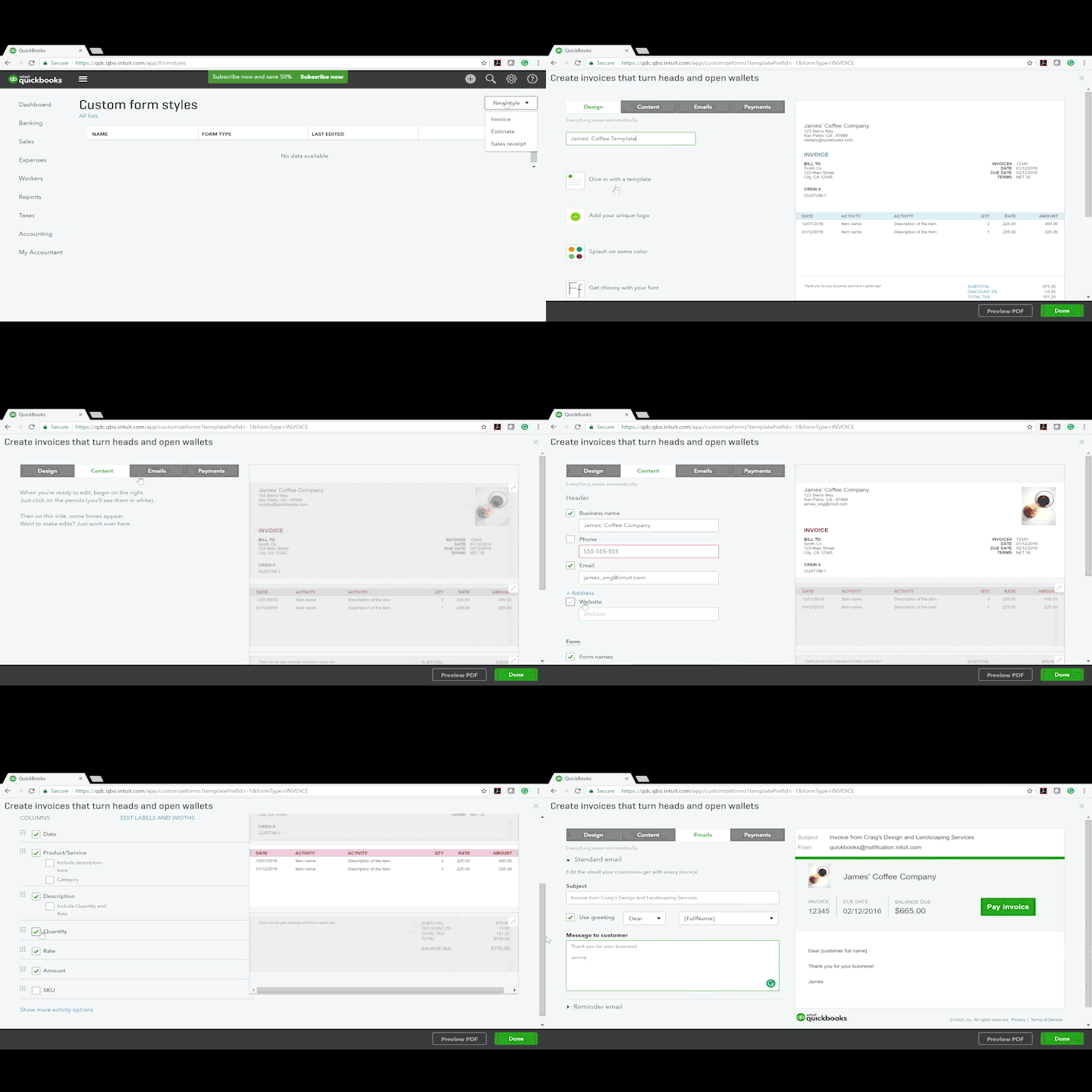
Let's create a new template from scratch. Click the New Style button and select “Invoice” from the drop-down. 


There are four sections of the customization module: Design, Content, Emails, and Payments. You’ll spend the majority of your time in the Design and Content sections.


The Design Tab

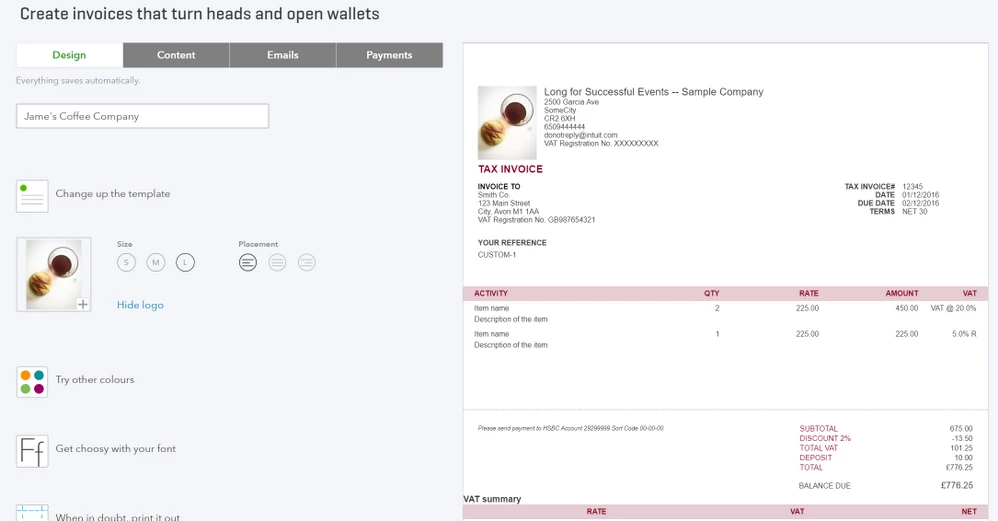
  •  This is where you choose fonts, color-schemes, and your logo. This is also where you can adjust the overall template layout.


 The Content tab

  • Your company information automatically appears in this tab, but you can decide what you want (or don’t want) displayed on the final form. 

  • This is also where you modify data fields (more on that below) and adjust the width of columns.


 The Emails tab

  • You can create a unique invoice email message if you don’t want to use the default.


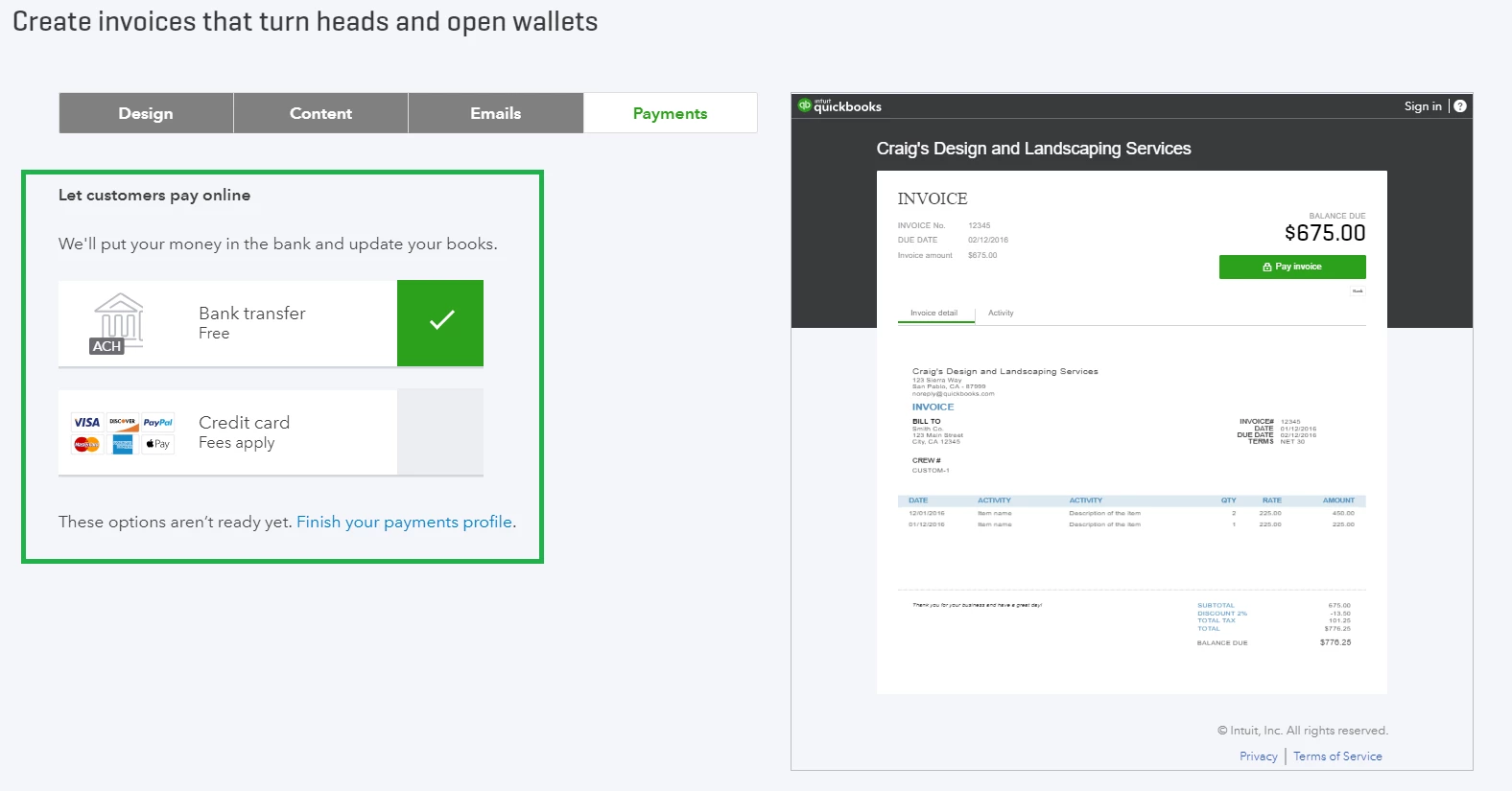
The Payments tab

  • This tab is simple but very important if you want customers to pay you electronically directly from the form. If you’re using QuickBooks Payments, QuickBooks Online will automatically update sales information once the payment is processed.


When you’re done editing the template, you can click Preview PDF or Save and Exit to return to the Custom Form Styles dashboard.


The first invoice template you create will become your master default template. To change the default form, click the Arrow Icon () next to the form you want to designate and select “Make Default."


Designing Custom Invoice Templates


When designing your invoice, ask yourself the following:


  • Appearance – Do you want your brand to appear everywhere on your invoices, or do you prefer a more subtle approach? Try to match your existing marketing efforts to create a sense of uniformity.
  • Data-fields – What information matters most to your customers? How much information is too much? Do you provide clients with specific units of measurement? How about tracking information, like drivers’ names, to add peace of mind? These can always be updated later on.
  • Format – Are your invoices easy to read? Where does the most important information appear on your forms? Which data fields are absolutely necessary? Do your customers prefer larger fonts for improved readability? Start with the basics, then add icing to the cake.
  • Personality and Tone – Is being approachable important to your business? Do you want to sound casual or official? Design accordingly.


Creating a custom logo


When you first create your QuickBooks Online company file, you can add your business logo. This same logo will appear on all of your invoices and sales forms, so take pride in its design and presentation.


Logo edits should be made outside the program before uploading the image. Note that square and circular logos with white backgrounds tend to look the best on invoices. Logos files have a few technical requirements:

  • Must be one of the following formats: .gif, .bmp, .jpg, .jpe, or .jpeg
  • Be smaller than 1MB (this helps with loading speed)
  • Have a bit-depth (aka color-depth) of 24-bits or less and use standard sRGB


Customizing data fields


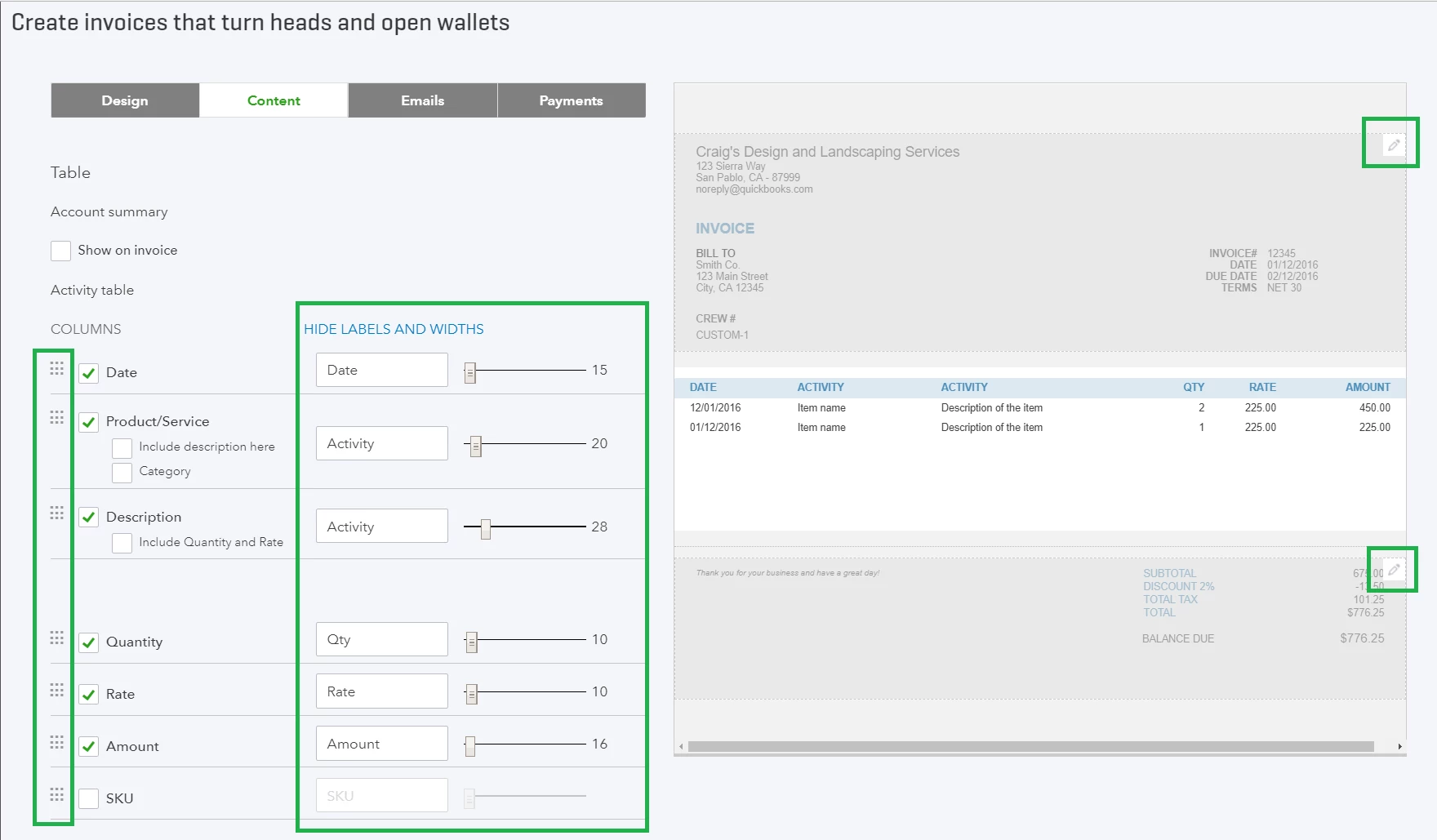
You can add, remove, or rename certain data fields from the Content Tab. To edit a section, click on the pencil icon  () on the preview form. Each section has its own set of customization features.
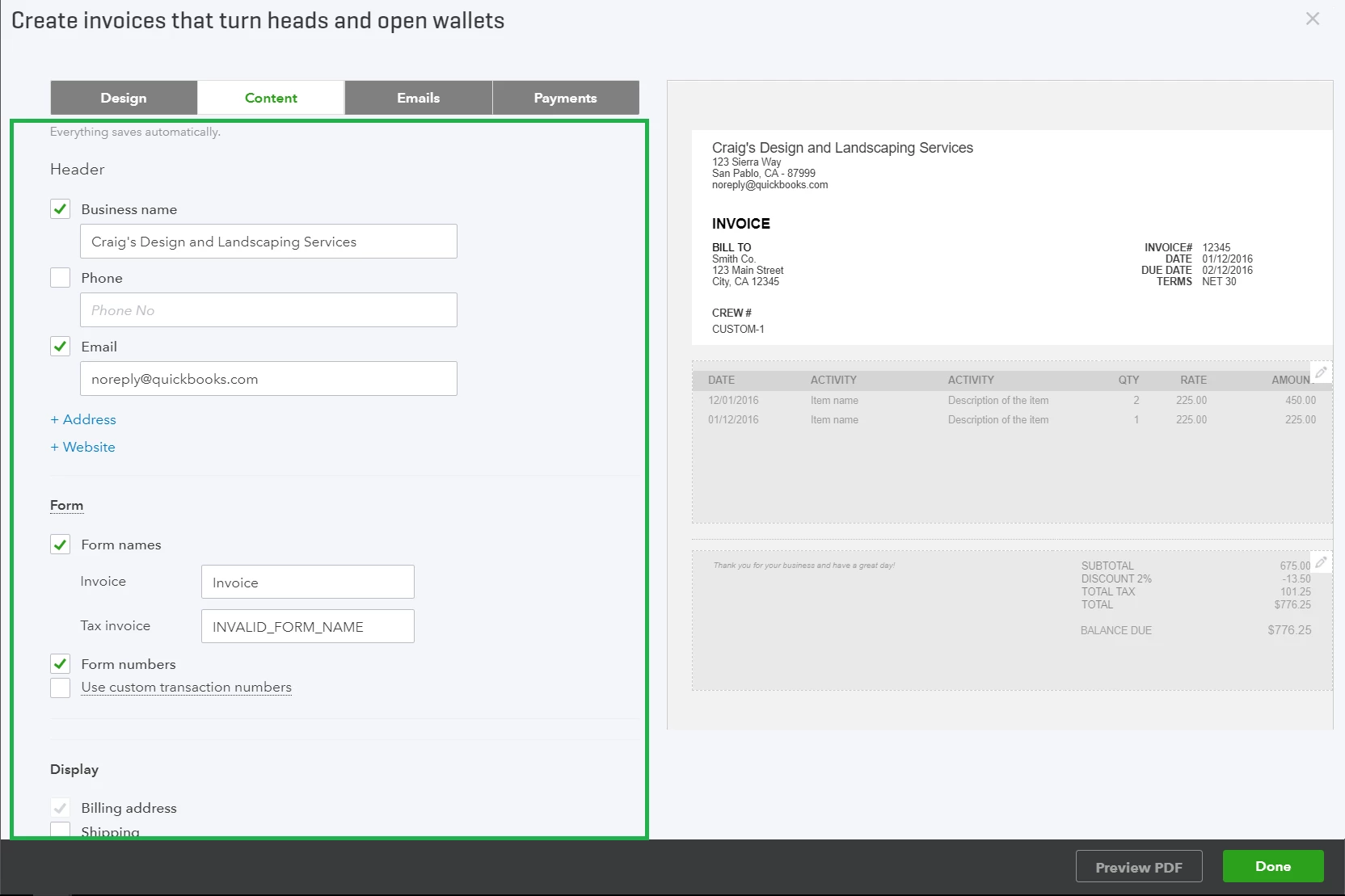


There are numerous available customization options. We won’t go over everything, but we will highlight a few important areas:


  • In the “Header” section (top section), you can add up to three custom fields by clicking “+ Custom Field” 

  • In the data table section (middle section), you can edit, remove, or rearrange the item description, quantity, and rate data fields.

    Click the blue “Edit Labels and Widths” title at the top to enable the column and data field editor. There’s underlying flexibility in this particular module – for instance, if you prefer to display unit quantities in “lbs,” “grams,” or “boxes,” simply enter the unit of measure into the text box.
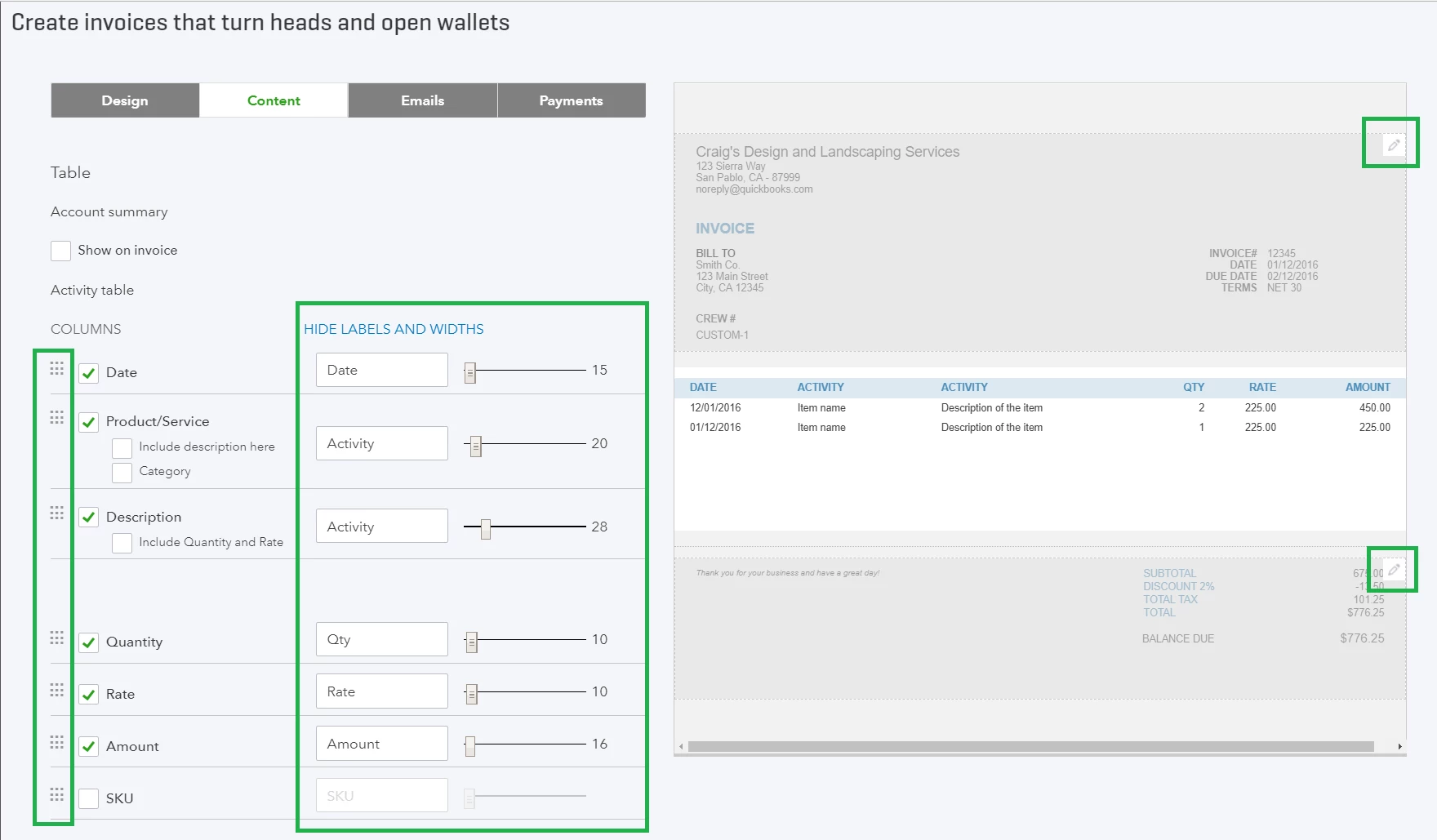


  • To change the order of the columns, grab the square icon and drag it until the solid line becomes dotted.

  • Use the slider bar to adjust the width of each column. Column width is relative and finite – you may need to narrow columns that are taking up space before you can adjust others.


The “Products/service” line in the data table section includes item categories by default. You can turn these off, but product categories provide customers with more information and you get better data (learn more about item categories – Introduction to Categories in Products and Services).


Any other tips I should keep in mind to be successful?


  • Let your invoices portray you and your brand in the best light. Treat them you would any other type of communication, be it email, phone call, or face-to-face meeting. Keep them simple but impactful. 


What’s Next?


Check your Progress


FTU Setting up for Success


    22 replies

    July 16, 2019
    We're new to QBO and are having trouble with creating multiple invoice templates. For instance, we need to have three different "company names" or dba's (sales channels). When we edit each of the three templates with a different company name, all the templates get changed to that latest company name entered. Is this field truly not customizable? Why would Intuit allow us to change it if it propagates over to all other templates? Might it be a Mac App issue? Just trying to figure out if we made a mistake. We were told by the sales rep that this feature (multiple, customized forms) was now available, but the way it's looking, either it's not or there is a major glitch in the system. Paul
    December 9, 2019

    Hi, We're a company that facilitates instant EFT - how do we add a button for the customer to click to Pay with us?  This needs to be a link to our site with a querystring embedded.

    Many thanks

    Michael Watson

    February 5, 2020

    If I have 5 different Services that I invoice a hundred companies for once a year, can I create a template or draft invoice that could then be queued up for each of those clients and individual details (such as units sold) be adjusted before sending?  I do not want a "recurring invoice".  

    May 11, 2020

    Hi, I would like to placed a business message under the amount section.  In this business, there are additional monies due after the job begins.  This message is critical and customers only see the amount due.  Even a message to the left of the amount may not be read.  The critical message under the amount is the appropriate place.  

    June 13, 2020

    Okay for invoices but what about custom credit memos, refund receipts, etc.  There is no function to customize these.

    July 13, 2020

    I sell 3000 different products. How can I make an invoice with random products, then get it in alphabetical order to my customer?

    July 24, 2020

    It's very disappointing that I can't have two different invoices that each carry a different contact address. I have a mailing address and a business address. I don't want all my clients to see my business address because it is my home. I want some to see the business address, and some to see a mailing address I have. Yet, your custom forms only allow the use of one address that exists in the company profile information as the business address. This is very irritating and causes a lot of excess work because I have to now customize every single invoice as it goes out. Do better please!

    August 10, 2020

    Dear Quickbooks,


    Under payment details on my invoice for a customer has the label "transfer to business account below". I would like to add the word "please" before it and unable to edit or customize or remove it all together. I have been unsuccessful in finding where I can make the changes.  Can you please assist? 

    January 1, 2021


    How can I change the account set up in this Shipping? I want to change this to other Shipping Account

    LukeAtWork
    July 15, 2021

    I know this article is about invoices but please, please, please add the ability to remove the handwritten "Approved by ___" and "Date ___" fields on POs!  There is no reason handwritten fields should be on a digital PO used in a paperless workflow.  It would be even better if we could customize POs like we can with invoices.