


Welcome! Check Out Our Community Guidelines and Meet the Team!
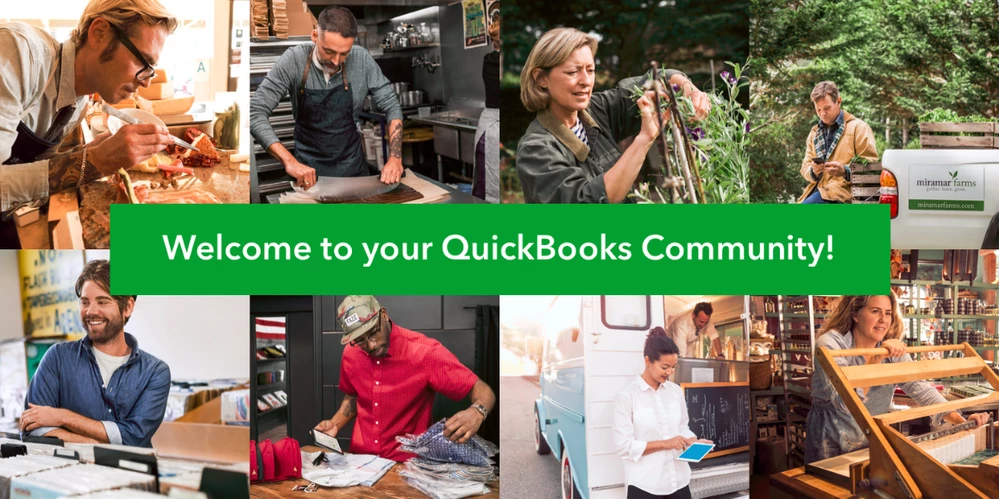
We know it takes more than just useful posts and helpful hosts to create an online community you value, feel safe in and want to visit every day. Building a vibrant, welcoming community that truly helps you start, build and grow your business requires a thoughtful exchange of ideas, information and inspiration between all of our valued participants.
Since everyone here contributes to and helps shape the culture of our QuickBooks Community, we’ve put together some important guidelines about the behavior and expectations that make this community special.
As you read the information below, you’ll find we do things a little differently here than in other online communities. We’ve put a lot of thought into creating guidelines that reflect our goals and priorities, and we hope they reflect what you hold dear, too. We appreciate you taking a few minutes to find out more.
We encourage networking and collaboration
We love honest, helpful and respectful conversations about all things business and QuickBooks, so feel free to share about the frustrating, the confusing, the surprising and the awesome (especially the awesome!). No business or product challenge is too big (or too small) for us to consider and weigh-in on in QB Community. In fact, the more we post our questions and concerns, the more we all learn and grow in business. We’re here to get QuickBooks questions answered and to share every aspect of the entrepreneurial experience. This is the place to learn together.
We are respectful to others
We all come from different places and experiences, so, naturally, we’re going to encounter different opinions and perspectives along the way. In QB Community, we’re committed to maintaining a positive, respectful environment when we agree and when we disagree.
All posts and comments need to be written in the spirit of creating a safe, supportive, welcoming community. Our site strictly prohibits participants from being threatening or abusive or using any kind of insulting or demeaning language. When you’re interacting with someone else on the site, please note we enforce a zero-tolerance policy regarding communication that is in any way disruptive, intimidating, demeaning or, frankly, not very nice.
Bottom line? It takes real effort to be a jerk. Instead, put your energy and expertise into making positive, productive contributions that help everyone in our QB Community thrive.
We want you to share what you know, not what you sell
People join this community to develop ideas, set and reach business goals, get answers to questions about QuickBooks products, be inspired by other entrepreneurs and learn something new everyday. You know what gets in the way of all that goodness? Sales pitches, marketing plugs and shameless self-promotion. No matter how innovative or amazing your products or services are, we enforce a zero-tolerance policy when it comes using a public post to pitch or promote in any way what you sell.
Here’s the official word on our position: Please do not promote, link to or encourage others to join or participate in competing sites with the intent of harming the flow of information and/or participation and/or of a self-promotional nature on the site.
We ask you to limit your links
If you missed the reference to links above, take a moment to go back and read it again. Unlike other communities, we do not allow people to post links to external content of any kind. Why? When a discussion board or feed gets flooded by promotional materials, product pitches, event announcements, embedded videos and more, we believe the experience of quickly and easily finding helpful, meaningful content is diminished. Significantly. Instead of parsing out which types of external links might or might not be acceptable, we take a simple, streamlined approach and just say no (thanks).**
(You’ll find a list of the kinds of external links we don’t allow on QB Community at the bottom of this post.)
The good news is that you absolutely can include a link to your business website and all your social media pages on your profile page (you’ll find the link near the top of your personalized homepage). That’s the go-to place for others to find out about your business, products and expertise. However, your QB Community profile is the only place for you to link out your business, blog, company logo or related sites.
** While these strict guidelines apply to every member of community, the more you participate on the site, the more permissions you’ll earn as a member. As you rank up in QB Community, you’ll get access to more tools and permissions -- including the right to link out to other sites (per our guidelines, of course).
We want to hear about your concerns
We keep a close eye on things to make sure everyone is observing and following the same guidelines. However, if you notice someone on the site is behaving or communicating in a questionable way, please let any one of our friendly QB Community hosts know immediately. Likewise, if a discussion topic, comment or post makes you uncomfortable, please reach out to your QB Community hosts at once. We will take appropriate action right away.
Links and behavior that just won’t cut it
In the spirit of genuinely helping everyone in our community, here’s a list of links and behaviors we won’t allow on the site.
Please do not post links to external:
- Message boards and forums
- Chats
- Videos promoting products
- Product referrals
- Product blogs
Please do not post embeds of:
- Event announcements or meetups
- Other interactive or live events
- Live video streams
Please do not participate in:
- Explicit client acquisition
- Beta tests without collaboration from QuickBooks/Intuit
- Kickstarter or other project feedback offsite
- Work recruitment or hiring
- Workshops and events
- The sale of property
More fine print: QB Community’s take on copyright and intellectual property rights
When you participate in the QuickBooks Community, you get access to the expertise, insights and experience of countless entrepreneurs and business leaders. Hurray! As you post, comment or in any way engage with QB Community, please note that you’re giving QB Community full rights (perpetual, worldwide, irrevocable, royalty-free -- you name it) and absolute license to use any/all of your great content (including your username) in our efforts to market, promote or otherwise build awareness of this community. Keep in mind that as members and participants, you do not have the right to copy or redistribute any QB Community content outside our message boards. That way, we keep all the goodness of this awesome community inside the QB Community!
If you violate our QB Community guidelines, you’ll be subject to some corrective action. It might start with a gentle warning. It could end with a permanent ban from the community (repeat offenders will lose their membership). And if a post, comment or response doesn't help move a conversation in a positive direction, it will be removed. You can read a full list of official dos and don’ts in the Terms of Service.