


Assigning Package Licenses to Clients
If you buy a package deal of licences, each one will appear in QuickBooks as a ‘placeholder’ until you assign it to a named client. To add a client, go to your QuickBooks Online Accountant page and follow these steps:
- Click on ‘Clients’ under ‘Your Practice
- Click on the customer name/file name you want to change
- Click on the “Edit Client” button in the top right corner -
- Add the required information
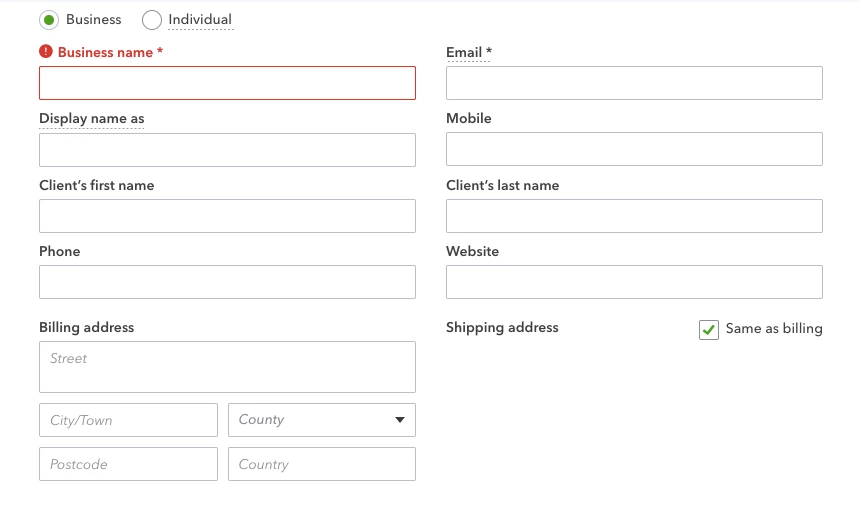
- Press “Save”
Setting up the QuickBooks file for your client
All customers with a QB icon under the status have a licence assigned to them:
Press the QB Icon

- This will take you to the setup page of the QBO
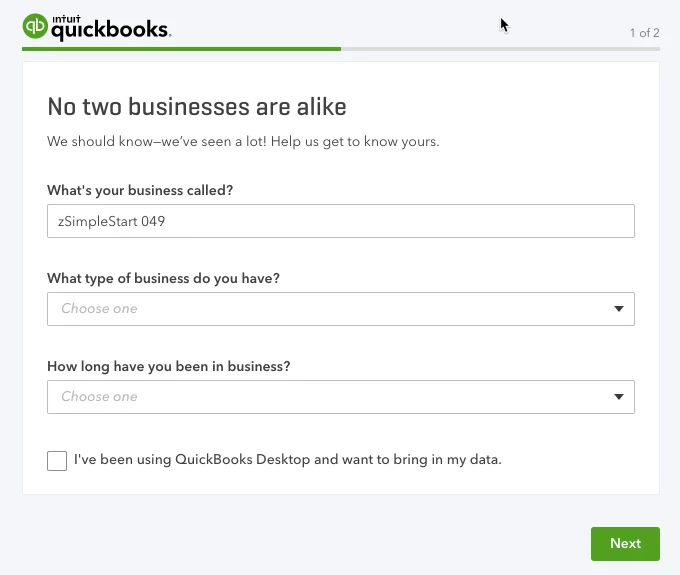
- Enter the required information. “How long have you been in business” is optional
- If you plan to import information at a later stage, tick “I’ve been using QuickBooks Desktop…” This will take you straight to the company file.
-
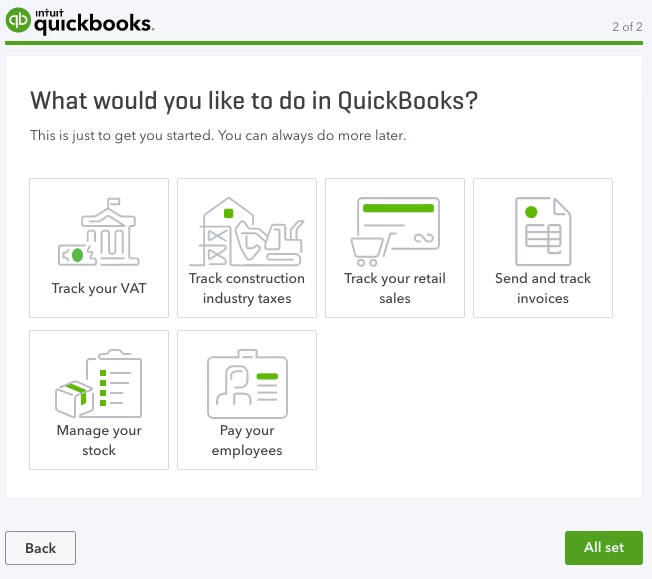
- In this window, you can choose to:
a. Track your VAT
b. Track Construction Industry Taxes (Turn on CIS)
c. Track your retail sales
d. Send and track invoices
e. Manage stock
f. Pay your employees (turn on Payroll).
To learn more about how to invite your client to QBO, click here.